

 WhatsApp: +86 16626708626
 Email:
  Phone: +86 16626708626
Description
The GE IC755CSS12CDB-BQ (often listed as IC755CSS12CDB with -BQ suffix) tackles a persistent pain point in industrial automation and process control setups: the need for a single, robust device that combines high-performance operator interface visualization with embedded control capabilities, without forcing separate HMI and controller hardware stacks. In many plants, engineers face fragmented systems—dedicated HMIs for display, separate PLCs for logic, and additional networking gear to tie them together—which inflate costs, complicate commissioning, increase failure points, and demand more cabinet space and wiring. This fragmentation becomes especially problematic in mid-sized machines, batch processes, or retrofit applications where downtime for maintenance or upgrades is expensive and space is limited.
GE IC755CSS12CDB-BQ becomes essential when you’re designing or upgrading systems that require clear, responsive operator interaction alongside deterministic control execution, all in one compact footprint. It eliminates the integration overhead of linking separate HMI and controller platforms, reducing engineering time, panel real estate, and potential communication bottlenecks. This is particularly valuable in environments with moderate to high I/O counts, where high reliability and intuitive visualization are critical for operators to monitor trends, acknowledge alarms, and intervene quickly. By consolidating view and control functions, GE IC755CSS12CDB-BQ supports faster deployment in process control environments, helps maintain system stability during production runs, and simplifies lifecycle management for teams handling everything from machine builders to plant-floor upgrades.
The GE IC755CSS12CDB-BQ functions as an all-in-one QuickPanel+ series operator interface with integrated control runtime, built around a powerful ARM-based processor running Microsoft Windows Embedded Compact 7. This 12-inch touchscreen device serves as both the primary HMI for graphical process visualization and a capable soft PLC platform, executing logic directly on the unit via supported IEC 61131-3 runtimes or Emerson’s PAC Machine Edition tools. It connects to field I/O through onboard Ethernet ports (dual for redundancy or segmented networks), serial interfaces, and optional expansion modules, while supporting common industrial protocols like Modbus TCP/RTU, Ethernet/IP, and Profinet for seamless interaction with remote PLCs, drives, sensors, or higher-level MES/SCADA systems.
Positioned at the machine or skid level in the automation stack, it sits between field devices and plant networks, handling real-time data acquisition, local control loops (where appropriate), alarm management, trending, and recipe handling without constant reliance on upstream controllers. The capacitive touchscreen provides crisp SVGA graphics with hardware-accelerated 2D/3D rendering for smooth animations and complex process mimics. Diagnostics and status monitoring occur through built-in tools, with data logging possible via onboard storage or SD card. In redundant or distributed architectures, the dual Ethernet ports enable network segmentation or failover paths, keeping critical operator access available even during network disturbances.
| Specification | Details |
|---|---|
| Model Number | IC755CSS12CDB-BQ |
| Brand | GE (now Emerson) |
| Type | QuickPanel+ 12″ Operator Interface with View & Control |
| Display | 12.1-inch diagonal, 800 × 600 SVGA, 65,536 colors, capacitive touchscreen |
| Processor | Freescale i.MX535 1 GHz ARM Cortex-A8 |
| Memory | 1 GB DDR3 SDRAM, 512 MB SLC NAND Flash |
| Operating System | Microsoft Windows Embedded Compact 7 |
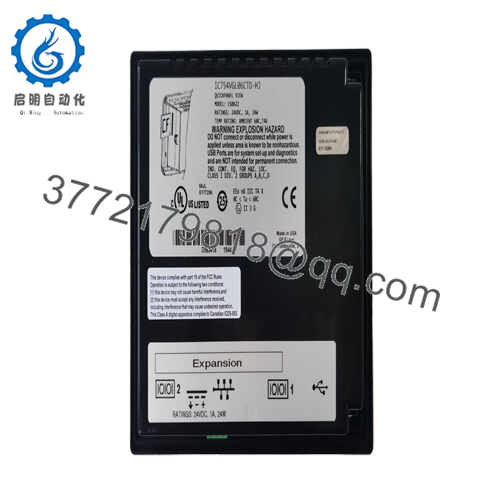
| Input Voltage | 24 VDC ±10% |
| Operating Temp Range | 0 to +55 °C |
| Mounting Style | Panel mount |
| Dimensions | Approx. 337 × 263 × 70 mm (13.27 × 10.35 × 2.76 in) |
| Weight | Approx. 3–3.2 kg |
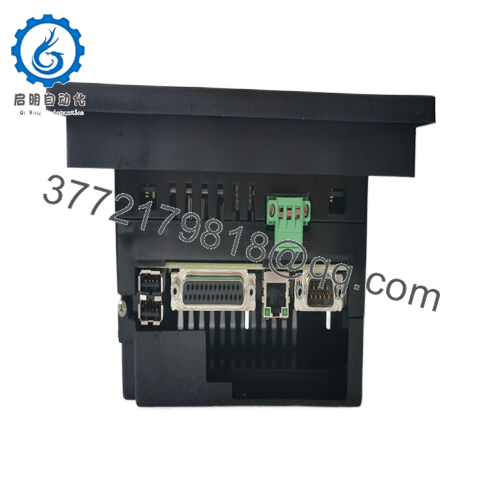
| Interface/Bus | Dual 10/100 Ethernet, RS-232, RS-485, USB, SD/SDHC slot |
| Compliance | CE, UL, cUL, suitable for industrial/hazardous locations (check specific certifications) |
| Supported Protocols | Modbus TCP/RTU, Ethernet/IP, Profinet, others via configuration |
| Typical Power Draw | 25–30 W maximum |

- IC755CSS12CDB-BQ
Deploying GE IC755CSS12CDB-BQ yields noticeable gains in operational efficiency and system resilience. Engineered for demanding industrial automation environments, its integrated view-and-control architecture reduces latency between operator actions and process response, ensuring more precise oversight of critical variables and faster troubleshooting during upset conditions. This consolidation cuts engineering overhead significantly—fewer devices mean simpler wiring, reduced spare parts inventory, and unified programming tools that streamline development from design through commissioning.
In daily use, the responsive touchscreen and high-resolution graphics make complex processes intuitive for operators, lowering training requirements and error rates during shift changes or abnormal situations. Maintenance efficiency improves through onboard diagnostics, remote access capabilities over Ethernet, and easy firmware updates, minimizing unplanned downtime. Over the long term, GE IC755CSS12CDB-BQ supports consistent performance in vibration-prone or temperature-variable settings, helping sustain critical system uptime while adapting to evolving production needs without major hardware overhauls.
Typical deployments of GE IC755CSS12CDB-BQ include packaging and discrete manufacturing lines, where it handles machine control, recipe selection, and real-time visualization for high-speed operations requiring quick operator intervention. In batch process control environments like food & beverage or pharmaceuticals, it manages mixing, filling, or sterilization sequences with integrated alarming and historical trending for compliance and traceability. Water/wastewater facilities and small-to-medium power generation skids rely on it for pump/motor control, flow monitoring, and SCADA integration in harsh, continuously running conditions where high reliability and noise-immune communication are essential. Across these scenarios, the unit excels in applications demanding fast data cycles, clear HMIs, and embedded logic to keep processes stable without external controllers.
IC755CSS12CDB – Base model without specific suffix variations, functionally equivalent in most setups
IC755CSS12CDA – Similar 12″ variant with potential differences in pre-loaded software or options
IC755CSS10CDB – 10-inch smaller-screen alternative for space-constrained panels
IC755CSS15CDB – Larger 15-inch version for applications needing more display real estate
IC755CSSW07CDB – 7-inch compact model for simpler operator stations
IC755CSW07CDA – Widescreen or alternative configuration in the QuickPanel+ family
IC755CSS12CDB-CA – Variant with specific certifications or bundled features (e.g., additional interfaces)
QuickPanel+ series equivalents – Such as IC755 series upgrades or Emerson-branded successors for migration paths
Prior to installation of GE IC755CSS12CDB-BQ, confirm panel cutout dimensions match the specified footprint and ensure adequate ventilation around the unit for natural convection cooling—avoid blocking vents in enclosed cabinets. Verify 24 VDC power supply stability and grounding to prevent noise issues on the touchscreen or Ethernet links. Check firmware and Proficy Machine Edition (or equivalent) version compatibility for your target application, and preload the required runtime or visualization project before mounting to minimize on-site configuration time. Secure all cable connections (especially Ethernet for control traffic) and test network segmentation if using dual ports.
Routine maintenance involves monthly visual inspections of the touchscreen for wear or calibration drift, cleaning with approved non-abrasive materials, and checking for loose cables or dust ingress at seals. Monitor system logs via the built-in diagnostics for memory usage, communication errors, or thermal warnings. Every 6–12 months, depending on environment, back up configurations, verify battery-backed memory (if used), and apply any Emerson-recommended security patches or firmware updates. Keep a spare unit configured as a drop-in replacement to facilitate quick swaps during critical production windows.



