
 WhatsApp: +86 16626708626
 Email:
  Phone: +86 16626708626
Description
3. Key Technical Specifications
| Parameter | Value |
|---|---|
| Product Type | IGBT Drive/Source Bridge Interface Board |
| Series | GE Mark VI Speedtronic |
| Rack Type | VME card rack (P1/P2 backplane connectors) |
| Function | Interface between control board and bridge interface boards |
| Control Logic | EPLD configured via main CPU |
| Memory | Onboard serial memory (ID & revision storage) |
| Relay Outputs | 4 onboard relays |
| Monitoring | Bridge temperature and system fault interface |
| Operating Temperature | −10°C to +55°C |
| Power Supply | Via backplane |
| Weight | ~0.4–0.9 kg |
| Revision Notes | First two revisions backward-compatible |
4. Product Introduction
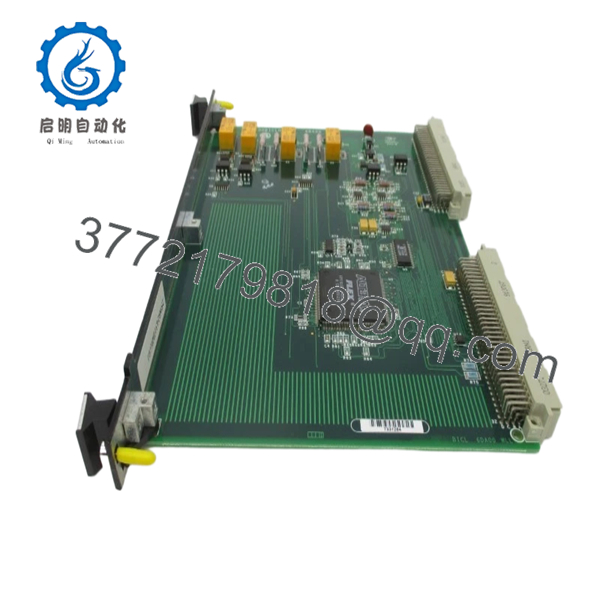
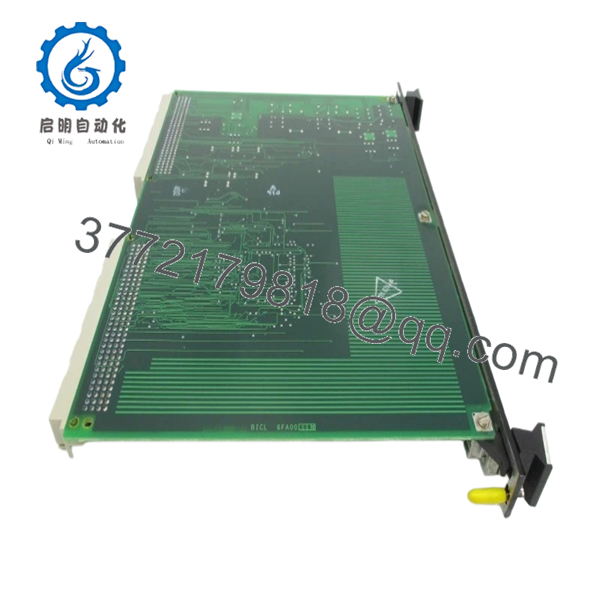
The GE IS200BICLH1BAA is a bridge interface PCB used in the Mark VI Speedtronic turbine control system. It connects the main control processor with IGBT drive and bridge interface boards, handling critical signal routing and monitoring functions in gas and steam turbine applications.
In real plant deployments, this board is used where deterministic control of drive interfaces and fault signaling is required. Its tight integration with the Mark VI VME architecture and EPLD-based logic makes it a fixed-function component—there’s no flexible substitution outside the exact part family.
5. Installation & Configuration Guide
Stage 1: Pre-Installation Preparation (Estimated 10–15 minutes)
- ⚠️ Safety First: Notify operations, shut down turbine control, apply LOTO, wait minimum 5 minutes.
- Tools Required: ESD strap, PH1 screwdriver, Fluke 115 multimeter, labeling tags, smartphone.
- Data Backup:
- Backup Mark VI configuration from ToolboxST or equivalent.
- Record slot location (critical in VME racks).
- Photograph rack and module orientation.
Stage 2: Removing the Old Module (Estimated 5–10 minutes)
- Open control cabinet and locate the VME rack.
- Identify correct slot (often fixed assignment).
- Release top/bottom retaining clips or screws.
- Pull module straight out — do not tilt.
- Inspect P1/P2 connectors for bent pins or contamination.
- ⚠️ Note: Keep the removed board for cross-checking revision and hardware markings.
Stage 3: Installing the New Module (Estimated 10 minutes)
- Wear ESD protection before handling.
- Verify exact model: IS200BICLH1BAA and revision code.
- Align with card guides and insert evenly.
- Apply firm pressure top and bottom until seated.
- Secure locking clips or screws.
- Self-Checklist:
- Correct slot (Mark VI often requires fixed slot like Slot 5)
- Board fully seated
- No connector resistance
Stage 4: Power-On & Testing (Estimated 10–15 minutes)
- Pre-Power Check: Confirm no shorts on rack supply rails.
- Power-On Steps:
- Energize control cabinet.
- Observe system diagnostics (via HMI or toolbox).
- Verify communication with main controller.
- Check relay outputs and interface signals.
- Validate bridge control signals (if turbine offline test available).
- ⚠️ Troubleshooting Note:
- No system recognition → likely wrong slot or revision mismatch.
- Intermittent faults → check backplane seating and relay contacts.
6. Frequently Asked Questions (FAQ)
Q1: Can this board be hot-swapped?
No. Mark VI VME boards are not hot-swappable. Removing under power risks backplane damage and can crash the controller.
Q2: Is this model obsolete?
Yes, Mark VI is a legacy platform. Still widely supported in power plants, but availability depends on surplus inventory and refurbished stock.
Q3: Are all revisions interchangeable?
Not exactly. Only the first two revisions are backward-compatible. Later revisions may introduce non-functional artwork changes or minor differences.
Q4: What happens if I install it in the wrong slot?
You can trigger system faults or even damage the board. Some BICL boards are explicitly labeled for specific slots. I’ve seen systems fail to boot because of this mistake.
Q5: Will I lose control logic if I replace this board?
No. Logic resides in the main controller CPU. This board acts as an interface layer. Still, always back up configs—Mark VI systems are not forgiving after unexpected faults.
Q6: Why is this board not interchangeable with other IS200 modules?
Because it performs a specific bridge interface role. It’s not a general I/O card. Trying to substitute with another board (even similar IS200 series) will not work.
SOP Quality Transparency
1. Inbound Inspection & Traceability
- Verified against OEM shipment records and part numbering format.
- Serial and revision codes checked for authenticity.
- Visual inspection: conformal coating intact, no relay damage, no PCB discoloration.
- Connector pins inspected under magnification.
2. Live Functional Testing
- Tested on a GE Mark VI VME rack test bench.
- Verified system recognition and backplane communication.
- Relay actuation tested using simulated control signals.
- Continuous runtime test: 24-hour energized operation.
- Fault string and monitoring signals validated.
- Test report available (photos/video on request).
3. Electrical Parameter Testing
- Insulation resistance >10 MΩ @ 500 V Megger.
- Ground continuity verified.
- Relay switching continuity tested under load.
4. Firmware & Configuration Verification
- Board ID and revision read from onboard memory.
- Compatibility checked against Mark VI system requirements.
5. Final QC & Packaging
- QC inspection sign-off with traceable record.
- Anti-static ESD packaging.
- Foam-protected heavy-duty carton.
- QC Passed label with inspection date.

- IS200BICLH1BAA
Technical Pitfall & Survival Guide
❗ 1. Firmware / Revision Mismatch
I’ve seen a Mark VI rack reject a board silently—no alarms, just no function. Root cause was revision mismatch.
Avoidance: Always match revision family or confirm compatibility before install.
❗ 2. Wrong Slot Installation
This is a classic Mark VI issue. Some boards are slot-specific.
Anecdote: A tech installed a BICL board one slot off—system booted with faults for hours.
Avoidance: Document slot before removal. Do not guess.
❗ 3. Backplane Connector Damage
VME connectors are not forgiving. Slight misalignment bends pins.
Avoidance: Insert straight, apply even pressure top and bottom.
❗ 4. Misinterpreting Board Function
This is not a general I/O module. It handles bridge interface logic only.
Avoidance: Verify system architecture—don’t substitute based on physical similarity.
❗ 5. ESD Handling Failure
These boards are sensitive due to EPLD and memory components.
Real case: Winter installation, no strap → board failed on startup.
Avoidance: Ground yourself. Always.



