
 WhatsApp: +86 16626708626
 Email:
  Phone: +86 16626708626
Description
Key Technical Specifications
- Input Voltage: 90–300 V AC/DC control power
- Measurement Type: 3-phase voltage, current, power, energy
- Communication Protocols: Modbus RTU, Modbus TCP (via optional modules)
- Analog Inputs: Up to 4 configurable channels
- Digital Inputs: Programmable status inputs
- Output Relays: Alarm and control relay outputs
- Display Interface: Integrated LCD with keypad
- Accuracy Class: ±0.5% typical for electrical parameters
- Operating Temperature: −20 to +60°C
- Mounting: Panel-mounted (cutout installation)
- Memory: Event logging and waveform capture
4. Product Introduction & Supply Chain Strategy
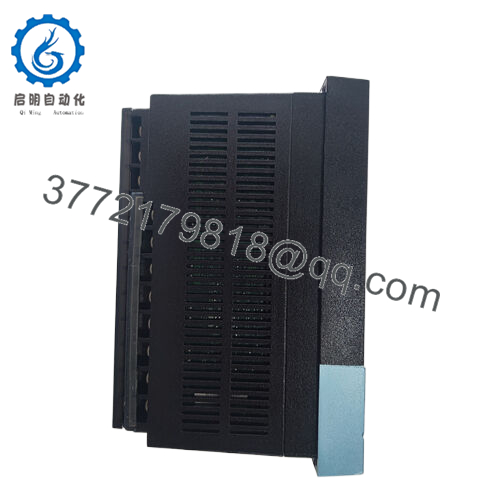
The GE PQMII-C-A is a panel-mounted power quality monitoring and control module used in industrial distribution systems. It measures voltage, current, harmonics, and energy consumption while providing alarm and relay control functions for electrical protection schemes.
From a supply-chain perspective, this unit sits in a mature lifecycle stage. Securing New Surplus inventory reduces Total Cost of Ownership (TCO) by avoiding unplanned downtime tied to refurbished failures. Maintaining buffer stock is critical due to lead time variability and increasing discontinuation risk across PQMII series components.
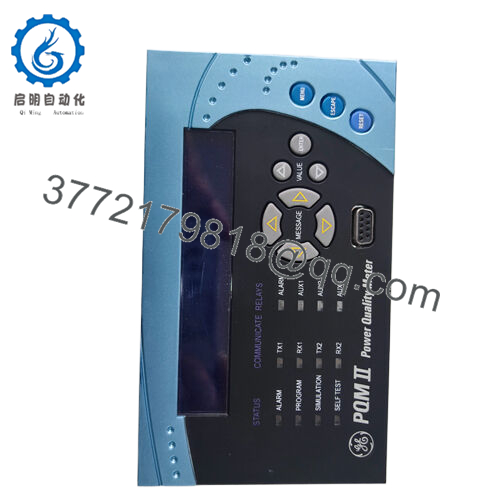
- PQMII-C-A
5. Installation & Configuration Guide
Stage 1: Pre-Installation (Prep & Safety)
- Apply lock-out/tag-out (LOTO) on all संबंधित circuits
- Verify absence of voltage using a calibrated meter
- Prepare ESD wrist strap and insulated tools
- Capture photos of terminal wiring and configuration parameters
Stage 2: Removal
- Loosen panel mounting clamps evenly
- Gently extract the module without tilting to prevent connector stress
- Inspect terminal blocks and wiring for heat damage or looseness
Stage 3: Installation (Clone & Seat)
- Match all wiring terminals exactly per recorded configuration
- Install module into panel cutout and secure mounting brackets
- Confirm tight seating and no mechanical stress on connectors
Stage 4: Power-On & Testing
- Verify 24 V/line control power integrity before energizing
- Power on and observe LCD initialization
- Confirm normal status (no alarm LEDs)
- Validate communication (Modbus polling) and I/O signals
6. Firmware/Software Versions & Upgrade Notes
- Recommended Firmware: Match existing system version (commonly V3.x range)
- Compatibility Note: Firmware mismatches can disrupt Modbus register mapping and alarm logic
- Backward Compatibility: Newer firmware may not fully support legacy SCADA drivers
- Upgrade Risk: Avoid firmware upgrades during replacement unless required; changes can impact protection thresholds and communication timing
- Best Practice: Document original firmware and configuration before removal to ensure seamless commissioning
7. Frequently Asked Questions (FAQ)
Q1: Is this unit truly new or surplus stock?
Yes. This product is a Brand New Surplus unit. It is not used, not pulled from a decommissioned plant, and not refurbished. It retains original OEM build quality with zero wear on terminals and internal components.
Q2: Why is the price higher than refurbished options?
Refurbished units often contain aged capacitors and relays, which introduce failure risk. A single unexpected failure can trigger downtime costs far exceeding the initial savings. New Surplus ensures predictable lifecycle performance and reduces stock-out incidents.
Q3: Is the GE PQMII-C-A obsolete?
The PQMII platform is approaching late lifecycle. It is not fully obsolete yet, but OEM support is narrowing. A last-time-buy strategy and defined Min/Max levels are recommended to avoid future shortages.
Q4: What stocking strategy do you recommend?
For critical power monitoring applications, maintain 1–2 units as buffer stock on-site. For multi-site operations, consider cross-site sharing to reduce total inventory while maintaining coverage.
Q5: Can this module be hot-swapped?
No. Always de-energize the system before replacement. Hot-swapping risks damaging the module and connected measurement circuits.
Q6: Does the unit retain configuration after power loss?
Yes. Configuration settings and logs are stored in non-volatile memory. However, always back up settings before replacement to mitigate configuration drift.
Q7: What warranty and verification are provided?
Units include a 12month warranty. Each module undergoes QC verification, including power-on testing, communication checks, and inspection of insulation and grounding integrity. Serial numbers and traceability documentation are available upon request.



