
 WhatsApp: +86 16626708626
 Email:
  Phone: +86 16626708626
Description
3. Key Technical Specifications
| Parameter | Value |
|---|---|
| Product Type | PLC Rack / Backplane Chassis |
| System Compatibility | VMIC VMIOMAX modules |
| Slot Capacity | Multi-slot I/O module support |
| Backplane Type | Proprietary VMIC bus |
| Mounting | Industrial rack / panel mount |
| Power Distribution | Backplane-fed to installed modules |
| Weight | Approx. 0.9 lbs (0.4 kg) |
| Operating Temperature | 0 to 60°C (typical industrial) |
| Construction | Industrial-grade PCB + metal frame |
| Indicators | System-level status via installed modules |
| Lifecycle Status | Legacy / OEM discontinued |
| Availability | Typically out of stock in open market |
4. Product Introduction & Supply Chain Strategy
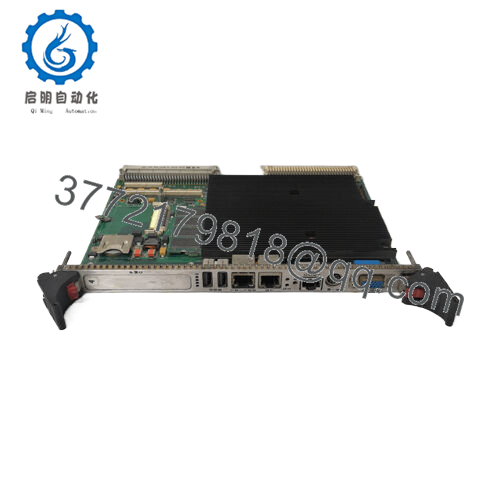
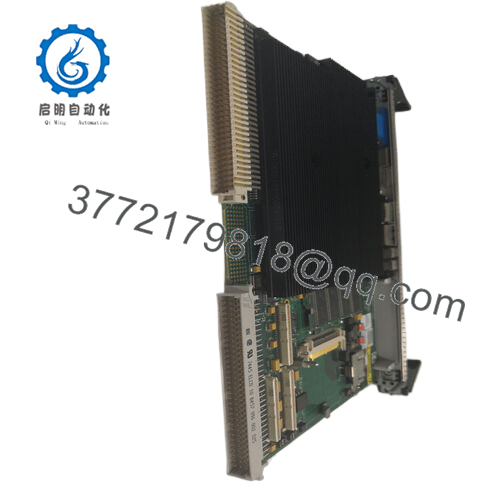
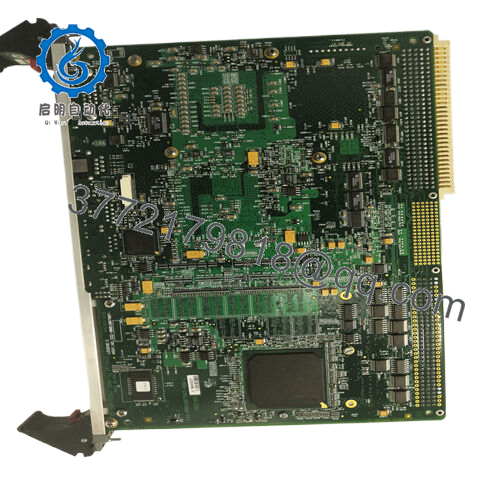
The GE VMIOMAX-8001B is a VMIC-series PLC rack chassis that provides the physical and electrical backplane interface for multiple I/O modules within industrial control systems. It serves as the backbone for signal distribution and module communication in legacy GE/VMIC architectures.
From a supply-chain standpoint, this is a structural component—not optional. Without a functioning rack, all installed I/O modules become unusable. Since availability is already constrained, a last-time-buy combined with defined buffer stock is critical. Securing New Surplus units avoids refurbished rack risks such as connector wear and backplane faults, directly reducing Total Cost of Ownership (TCO).

- VMIOMAX-8001B
5. Installation & Configuration Guide
Stage 1: Pre-Installation (Prep & Safety)
- Execute lock-out/tag-out procedures on the entire control rack.
- Use ESD protection (grounded wrist strap).
- Label and document all installed modules and wiring connections.
- Verify mechanical compatibility and mounting dimensions.
Stage 2: Removal
- Fully power down all connected systems.
- Remove all installed I/O modules carefully.
- Disconnect power and communication wiring.
- Unmount the rack chassis without stressing connectors or rails.
Stage 3: Installation (Clone & Seat)
- Mount the new rack securely in the panel or cabinet.
- Reconnect power and backplane interfaces.
- Reinstall I/O modules in original slot positions.
- Ensure each module is fully seated—partial insertion causes bus faults.
Stage 4: Power-On & Testing
- Restore system power gradually.
- Monitor module LEDs for RUN/ERR status.
- Verify communication across all installed modules.
- Perform I/O validation checks from the controller.
6. Firmware/Software Versions & Upgrade Notes
- The rack itself has no firmware, but compatibility depends on installed module firmware versions.
- Mixing modules with different firmware revisions can introduce communication instability across the backplane.
- Maintain consistent firmware baselines across all installed cards.
- Avoid simultaneous firmware upgrades during rack replacement—stage changes to isolate risk.
7. Frequently Asked Questions (FAQ)
Q1: Is this rack truly new or previously installed?
This product is a Brand New Surplus unit. It is not used, not pulled from a decommissioned plant, and not refurbished. The backplane connectors show zero insertion wear.
Q2: Why is a rack considered a critical spare?
Unlike I/O cards, the rack is a single point of failure. A backplane fault disables multiple modules simultaneously. This justifies maintaining at least one on-site spare.
Q3: Why not use a lower-cost refurbished rack?
Refurbished racks often have worn connectors or microfractures in the backplane. These faults are intermittent and difficult to diagnose, leading to extended downtime.
Q4: Is the VMIOMAX-8001B obsolete?
Yes. It is a legacy platform component with limited availability. A proactive last-time-buy and vendor consolidation strategy is strongly recommended.
Q5: What stocking strategy do you recommend?
- Minimum: 1 unit per critical system (buffer stock)
- Multi-site plants: Enable cross-site sharing
- Reorder Point: Based on failure risk + lead time variability (typically 6–12 months coverage due to scarcity)
Q6: Can I replace the rack without removing modules?
No. All modules must be removed before rack replacement to prevent mechanical damage and ensure proper seating.
Q7: What warranty is provided?
12months warranty, including QC verification, electrical inspection, and traceable serial documentation.



