
 WhatsApp: +86 16626708626
 Email:
  Phone: +86 16626708626
Description
3. Key Technical Specifications
| Parameter | Value |
|---|---|
| Processor Architecture | Intel x86 (embedded class) |
| Bus Interface | VMEbus (ANSI/VITA compliant) |
| Form Factor | 6U VME Single Board Computer |
| Memory | SDRAM (onboard, model-dependent capacity) |
| Storage Interface | IDE / Flash support |
| Ethernet | 10/100Base-T onboard |
| Serial Ports | RS-232/422/485 configurable |
| Operating Systems | VxWorks, Linux, Windows Embedded |
| Power Requirement | +5 V DC (VME backplane) |
| Operating Temperature | 0°C to +55°C (industrial typical) |
| Cooling | Forced air recommended |
| I/O Expansion | PMC (PCI Mezzanine Card) slots |
4. Product Introduction & Supply Chain Strategy
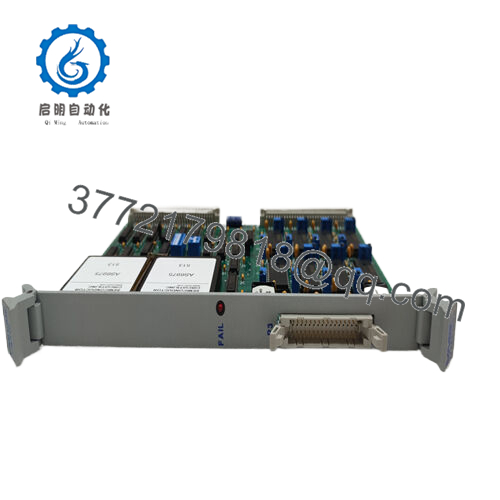
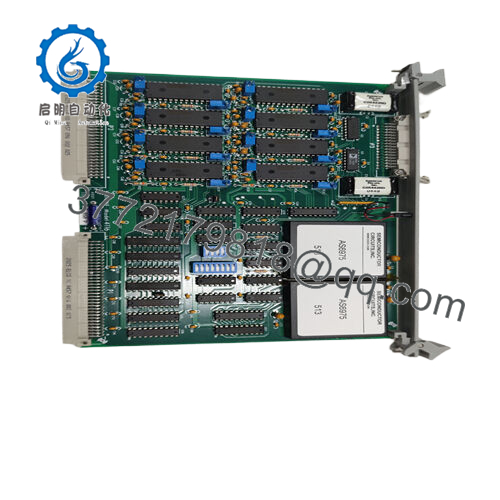
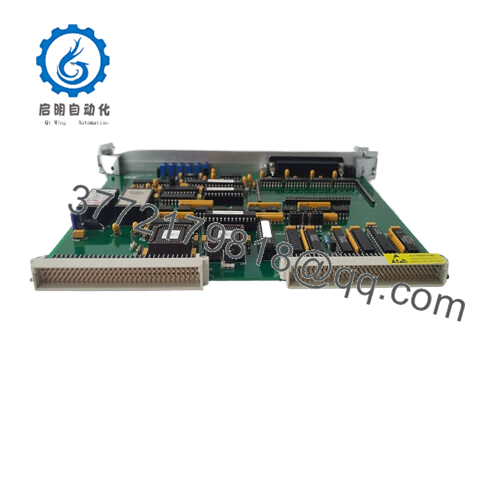
The GE VMIVME-7589 is a 6U VMEbus single board computer designed for real-time industrial control, defense systems, and legacy automation platforms. It executes control logic, manages I/O communication, and interfaces with VME backplane systems in mission-critical environments.
This product is a Brand New Surplus unit. It is not used, not pulled from a decommissioned plant, and not refurbished. For EOL VME platforms, maintaining buffer stock is essential due to long lead times and zero OEM production. Procuring New Surplus inventory reduces Total Cost of Ownership (TCO) by preventing emergency downtime and eliminating the reliability risks tied to refurbished components.

- VMIVME-7589
5. Installation & Configuration Guide
Stage 1: Pre-Installation (Prep & Safety)
- Execute full lock-out/tag-out (LOTO) on the VME rack.
- Wear a grounded ESD wrist strap.
- Photograph existing module: DIP switches, jumpers, and cabling.
- Verify power supply capacity (minimum 20% buffer on +5 V rail).
Stage 2: Removal
- Loosen front panel retaining screws evenly.
- Use ejector handles to extract the board slowly.
- Avoid lateral movement to prevent backplane pin damage.
Stage 3: Installation (Clone & Seat)
- Replicate all DIP switch and jumper configurations exactly.
- Align the module with card guides.
- Insert firmly using ejector handles until fully seated.
Stage 4: Power-On & Testing
- Power on and monitor current draw for anomalies.
- Check LED indicators: RUN (normal), ERR (fault).
- Verify Ethernet communication and CPU boot sequence.
- Load application firmware or confirm auto-boot functionality.
6. Firmware/Software Versions & Upgrade Notes
- Recommended Firmware: Match the existing system version exactly (commonly VxWorks-based BSP tied to CPU revision).
- Compatibility Note: Newer firmware builds may not support legacy VME drivers or PMC modules.
- Critical Warning:
- Upgrading firmware during replacement can introduce bus timing mismatches.
- Downgrading may disable newer peripheral support.
- Best Practice: Always extract and document firmware and BIOS settings from the original unit before replacement.
7. Frequently Asked Questions (FAQ)
Q1: Is this unit truly new if it’s marked as surplus?
Yes. New Surplus means original OEM-manufactured hardware with zero operational hours. Packaging may be opened only for QC verification, but there is no wear, no field use, and no repairs.
Q2: Why is the price higher than refurbished units?
Refurbished boards carry hidden failure risks such as aged capacitors and prior electrical stress. A single failure can cause $50,000+ downtime. New Surplus pricing reflects reliability and long service life.
Q3: Is the VMIVME-7589 considered obsolete?
Yes. It is an EOL product. OEM production has stopped, so proactive last-time-buy and buffer stock strategies are recommended to avoid stock-outs.
Q4: Can this module be hot-swapped?
No. Standard VME systems do not support hot-swapping. Always power down the rack before removal or insertion to avoid backplane damage.
Q5: Will my application program be retained after replacement?
Programs stored on external storage or network boot will remain unaffected. If stored locally, ensure backup before removal.
Q6: What warranty is provided?
Typically 12 months. This is significantly longer than the 30–90 days commonly offered on non-new inventory.
Q7: What stocking strategy do you recommend for this part?
For critical systems, maintain Min: 1 / Max: 2 units as buffer stock. Given lead time variability and EOL status, this acts as an insurance policy against unplanned downtime.



