
 WhatsApp: +86 16626708626
 Email:
  Phone: +86 16626708626
Description
Key Technical Specifications
- Part Number: H4890-P5008
- Manufacturer: HARLAND SIMON
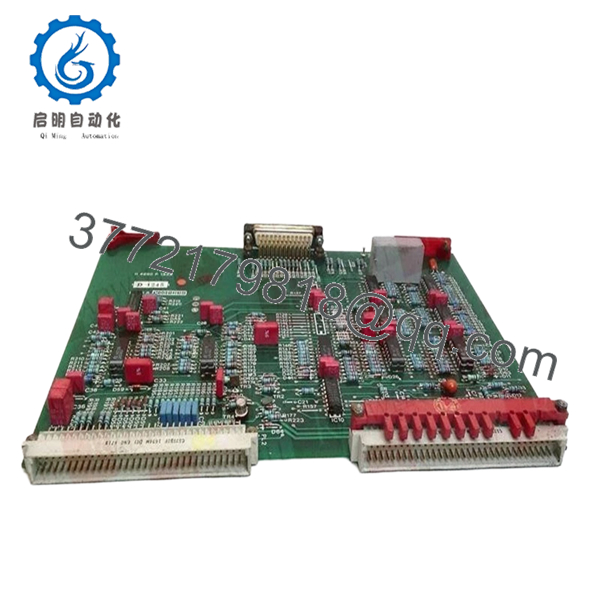
- Product Type: PC board assembly
- Module Class: PLC board module
- Status: Discontinued by manufacturer
- Availability: Limited stock
- Condition: New Surplus
- Typical Use: Legacy industrial control and PLC systems
- Replacement Note: Verify exact revision and rack compatibility before install
- Purchase Note: This part is commonly sourced as an obsolete replacement
Product Introduction
HARLAND SIMON H4890-P5008 is a PLC board assembly used in legacy industrial control systems. It is a discontinued OEM part, commonly purchased to replace failed cards in older automation panels and processor racks.
Buyers usually choose this part when the installed system must stay online and the exact board match matters. Verify the revision, connector layout, and host system compatibility before ordering, because legacy HARLAND SIMON hardware can vary by issue level.
Troubleshooting Quick Reference
| Symptom | Possible Cause | Relevance to this Part | Quick Check Method | Recommendation |
|---|---|---|---|---|
| No LEDs on power-up | Rack power loss, blown fuse, or bad backplane | ❌ Low | Measure supply voltage at the rack terminals with a multimeter | Check PSU and fuses before replacing the board |
| Processor fault or system halt | Board failure, firmware mismatch, or corrupted configuration | ✅ High | Read the diagnostic buffer and compare against the original board issue | Verify the exact issue level and system firmware |
| Intermittent resets | Power instability or poor edge connector contact | ✅ Medium | Check input voltage under load and inspect connector wear | Clean contacts and verify rack power stability |
| I/O or logic not responding | Communication fault, wrong board revision, or mismatch with host system | ✅ High | Confirm part number, issue level, and wiring against the old unit | Do not force a swap until compatibility is confirmed |
| Card runs hot | Excess load, airflow restriction, or failing internal components | ✅ Medium | Measure cabinet temperature and check ventilation paths | Inspect cooling and replace only after confirming system conditions |
| Unit does not seat correctly | Mechanical mismatch or bent connector pins | ✅ High | Inspect the board edge, guides, and socket pins before installation | Stop and verify the exact physical revision |
If you are stuck, send photos of the board, the rack, and any diagnostic logs to technical support.

- H4890-P5008
Frequently Asked Questions
Can I use H4890-P5008 as a direct replacement?
Usually only if the issue level, connector layout, and host system match the original unit. On legacy HARLAND SIMON parts, the part number alone is not enough.
Is this part new, refurbished, or used?
This listing is best described as new surplus. It is unused inventory from legacy stock, not factory fresh production.
Why is this part discontinued?
The OEM no longer produces it, which is common with older PLC and control hardware. That is why buyers rely on surplus channels for spares.
Can I hot-swap this board?
Do not assume that. Power down the rack unless the OEM manual explicitly allows live insertion. Hot-swapping the wrong board can damage the system.
Will my program stay in memory after replacement?
Not always. Some systems retain logic separately, while others depend on the processor board and site configuration. Back up the original setup before removing anything.
Why is surplus pricing lower than OEM pricing?
Because the part comes from existing inventory, not current production. The lower price does not change the need to confirm revision and compatibility.
What should I check before installing it?
Match the exact part number, confirm the issue level, inspect the connectors, and verify rack power. A clear photo of the old board before removal saves a lot of rework.



