
 WhatsApp: +86 16626708626
 Email:
  Phone: +86 16626708626
Description
Key Technical Specifications
| Parameter | Value |
| Interface Type | Rear Transition Module (RTM) |
| Ethernet Connectors | 2 x RJ-45 (10/100 Mbps pass-through) |
| SCSI Connector | 50-pin SCSI-2 (High-density) |
| VMEbus Connection | Connects to P2 backplane row A/C or specific I/O rows |
| Form Factor | 6U VME (Reduced depth for rear mounting) |
| Compatibility | Motorola MVME162, MVME172, and MVME2300 series |
| Storage Temp | -40°C to +85°C |
| Signal Type | Passive/Active Signal Routing |
Product Introduction & Supply Chain Strategy
The Motorola T7577A is a specialized transition module designed to route I/O signals from the backplane to the rear of a VME chassis. It primarily supports SCSI-2 and dual Ethernet interfaces, allowing system integrators to manage cabling without interfering with the front-panel maintenance of the main processor boards. This is essential for high-density racks where front-access cabling is physically restricted.
From a strategic inventory standpoint, the T7577A is often overlooked until a connector fails due to cable strain or oxidation. Purchasing this as “New Surplus” ensures that the high-density SCSI pins and RJ-45 spring contacts are in pristine condition, offering a secure electrical connection that refurbished boards cannot guarantee. By stocking New Surplus T7577A units, procurement teams can avoid the risk of intermittent signal loss—a common failure mode in used transition hardware—thereby protecting the TCO of the entire VME subsystem.
Installation & Configuration Guide
Stage 1: Pre-Installation (Prep & Safety)
Power down the VME chassis and verify all power supplies are off. Wear an ESD wrist strap. Identify the specific slot where the corresponding processor module (e.g., MVME162) is installed; the T7577A must be installed directly behind it in the rear of the rack.
Stage 2: Removal
If replacing a failed unit, disconnect the SCSI and Ethernet cables first. Unscrew the two mounting screws on the rear of the chassis. Pull the module straight out of the P2 backplane area using the pull-tabs.
Stage 3: Installation (Clone & Seat)
Verify that any jumpers on the T7577A (used for SCSI termination) match the configuration of the old board. Align the DIN connectors with the rear side of the backplane. Push firmly until the module is fully seated against the backplane pins.
Stage 4: Power-On & Testing
Secure the rear panel screws and reconnect the I/O cables. Power up the system and check for link lights on the RJ-45 ports. Access the processor’s firmware (e.g., 162Bug or PPCBug) and perform a SCSI bus scan to verify that the connected drives are visible through the transition module.
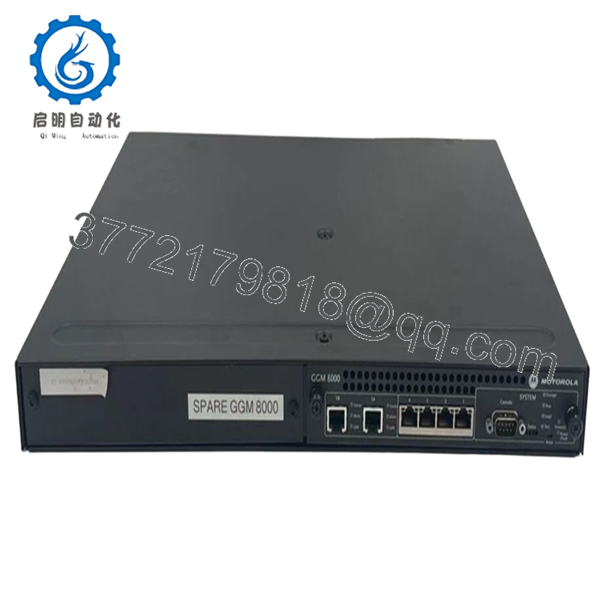
- T7577A

- T7577A
Firmware/Software Versions & Upgrade Notes
As a transition module, the T7577A is largely a passive hardware interface and does not contain firmware. However, its performance is dependent on the SCSI termination settings.
Note on Termination: Ensure that the SCSI termination jumpers are only enabled if the T7577A is at the physical end of the SCSI chain. Improper termination can lead to data corruption or “bus busy” errors that are difficult to diagnose at the software level. Always verify that the host processor board’s software drivers are configured for the correct SCSI ID when routing through the rear transition.
Frequently Asked Questions (FAQ)
Is the T7577A compatible with any VME board?
No. Transition modules are pin-specific. The T7577A is designed specifically for Motorola MVME modules that route SCSI and Ethernet through the P2 connector. Using it with an incompatible board could result in a short circuit across the backplane.
What makes “New Surplus” better for a transition module?
The 50-pin SCSI connectors are fragile. In refurbished units, these pins are often slightly bent or have lost their plating due to multiple insertions. New Surplus units provide a factory-tight fit, ensuring no signal drops during high-vibration industrial operations.
Does this module require its own power supply?
No, the T7577A draws the minimal power it requires for active SCSI termination (if enabled) directly from the VME backplane through the P2 connector.
Can I use both Ethernet ports simultaneously?
Yes, provided the host processor board supports dual Ethernet channels and the signals are correctly routed through the backplane to the RTM interface.
Why is my SCSI device not recognized through the T7577A?
The most common cause is a jumper mismatch regarding “Termpower” or termination. Ensure the T7577A is configured to either provide or receive termination power based on your specific SCSI bus topology.



