WhatsApp: +86 16626708626
 Email:
 Phone: +86 16626708626
Description
Key Technical Specifications
| Parameter | Value |
|---|---|
| Resolution | 16-bit |
| Max Sample Rate | 100 MS/s (internal clock); 10 S/s to 105 MS/s external clock |
| Bandwidth | 43 MHz (usable sine bandwidth) |
| Analog Output Channels | 1 |
| Output Voltage Range | ±6 V into 50 Ω; up to ±12 V into high-Z load |
| Output Paths | Direct, Low-Gain Amplifier, High-Gain Amplifier |
| Onboard Memory | 8 MB or 32 MB (order by part number suffix) |
| Standard Waveforms | Sine, square, triangle, ramp, DC, arbitrary |
| Sample Clock Jitter | <2.0 ps rms (PCI CLK IN) |
| Digital Pattern Output | Optional 16-bit LVDS digital pattern output |
| Bus Interface | PCI (32-bit, 33 MHz), RTSI<0..7> for multi-device sync |
| External Clock Input | CLK IN via SMB front connector, 0 dBm to +13 dBm into 50 Ω |
| Driver Software | NI-FGEN (IVI-compliant), NI-DAQmx not required; LabVIEW/CVIVI support |
| Operating System Support | Windows XP through Windows 10/11 (32/64-bit, verify driver version) |
| Board Power | Supplied from PCI slot; verify +5 V rail headroom in older PCs |
| Operating Temperature | 0 to +50 °C |
| Dimensions | Standard full-length PCI card, half-height |
| Calibration | External calibration interval 24 months; adjustable via NI-FGEN |
Verify the exact memory option and assembly revision against the label on the board before ordering. Part numbers in the 188733x-0x range map to specific memory and option configurations.
Product Introduction
The NI PCI-5421 is a single-channel, 16-bit arbitrary waveform generator on a standard PCI card. It generates sine, square, triangle, ramp, and user-defined arbitrary waveforms at up to 100 MS/s, with output up to ±12 V. Typical deployments are production test of audio, telemetry, and sensor interfaces, plus lab stimulus generation in automated test racks.
The 5421 stands out because of its Synchronization and Memory Core (SMC): deep onboard memory (8 or 32 MB) and RTSI-based multi-device triggering let you phase-lock it with NI digitizers and scopes for stimulus-response test. Waveform size must be an integer multiple of four samples — a real constraint, not marketing gloss. NI-FGEN ships IVI drivers, so LabVIEW, C/C++, and .NET integration is straightforward on supported Windows versions.
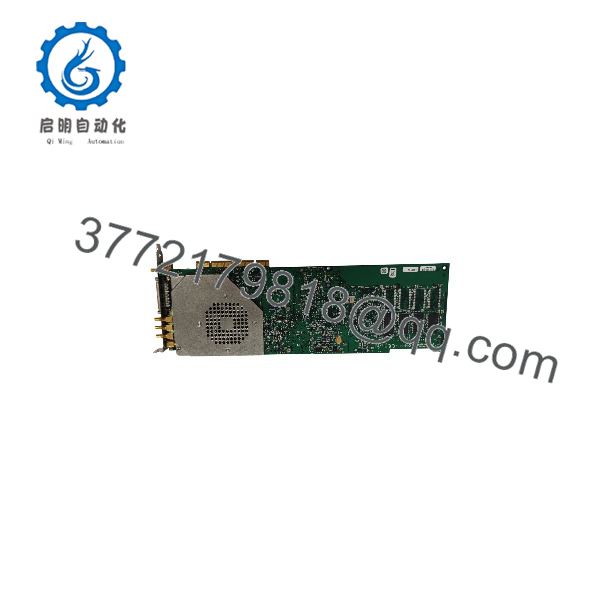
PCI-5421
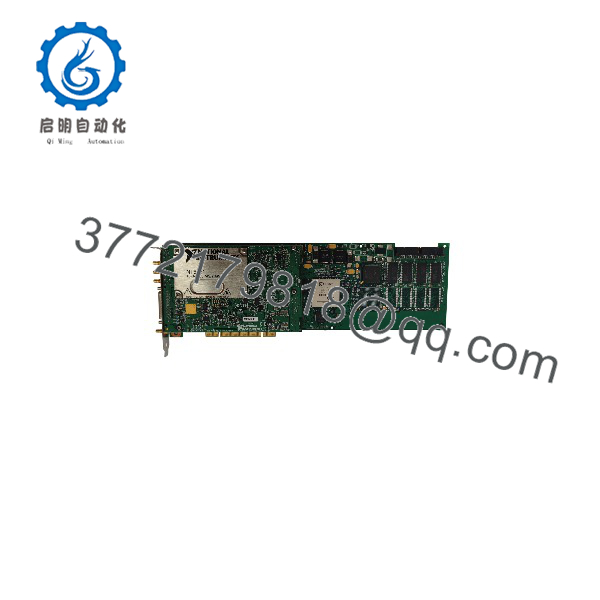
PCI-5421
Installation & Configuration Guide
Stage 1: Pre-Installation Preparation (Est. 10 minutes)
⚠️ Safety First: Notify operations of test-system downtime. Verify your test rack is in a safe state. Shut down the host PC, lock out/tag out power, and wait 5 minutes for the power supply capacitors to discharge.
- Tools Required: ESD wrist strap, PH2 screwdriver, multimeter, cable labels, smartphone for photos.
- Data Backup: Export your NI-FGEN configuration files and waveform data. Photograph the card bracket and cabling before touching anything. Document the CLK IN, PFI, and analog output connections.
- Driver Check: Confirm the installed NI-FGEN version supports the 5421. NI-FGEN 2.0 or later is required. Mismatched driver versions are the #1 cause of first-boot failures.
Stage 2: Removing the Old Card (Est. 5 minutes)
- Unscrew the PCI bracket retention screw.
- Label and disconnect the SMB cables from the bracket — SMB connectors pull straight off; do not twist them.
- Release the card by pulling straight up from the PCIe/PCI slot edge. Never pry it sideways against adjacent cards.
- Inspect the slot for dust and debris; blow it out if needed.
⚠️ Keep the old card until the replacement has run a full test cycle. It’s your fallback and your configuration reference.
Stage 3: Installing the New Card (Est. 5 minutes)
- Ground yourself with the ESD strap before removing the card from its anti-static bag.
- Verify the part number and assembly revision on the label match your order — memory options (8 MB vs 32 MB) share the PCI-5421 name.
- Align the card with the PCI slot and press evenly until fully seated. Screw down the bracket.
- Reattach SMB cables per your photos. The CH 0 output and CLK IN are on the bracket; check that your 50 Ω termination matches your output path configuration (Direct vs. amplifier paths).
Self-Checklist: [ ] Part number matches, [ ] Card fully seated, [ ] Bracket screwed, [ ] SMB cables reconnected per photo.
Stage 4: Power-On & Testing (Est. 10 minutes)
- Power on the PC and let Windows detect the device.
- Open NI MAX — the 5421 should appear under NI-DAQmx-free “Traditional NI-DAQ” / Modular Instruments tree. Verify the resource name and driver version.
- Run NI-FGEN Soft Front Panel. Generate a 1 kHz, 1 Vpk-pk sine into a 50 Ω scope or meter and confirm amplitude and frequency.
- Test your actual waveform files. If playback fails, check that waveform size is a multiple of four samples.
- Verify external clock lock if your application uses CLK IN (0 dBm to +13 dBm required).
⚠️ Troubleshooting Note: If the card shows a yellow exclamation in Device Manager, suspect a driver/dotNet framework mismatch, not a dead board — reinstall NI-FGEN first. If output amplitude is half what you expect, you’ve got a 50 Ω / high-Z load impedance mismatch. If the card runs briefly then the PC shuts down, check the +5 V rail loading on older machines.
Frequently Asked Questions (FAQ)
Q1: Can I hot-swap this card under power?
No. PCI is not a hot-swap bus. Pulling a live card can damage the slot, the motherboard, or the card’s I/O front end. Shut down the PC, wait 5 minutes for capacitor discharge, then swap. This isn’t negotiable, even if you’re in a hurry to keep a production line moving.
Q2: Is the PCI-5421 obsolete, and is your stock genuinely new?
Yes, it’s discontinued — NI moved test hardware to PXI Express and newer platforms years ago. Our stock is New Original / New Surplus: factory-sealed or uninstalled units sourced with traceable paperwork. We test every board before shipping. Honest caveat: some inventory in this market is refurbished, so if condition matters to your audit trail, ask us for the test report and photos of the exact unit you’ll receive.
Q3: What’s the direct replacement if this is out of stock?
The PXI-5421 offers the same generation architecture in PXI form, but it requires a PXI chassis — not a drop-in replacement for a PCI host. There is no direct PCI-slot successor. If your PC still has PCI slots and your application code targets NI-FGEN, staying with the PCI-5421 is almost always cheaper than a chassis migration. Verify against NI’s current product lineup before committing.
Q4: Will I lose my waveform data when I pull the old card?
The card has no persistent user storage — waveforms live in onboard memory only during playback. Your waveform files and NI-FGEN configurations are stored on the PC hard drive. Back up your FGEN config files and waveform data before the swap, and you’ll be back up in minutes. If you skip the backup and the drive dies, you’re rebuilding from source code. Don’t skip it.
Q5: Why is your price lower than the original OEM list price?
Two reasons. First, the card is discontinued, so surplus inventory trades below original list. Second, we buy excess stock from OEM-authorized channels and test in-house rather than reselling factory-new production. You get a functionally verified board at a surplus price. We state the condition clearly on every listing — New Surplus and Refurbished (tested) are different grades, and we label them separately.
Q6: Does the 8 MB vs 32 MB memory option matter for my application?
It depends on waveform length and sample rate. At 100 MS/s, 8 MB holds about 40 ms of single-shot waveform; 32 MB holds roughly 160 ms. Looping and scripting reduce memory pressure, but if you generate long aperiodic or multi-sequence signals under Script Mode, the 32 MB version is the only sane choice. Match the part number suffix to your existing card — check the label before ordering.
Q7: Which Windows versions are supported?
NI-FGEN supports the PCI-5421 on Windows XP through current 64-bit Windows releases, but support depends on the driver version — older NI-FGEN releases don’t know newer Windows builds, and vice versa. Check the NI-FGEN readme for your OS before reinstalling a legacy PC. If you’re on a modern locked-down IT image, budget time for driver-signing approvals.