WhatsApp: +86 16626708626
 Email:
 Phone: +86 16626708626
Description
Key Technical Specifications
| Parameter | Specification |
|---|---|
| Manufacturer | ProSoft Technology |
| Model | MVI56-MCMR |
| Module type | Modbus Master/Slave Communication Module with Reduced Data Block |
| Host platform | Rockwell Automation ControlLogix |
| Chassis interface | Single-slot 1756 backplane |
| Application ports | 2 serial ports, PRT1 and PRT2 |
| Electrical interface | RS-232, RS-422, or RS-485, selected by hardware configuration |
| Protocol | Modbus RTU and Modbus ASCII |
| Operating modes | Master, slave, or a combination across the two ports |
| Master command capacity | Up to 100 commands per port |
| User-configurable data memory | Up to 5,000 registers |
| Scheduled data transfer | Reduced 40-word data blocks |
| I/O mapping | 42 input words and 42 output words |
| Supported baud rates | 110 to 115,200 baud, depending on protocol |
| Data bits | 5, 6, 7, or 8, depending on protocol |
| Stop bits | 1 or 2 |
| Parity | None, odd, or even |
| Modbus error checking | CRC-16 for RTU; LRC for ASCII |
| Floating-point formats | Enron, Daniel, and other configurable formats |
| Configuration port | RS-232 via RJ45-to-DB-9 cable |
| Application-port isolation | 500 V optical isolation from the backplane |
| Backplane current draw | 800 mA at 5 VDC; 3 mA at 24 VDC |
| Operating temperature | 0°C to 60°C (32°F to 140°F) |
| Storage temperature | −40°C to 85°C (−40°F to 185°F) |
| Relative humidity | 5–95%, non-condensing |
| Shock resistance | 30 g operational; 50 g non-operational |
| Vibration resistance | 5 g from 10 to 150 Hz |
Source: ProSoft Technology’s MVI56-MCMR datasheet and user manual. Verify hardware jumper settings, firmware compatibility, and the applicable manual revision before installation.
Product Introduction
The ProSoft MVI56-MCMR is a serial Modbus communication module designed for Rockwell Automation ControlLogix systems. It connects the ControlLogix processor to external Modbus devices using RTU or ASCII messaging over RS-232, RS-422, or RS-485 interfaces. Each application port can be configured for master or slave operation, making the module suitable for applications that need to collect data from field equipment or expose controller data to another Modbus master.
The MVI56-MCMR differs from the standard MVI56-MCM by using smaller scheduled I/O data blocks. This design is useful in remote chassis and ControlNet installations where scheduled connection bandwidth must be managed carefully. Its configurable register database and unscheduled message handling support application-specific communication requirements. When replacing an installed unit, engineers should check the existing configuration, ladder logic, ControlNet schedule, port settings, and data mapping rather than assuming the standard MVI56-MCM is a direct substitute.
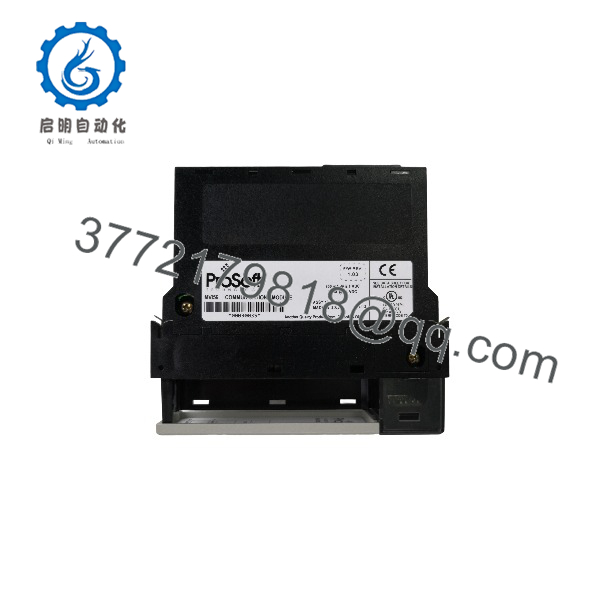
MVI56-MCMR
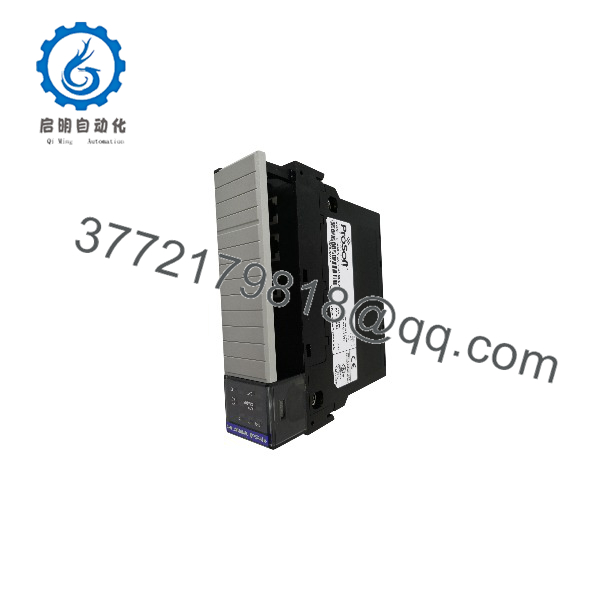
MVI56-MCMR
Installation & Configuration Guide
Estimated times are planning estimates and may vary with system complexity.
Stage 1 — Confirm compatibility and back up the application
Estimated time: 15–30 minutes
- Verify the complete model number is MVI56-MCMR.
- Confirm the ControlLogix chassis, remote chassis arrangement, and communication architecture.
- Back up the ProSoft configuration file, controller project, and associated ladder logic.
- Record existing Modbus device addresses, port settings, register maps, and ControlNet scheduling information.
Stage 2 — Install the module and configure serial wiring
Estimated time: 15–30 minutes
- Place the control system in a safe state and follow site lockout/tagout procedures.
- Install the module according to the applicable ControlLogix hardware instructions.
- Select the correct RS-232, RS-422, or RS-485 hardware configuration for each port.
- Connect the correct serial cable and verify signal wiring, polarity, grounding, and termination as required.
Stage 3 — Configure Modbus communication
Estimated time: 30–90 minutes
- Use ProSoft Configuration Builder to configure the module.
- Assign each port its required master or slave role.
- Set baud rate, parity, data bits, stop bits, and RTS timing where applicable.
- Configure master command lists, slave addressing, register mappings, and floating-point handling.
- Integrate the module’s scheduled data and message-transfer functions with the ControlLogix application.
Stage 4 — Commission and verify operation
Estimated time: 30–60 minutes
- Check module status and serial receive/transmit indicators.
- Verify Modbus communication with each connected device.
- Test representative read and write commands using approved values.
- Confirm the ControlLogix tags match the intended register addresses and data types.
- Check error status, command execution, and scheduled data transfer.
- Save the validated configuration and document the final port settings.
Commissioning caution: The MVI56-MCMR uses a reduced data-block architecture. Do not copy the standard MVI56-MCM I/O mapping or assume the same ControlNet scheduling behavior without verifying the project configuration.
Frequently Asked Questions
Q1: What is the ProSoft MVI56-MCMR used for?
It provides serial Modbus communication between a ControlLogix processor and external devices. It supports both Modbus RTU and Modbus ASCII, with configurable master and slave operation.
Q2: What is the difference between the MVI56-MCMR and MVI56-MCM?
The MVI56-MCMR uses reduced scheduled I/O data blocks and is intended for applications such as remote chassis and ControlNet networks where smaller scheduled connections are beneficial. ProSoft documents 42 input words and 42 output words for the MVI56-MCMR, compared with a larger mapping for the standard MVI56-MCM.
Q3: How many serial ports does the module have?
It has two application ports, PRT1 and PRT2. Each port can be configured for RS-232, RS-422, or RS-485 and assigned an appropriate Modbus operating mode.
Q4: Can both ports be configured as Modbus masters?
Yes. Each port supports configurable master or slave operation, so both ports can be configured as masters, both as slaves, or one of each, according to the application requirements. Each master port supports up to 100 commands.
Q5: What is the maximum register capacity?
The module supports user-defined memory usage and transfer of up to 5,000 registers to or from ControlLogix processor data files. The actual data exchanged in each scheduled transfer is constrained by the reduced data-block architecture.
Q6: Can the MVI56-MCMR handle floating-point data?
Yes. Its documentation describes configurable support for Enron, Daniel, and other floating-point formats. The correct format and any required conversion logic must be configured to match the connected device.
Q7: What should be checked before ordering a replacement?
Verify the exact model, hardware condition, included serial cables, configuration backup, firmware requirements, and compatibility with the installed ControlLogix and ControlNet architecture. ProSoft identifies MVI56E-MCMR as the newer enhanced counterpart; however, confirm application compatibility before selecting it as a replacement.