
 WhatsApp: +86 16626708626
 Email:
  Phone: +86 16626708626
Description
Key Technical Specifications
| Parameter | Specification |
| Model Number | 140SDI95300S |
| Platform | Modicon Quantum |
| Input Type | Safety DC Discrete Input |
| Number of Inputs | 16 channels (1 group of 16) |
| Logic Type | Positive (Sink) |
| Rated Voltage | 24 VDC nominal (19.2 to 30 VDC sensor supply) |
| Voltage State 1 Guaranteed | 11 to 30 VDC |
| Voltage State 0 Guaranteed | -3 to 5 VDC |
| Backplane Bus Current | 550 mA |
| Isolation | 1500 Vrms for 1 minute (between group and bus) |
| Response Time | \le 25 ms (State 0 \rightarrow 1 and 1 \rightarrow 0) |
| Safety Certification | TÜV Rheinland (SIL2), UL, CSA, CSA HazLoc |
Product Introduction & Supply Chain Strategy
The Schneider Electric 140SDI95300S is a 16-channel, 24 VDC safety discrete input module engineered specifically for the Modicon Quantum automation platform. It acquires critical safety-rated field signals—such as emergency stop buttons, light curtains, and safety interlocks—while providing continuous internal diagnostic monitoring and broken wire detection. Operating within safety instrumented functions, this module ensures high-integrity signal acquisition across heavy industrial, chemical processing, and energy facilities.
This product is a Brand New Surplus unit. It is not used, not pulled from a decommissioned plant, and not refurbished. All modules undergo rigorous quality verification to ensure OEM-level reliability. Secure acquisition of genuine New Surplus safety spares is vital for Total Cost of Ownership (TCO) optimization. Because Schneider Electric announced End-of-Life schedules for the Modicon Quantum series, waiting for an emergency shutdown to source critical SIL2 components exposes plants to extreme lead time variability and secondary failure costs. Sourcing verified New Surplus units guarantees factory-grade insulation, zero pin wear, and immediate availability without paying premium OEM rush fees.
Installation & Configuration Guide
Stage 1: Pre-Installation (Prep & Safety)
- Perform Lock-Out/Tag-Out (LOTO) procedures on the main rack power supply and field input power loops.
- Put on an ESD-grounded wrist strap before touching the module to prevent static discharge to internal logic circuits.
- Take a high-resolution photo of the existing module’s terminal block wiring, wire labels, and physical slot orientation.
Stage 2: Removal
- Unfasten the terminal block screws and carefully remove the field wiring connector from the front of the 140SDI95300S module.
- Depress the top and bottom rack-release levers on the module chassis.
- Pull the card straight out perpendicular to the backplane, taking care not to twist or bend the gold edge connector pins.
Stage 3: Installation (Clone & Seat)
- Verify that the replacement 140SDI95300S unit’s keying tabs match the slot configuration on the Modicon Quantum backplane.
- Align the module with the rack guide rails and push firmly until the top and bottom latches snap into place.
- Re-attach the field terminal block and tighten the retention screws to manufacturer specifications.
Stage 4: Power-On & Testing
- Measure the incoming 24 VDC power rail with a digital multimeter to confirm voltage stays within the 19.2 to 30 VDC operating range.
- Re-apply backplane power. Observe the green “Active” LED to confirm healthy communication with the Quantum CPU.
- Verify that the red “F” (Fault) LED remains dark. Cycle a test input point to confirm green channel status LED toggles cleanly.
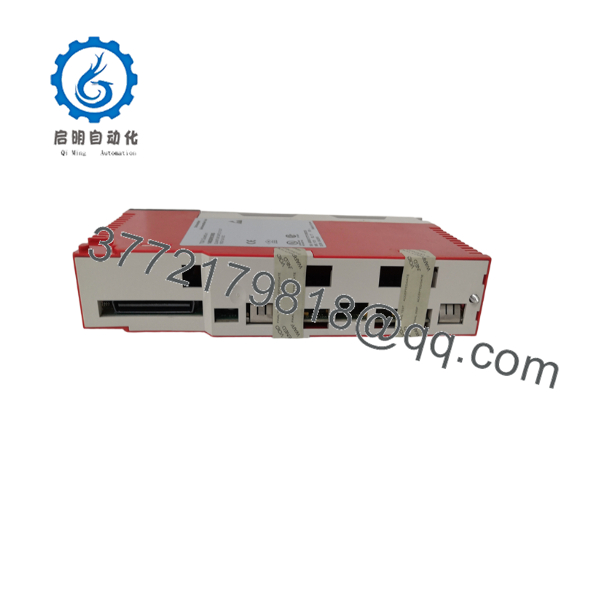
140SDI95300S
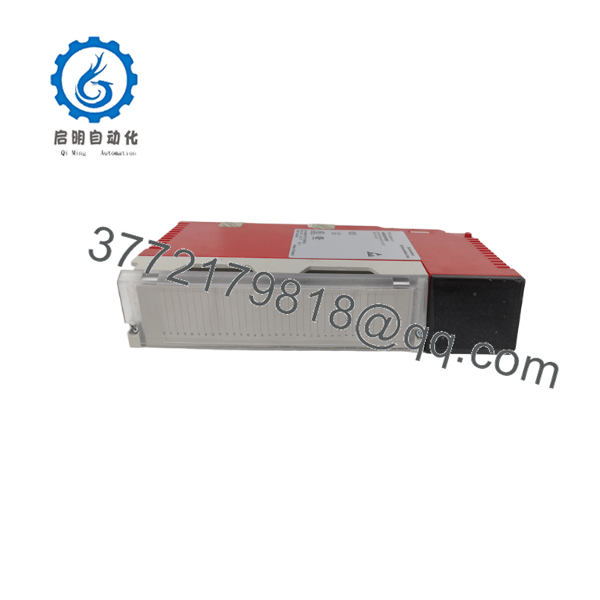
140SDI95300S
Firmware/Software Versions & Upgrade Notes
- Recommended Platform Firmware: Compatible with Unity Pro (EcoStruxure Control Expert) V3.0+ and legacy Concept/ProWORX 32 environments configured for Quantum Safety.
- Compatibility Constraints: The 140SDI95300S requires 7 input words in the controller’s I/O mapping. Ensure the CPU safety runtime supports SIL2 block executions before assigning this module to an active safety task.
- Firmware Swap Warnings: Never upgrade or alter firmware on a safety-rated module while installed in a production rack. Firmware mismatches between the primary safety CPU and safety I/O modules can trigger a system halt or drop safety integrity levels from SIL2 to unrated operation. Always match firmware revisions during hardware swaps.
Frequently Asked Questions (FAQ)
Is this 140SDI95300S unit genuinely brand new, or has it been refurbished?
This unit is 100% Original New Surplus. It has never seen field operation, was never pulled from a working line, and contains zero refurbished or repaired components. It arrives in anti-static packaging with pristine backplane contacts and zero thermal degradation.
Why does New Surplus cost slightly more than refurbished options on the market?
Refurbished safety modules frequently suffer from aged electrolytic capacitors, degraded optocouplers, and invisible solder fatigue. While a refurbished module saves upfront purchase cost, a single latent safety failure can trip a plant and cost tens of thousands in downtime. New Surplus provides 10–15 years of operational life expectancy with original factory performance.
Since the Modicon Quantum platform is mature/discontinued, how do I secure long-term availability?
The Quantum series has reached End-of-Life milestones with OEM supply lines closing. To prevent catastrophic stock-out incidents, inventory managers should maintain 1–2 units of critical SIL2 safety cards like the 140SDI95300S on-site as standard strategic buffer stock.
Can I hot-swap the 140SDI95300S module while the Quantum rack is powered?
No. Hot-swapping safety modules can disrupt backplane bus communication and trip safety task execution. Always de-energize the rack or place the controller in a safe, offline state before extracting or inserting safety-rated hardware.
Do I need to re-program the module when installing this unit?
No separate firmware flashing is required on the module itself. Address allocation (7 input words) and configuration parameters are pushed directly from the Quantum CPU application software upon backplane handshake.
What warranty terms cover this New Surplus module?
We back this 140SDI95300S module with a comprehensive 1 year replacement warranty. Every unit undergoes complete physical inspection and functional test verification before shipment to ensure immediate operational readiness.



