
 WhatsApp: +86 16626708626
 Email:
  Phone: +86 16626708626
Description
3. Key Technical Specifications
| Parameter | Value |
|---|---|
| Monitor Type | Dual Vibration Monitor |
| Input Channels | 2 channels (shaft vibration) |
| Measurement Range | Typically 0–500 µm pk-pk (configurable) |
| Input Signal | Proximity probes (FK/VK series) |
| Accuracy | ±0.5% F.S. at 25°C |
| Alarm Levels | 4 per channel (Alert/Danger configurable) |
| Output Signal | 4–20 mA / voltage options |
| Display | LCD + bar graph indication |
| Operating Temperature | 0 to +65°C |
| Mounting | Rack-mounted (VM-5H / VM-5W) or standalone |
| Diagnostics | Built-in self-diagnostic function |
| Standard Compliance | API 670 (Machinery Protection) |
4. Product Introduction & Supply Chain Strategy
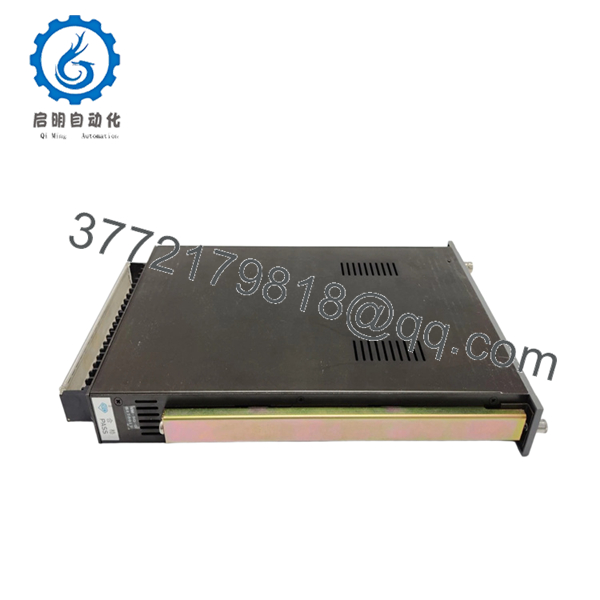
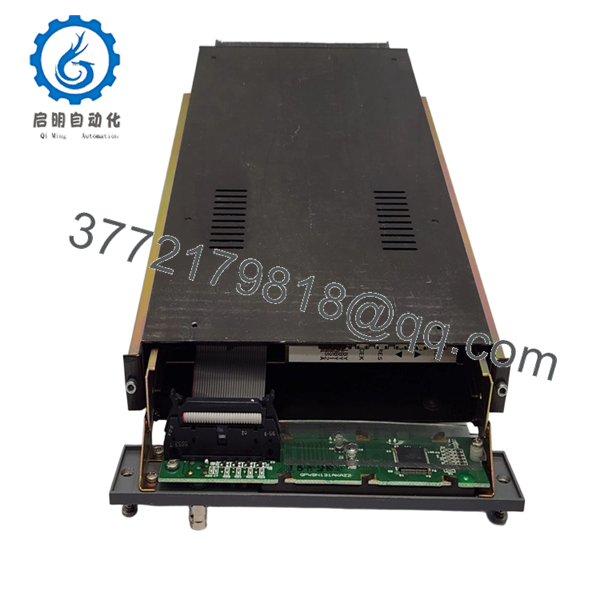
The SHINKAWA VM-5K is a dual-channel vibration monitoring module used within VM-5 systems to measure shaft vibration in turbines, compressors, and rotating equipment. It processes proximity probe signals, provides real-time display, and triggers alarm thresholds to protect critical machinery.
From a supply-chain standpoint, the VM-5K is a mission-critical A-class spare embedded in legacy turbine protection systems. OEM production is limited, and lead time variability is high. Securing New Surplus inventory enables a controlled last-time-buy strategy, reduces exposure to refurbished failure risk, and stabilizes long-term Total Cost of Ownership (TCO).
5. Installation & Configuration Guide
Stage 1: Pre-Installation (Prep & Safety)
- Execute Lock-Out/Tag-Out (LOTO) on the monitoring rack.
- Confirm rack power supply isolation (VM-5Z series).
- Wear ESD wrist strap.
- Capture:
- Module slot position
- Terminal wiring
- Alarm configuration values
Stage 2: Removal
- Power down the rack completely.
- Release module locking mechanism.
- Pull module straight out—avoid lateral force on backplane connectors.
Stage 3: Installation (Clone & Seat)
- Insert VM-5K into identical slot position.
- Confirm compatibility with rack type (VM-5H3, VM-5W, VM-5G).
- Restore wiring exactly as documented.
- Verify sensor connections (probe polarity and shielding).
Stage 4: Power-On & Testing
- Energize rack and observe:
- Normal display activation
- No sensor fault alarms
- Inject simulated vibration signal.
- Confirm:
- Alarm thresholds trigger correctly
- 4–20 mA output scaling matches DCS input
6. Firmware/Software Versions & Upgrade Notes
- VM-5K operates primarily as a hardware-configured module; firmware is fixed per revision.
- Critical considerations:
- Ensure compatibility with installed relay modules (VM-5Y) and power supply units.
- Mixing different revision modules can cause alarm timing inconsistencies.
- Risk advisory:
- Do NOT introduce newer module revisions without validating alarm logic behavior.
- Maintain configuration parity across redundant racks to avoid trip mismatch.

- VM-5K
- VM-5K
7. Frequently Asked Questions (FAQ)
Q1: Are these VM-5K units truly new?
Yes. These are New Surplus units—unused OEM modules with no field exposure, no connector wear, and verified traceability.
Q2: Why not use refurbished VM-5K modules?
Refurbished units often have degraded analog components. A hidden drift in vibration measurement can trigger false trips or missed alarms—far more expensive than the initial savings.
Q3: Is VM-5K still in production?
It is part of a legacy VM-5 platform. Availability depends on surplus channels. This is a textbook case for lifecycle tracking and last-time-buy planning.
Q4: Can I hot-swap the VM-5K module?
No. Removing under power risks signal spikes and rack communication faults. Always perform a controlled shutdown.
Q5: How many spares should we stock?
- Critical turbines: Minimum 1 unit per train (buffer stock)
- Multi-site operators: Use cross-site sharing to reduce capital tied up
Q6: Does the module retain alarm settings?
Settings are configured via front panel or system configuration. Always document values before replacement to avoid misalignment.
Q7: What warranty and QC process is included?
Each unit includes:
- Serial number verification
- Functional test (signal simulation + alarm response)
- Electrical validation (insulation, grounding)
- QC inspection report
Warranty: 12months.



