
 WhatsApp: +86 16626708626
 Email:
  Phone: +86 16626708626
Description
Key Technical Specifications
- Model: VM-703B-TB1
- Brand: Shinkawa
- Product family: VM-7 Series monitor
- Monitoring type: Shaft vibration monitor
- Input points: 4 points
- Compatible transducers: FK-202F, FK-452F, FK-302F, VK-202A, VK-452A
- Input impedance: Approximately 50 kΩ
- Current signal input impedance: Approximately 250 Ω
- Operating temperature: 0 to 65 °C
- Recorder output: 1 to 5 VDC, 4 to 20 mADC, 0 to 5 VDC, 0 to 10 VDC
- I/O conversion accuracy: ±1% of F.S. at 25 °C, ±2% of F.S. at 0 to 65 °C
- Insulation resistance: 10 MΩ at 100 VDC
- Burnout function: Downscale 0% / 0 mA / 0 mV
Product Introduction
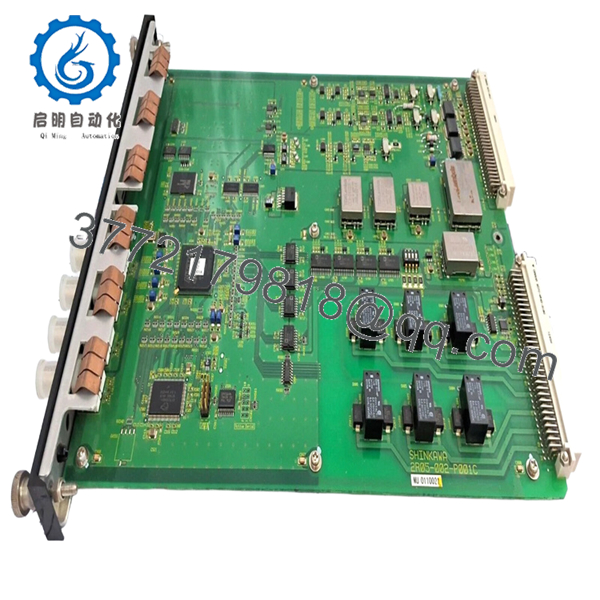
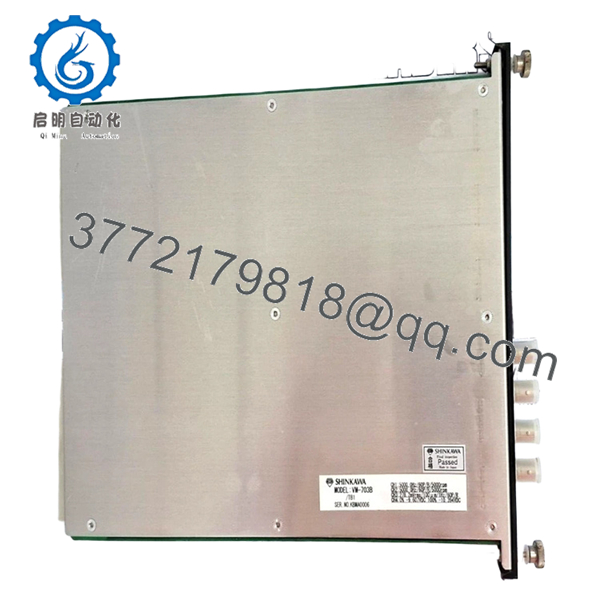
Shinkawa VM-703B-TB1 is a VM-7 Series shaft vibration monitor for rotating machinery protection and condition monitoring. It is used where vibration, displacement, and protective alarm logic need to stay tied to a defined machine protection architecture.
This unit fits applications that already use Shinkawa VM-7 hardware and compatible proximity transducers. The main buying advantage is model-specific compatibility, so the key job is matching the exact suffix, input type, and output settings before installation.

- VM-703B-TB1
- VM-703B-TB1
Troubleshooting Quick Reference
| Symptom | Possible Cause | Relevance to this Part | Quick Check Method | Recommendation |
|---|---|---|---|---|
| No vibration reading | Open probe circuit or wrong transducer type | ✅ High | Measure probe continuity and verify the input at the terminal board | Confirm the sensor model before replacing the monitor |
| Reading is stuck high or low | Input polarity error or range mismatch | ✅ High | Compare the installed sensor wiring and old module settings | Mirror the old configuration exactly |
| Alarm output active on startup | Threshold set too tight or input fault condition | ✅ High | Read the alarm status and compare setpoints against the previous unit | Check settings before blaming hardware |
| Recorder output not changing | Output wiring fault or load issue | ✅ Medium | Measure output voltage/current with a multimeter and inspect the loop | Verify field wiring and load resistance first |
| Communication unstable | Loose connector, bad cable, or setup mismatch | ✅ Medium | Inspect cable continuity and confirm address/baud settings | Check cabling and parameters before replacement |
| Unit appears dead | Rack supply issue or rear module/backplane fault | ❌ Low | Measure rack supply at the slot and inspect adjacent modules | Confirm power and backplane health first |
Contact technical support with photos of the front panel, terminal board, and alarm logs if the issue is still unclear.
Frequently Asked Questions
Q: What does the VM-703B-TB1 monitor?
A: It monitors shaft vibration on rotating machinery. That makes it a fit for turbine, compressor, and general machinery protection applications where vibration limits matter.
Q: Is this part part of the VM-7 Series?
A: Yes, it belongs to the VM-7 Series platform. That matters because replacement success depends on matching the series, the suffix, and the installed terminal board arrangement.
Q: What does the TB1 suffix mean?
A: TB1 usually refers to the terminal board configuration. In practical terms, it affects wiring layout, so do not assume the old wiring will land the same way without checking the label and manual.
Q: What sensors work with it?
A: Published information shows compatibility with FK-202F, FK-452F, FK-302F, VK-202A, and VK-452A transducers. Still, verify the exact probe already installed at the machine before ordering.
Q: Is it hot-swappable?
A: No, I would treat it as a powered rack-mounted monitor and isolate the cabinet first. Pulling it live can create a backplane fault or damage the output stage.
Q: Is this new or surplus stock?
A: It is typically sold as New Original or New Surplus, depending on the seller’s inventory source. Surplus is usually lower cost because it comes from excess stock, not because it is a lower-spec part.
Q: What should I verify before buying?
A: Confirm the full suffix, sensor type, rack arrangement, and output format. On these systems, the usual mistake is trusting the base model and ignoring the configuration code.



