
 WhatsApp: +86 16626708626
 Email:
  Phone: +86 16626708626
Description
Key Technical Specifications
- Model: VM-742B1-5
- Brand: Shinkawa
- Product family: VM-7 Series network communication module
- Function: Upper network communication interface
- Port A: Fieldbus communication, Modbus/TCP
- Port B: Analysis software connection
- Power consumption: Less than 15 W
- Mass: Max. 0.5 kg
- Face plate material: ABS, black
- Base plate material: Aluminum alloy, silver
- Operating temperature: Verify against the OEM datasheet before installation
- Mounting: VM-7 Series rack/module platform
Product Introduction
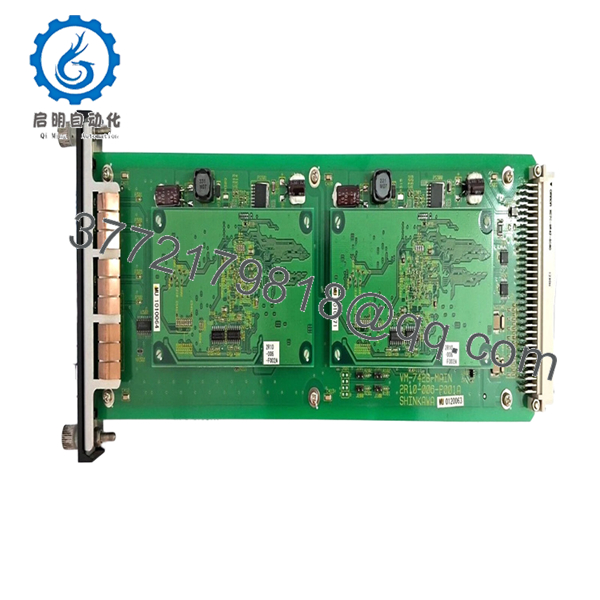
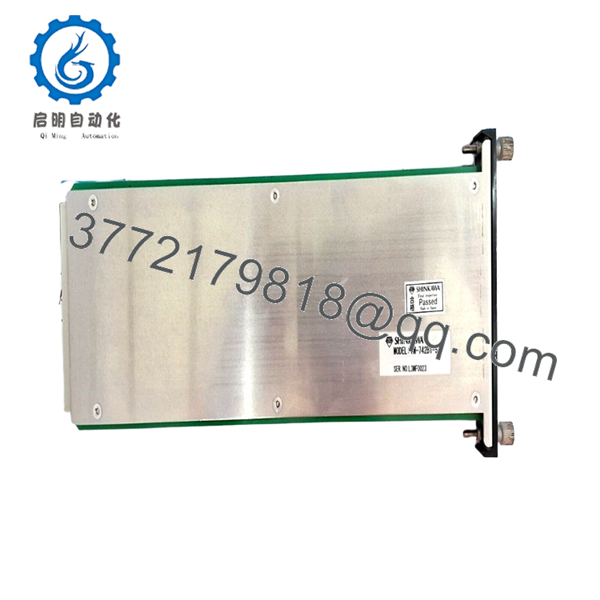
Shinkawa VM-742B1-5 is a VM-7 Series network communication module used to connect the monitoring system to a Modbus/TCP field network. It is part of the upper communication layer for rotating machinery condition monitoring systems.
This module is selected when the installed VM-7 architecture needs a network interface for plant integration or analysis software connectivity. The key buying point is exact suffix matching, because the port layout and fieldbus role depend on the specific VM-742B1-5 configuration.
Troubleshooting Quick Reference
| Symptom | Possible Cause | Relevance to this Part | Quick Check Method | Recommendation |
|---|---|---|---|---|
| No network link light | Ethernet cable fault or switch port issue | ✅ High | Check link LEDs and test the cable with a known-good switch port | Replace the cable or verify switch configuration first |
| Modbus/TCP data not updating | Wrong IP, register map, or device role | ✅ High | Ping the module and compare IP settings to the site record | Confirm address and register mapping before replacing hardware |
| Intermittent communication loss | Loose connector or noisy cabinet grounding | ✅ High | Wiggle-test the cable, inspect shield termination, and check grounding | Fix cable routing and grounding before blaming the module |
| Analysis software cannot connect | Port B setup mismatch or software configuration error | ✅ Medium | Verify software IP settings and connection parameters | Match the software settings to the installed module |
| Module draws more current than expected | Power supply mismatch or internal fault | ✅ Medium | Measure supply current at the rack and compare to spec | Check the rack power budget before replacement |
| Module appears dead | Rack power failure or backplane problem | ❌ Low | Measure rack supply voltage at the slot and check adjacent modules | Confirm rack power and backplane health first |
Contact technical support with photos of the module label, network cabling, and error logs if the issue is still unclear.

- VM-742B1-5
- VM-742B1-5
Frequently Asked Questions
Q: What is the VM-742B1-5 used for?
A: It is a network communication module for the Shinkawa VM-7 Series. Its job is to move monitoring data onto a Modbus/TCP network and support analysis software communication.
Q: Is VM-742B1-5 the same as a vibration sensor?
A: No, it is not a sensor. It is the communication interface that carries data from the monitoring system into the plant network.
Q: What protocol does it use?
A: The published information shows Modbus/TCP on Port A, with Port B tied to analysis software connectivity. That makes it a network interface part, not a measurement card.
Q: Is this an exact replacement for VM-742B1-1 or other VM-742 variants?
A: Not automatically. VM-742B1-5 is a specific suffix code, and that suffix can change port behavior or software compatibility, so you should verify the exact label on the existing unit.
Q: What should I check before installation?
A: Confirm IP settings, network role, rack compatibility, and the suffix code. I would also document the old module before removing it; that saves time if the replacement needs to mirror the original network setup.
Q: Is it hot-swappable?
A: I would not treat it as hot-swappable unless the OEM manual explicitly says so. For network modules in protection systems, power isolation is the safer move.
Q: Why is surplus stock cheaper?
A: Usually because it comes from excess project inventory or unused warehouse stock. The lower price reflects availability, not a different function, so the usual checks still apply.



