
 WhatsApp: +86 16626708626
 Email:
  Phone: +86 16626708626
Description
Key Technical Specifications
- Manufacturer: AAEON
- Model: GENE-9455 Rev. B
- Product Type: 3.5-inch SubCompact embedded single-board computer
- Processor: Intel Atom N270, up to 1.6 GHz
- Front-Side Bus: 533 MHz
- Chipset: Intel 945GSE + ICH7M
- System Memory: One 200-pin DDR2 SODIMM socket, DDR2-400/533, up to 2 GB
- BIOS: Award Plug and Play SPI BIOS, 2 MB flash
- Ethernet: Two Intel 82574L 10/100/1000Base-TX RJ-45 ports
- Serial Ports: Three RS-232 ports; one selectable RS-232/422/485 port
- USB: Six USB 2.0 ports
- Digital I/O: Eight-bit programmable digital I/O
- Storage: One SATA interface and one Type II CompactFlash interface
- Expansion: One Mini-PCI slot and one Mini-Card slot
- Display: CRT, dual LVDS LCD, and NTSC/PAL TV output
- Maximum CRT Resolution: 1,920 × 1,440
- Maximum LCD Resolution: 1,920 × 1,200
- Audio: AC97 2.3 two-channel audio; microphone, line-in, line-out, and CD input
- Power Input: +12 V DC; AT/ATX power mode selection
- Typical Power Consumption: 1.55 A at +12 V with Intel Atom N270 and 2 GB DDR2
- Board Dimensions: 146 × 101.6 mm (5.75 × 4.00 in)
- Operating Temperature: 0 to +60 °C
- Storage Temperature: −40 to +80 °C
- Operating Humidity: 0–90% relative humidity, non-condensing
- Watchdog: Hardware watchdog timer with timeout reset
- Battery: Lithium battery for CMOS retention
- MTBF: 70,000 hours
AAEON identifies the GENE-9455 Rev. B as a 3.5-inch embedded board with an Intel Atom N270 processor, dual Intel 82574L Ethernet controllers, DDR2 memory, multiple serial ports, and industrial I/O.
The Rev. B manual specifies +12 V operation, a maximum 2 GB DDR2 SODIMM, six USB 2.0 ports, four COM ports, one 8-bit digital I/O interface, one SATA interface, CompactFlash, Mini-PCI, and Mini-Card expansion.
Product Introduction
The AAEON GENE-9455 Rev. B is a legacy 3.5-inch embedded single-board computer for panel PCs, factory automation equipment, kiosks, digital signage, and machine-control enclosures. It combines an Intel Atom N270 processor with dual Gigabit Ethernet, serial communications, digital I/O, storage interfaces, and LVDS display support.
This board is useful when an existing machine depends on its original mechanical layout, connector pinout, BIOS behavior, or legacy operating system. Verify the revision, installed memory, BIOS configuration, display interface, COM-mode jumpers, and +12 V power arrangement before treating another GENE-9455 variant as a direct replacement.
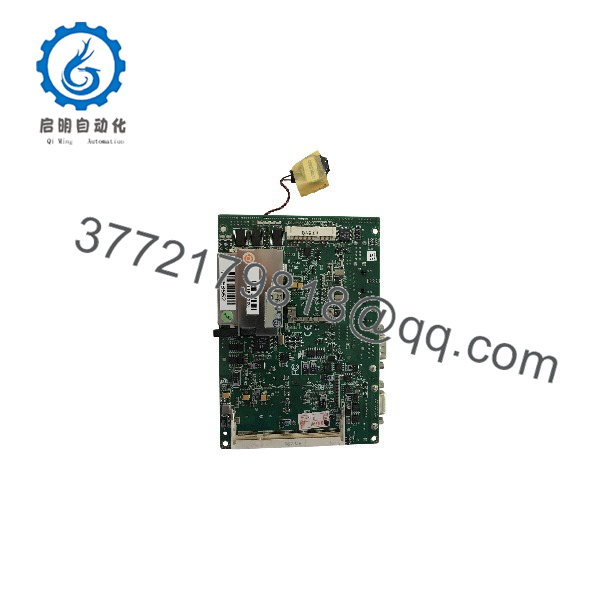
GENE-9455
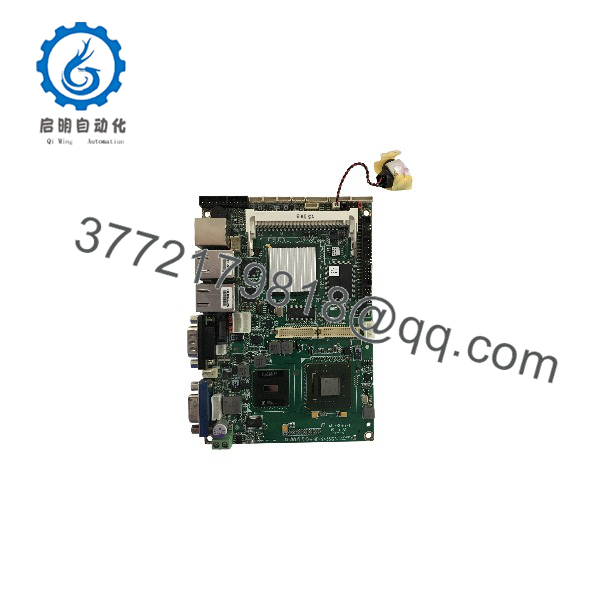
GENE-9455
Troubleshooting Quick Reference
| Symptom | Possible Cause | Relevance to This Part | Quick Check Method | Recommendation |
|---|---|---|---|---|
| No power or no POST | Missing +12 V DC, reversed polarity, incorrect AT/ATX jumper, or failed power circuit | ✅ High | Measure +12 V DC and ground at CN21; confirm JP3 power-mode selection | Correct the supply and jumper configuration before replacing the board |
| Board powers but no display | Wrong LVDS voltage, incorrect display connector, BIOS display selection, or failed graphics section | ✅ High | Verify JP4 and JP5, inspect LVDS wiring, and test the CRT output if available | Match the display interface and panel voltage to the original configuration |
| BIOS loses settings | Weak lithium battery or CMOS reset jumper in the clear position | ✅ High | Check battery voltage and confirm JP2 is set to Normal | Replace the battery and restore the documented CMOS configuration |
| System resets during operation | Watchdog timeout, unstable +12 V supply, overheating, or memory fault | ✅ Medium | Disable or review watchdog software, monitor +12 V, inspect heatsink, and run memory diagnostics | Check environmental and software causes before replacing the SBC |
| COM device does not communicate | Wrong serial mode, incorrect cable pinout, or incorrect voltage selection on COM2 | ✅ High | Verify JP1 and test COM2 in RS-232, RS-422, or RS-485 mode with a known-good device | Confirm the required serial standard before connecting field equipment |
| Ethernet port has no link | Cable, switch, driver, BIOS setting, or failed Intel 82574L interface | ✅ Medium | Check link LEDs, test both RJ-45 ports, and inspect the operating-system driver | Test the network path and drivers before condemning the motherboard |
| CompactFlash or SATA device is not detected | Incorrect BIOS storage setting, damaged media, cable fault, or controller failure | ✅ Medium | Enter Award BIOS and check storage detection with known-good media | Back up the original storage image before changing devices |
| USB devices fail | Driver issue, damaged USB connector, insufficient 5 V rail, or operating-system limitation | ✅ Low to ✅ Medium | Test several USB ports with a known-good low-power device | Check drivers and the 5 V supply before replacing the board |
| Digital I/O is unresponsive | Incorrect software register mapping, wiring fault, or ITE 8781 I/O failure | ✅ Medium | Verify CN2 pin assignments and test the programmed I/O addresses | Confirm software mapping before assuming hardware failure |
| Board overheats or becomes unstable | Blocked airflow, missing heatsink, high ambient temperature, or aged thermal interface | ✅ Medium | Measure board temperature and inspect the heatsink and fan connection | Restore cooling; do not run the board outside its 0 to +60 °C rating |
| BIOS will not boot after memory replacement | Unsupported DDR2 module, poor seating, or incompatible memory density | ✅ High | Reseat the SODIMM and test a known-compatible -400/533 module | Use a validated memory module, then load the approved BIOS settings |
Important: Disconnect power before changing jumpers, SODIMM memory, CompactFlash, or display wiring. AAEON specifically warns against making connections while powered and recommends a grounded wrist strap when handling the board. Contact technical support with board photos, revision marking, BIOS screen, supply measurements, memory part number, and boot diagnostics if the problem remains unresolved.
Frequently Asked Questions
What is the AAEON GENE-9455 Rev. B?
It is a 3.5-inch embedded single-board computer designed for industrial and embedded applications. It uses an Intel Atom N270 processor and provides Ethernet, serial, USB, display, storage, and programmable digital I/O interfaces.
How much memory does it support?
The board supports one 200-pin SODIMM, -400 or -533, with a maximum capacity of 2 GB. Do not assume that modern modules will work; memory density and module organization can affect compatibility.
What power supply does it require?
The Rev. B manual specifies +12 V DC operation and lists AT/ATX power-mode selection through JP3. The manual also reports typical consumption of 1.55 A at +12 V with an Intel Atom N270 and 2 GB of memory. Verify the machine’s inrush current and connected peripheral load before sizing the replacement supply.
Can COM2 be used for RS-485?
Yes. COM2 can be configured for RS-232, RS-422, or RS-485. Its ring, +5 V, or +12 V selection is controlled by JP1. Confirm the jumper position and cable pinout before connecting a fieldbus or serial instrument.
Is the GENE-9455 still available from AAEON?
AAEON lists both Rev. A 2.1 and Rev. B in its 3.5-inch SubCompact board end-of-life product list. Treat this as legacy hardware and expect limited stock, variable condition, and possible difficulty obtaining original accessories or driver media.
Can I replace Rev. A with Rev. B?
Not automatically. Compare the exact revision, connector layout, BIOS image, display wiring, COM-port behavior, power configuration, and installed operating system. Even when the board dimensions are similar, a revision change can affect jumpers, drivers, and peripheral compatibility.
What condition is the available unit?
The seller should state New Original, New Surplus, or Refurbished and tested. Request photographs of the revision marking, processor, SODIMM slot, battery, connectors, and board underside. For refurbished stock, request a POST video, BIOS screenshot, Ethernet test, serial-port test, storage test, and warranty terms.



