
 WhatsApp: +86 16626708626
 Email:
  Phone: +86 16626708626
Description
Key Technical Specifications
- Manufacturer: ABB
- Model Number: 57160001-KX
- Product Type: Industrial automation control module
- Application: ABB PLC/DCS control system spare parts replacement
- System Compatibility: Verify against installed ABB platform and hardware revision
- Installation Type: Control rack / cabinet mounted module
- Configuration: Dependent on ABB engineering software and system database
- Communication: Determined by installed ABB control architecture
- Operating Environment: Industrial automation cabinet environment
- Maintenance Role: Replacement spare for existing ABB control installations
- Lifecycle Status: Legacy hardware; availability depends on remaining inventory
- Condition Options: New Original, New Surplus, Refurbished Tested
Product Introduction
ABB 57160001-KX is an industrial automation control module designed for use as part of ABB control system hardware installations. It is commonly maintained as a replacement spare for existing automation equipment where identical hardware compatibility is required.
This module is typically purchased by plant maintenance teams, system integrators, and OEM service groups supporting legacy ABB installations. Before installation, verify the exact ABB system family, hardware revision, firmware compatibility, and existing configuration database.
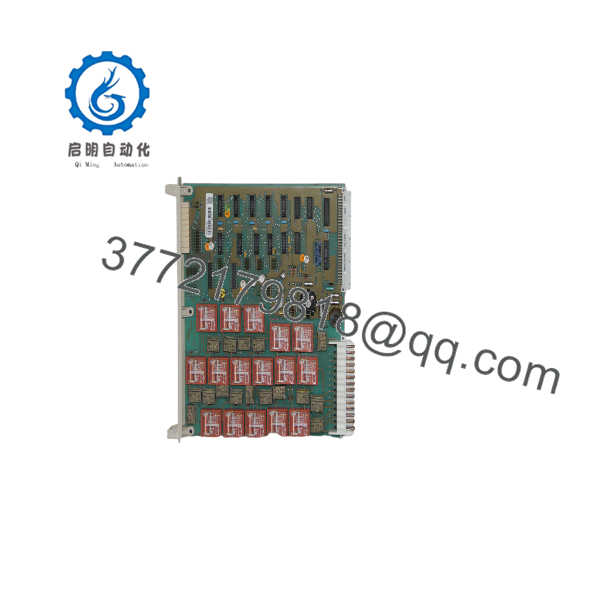
57160001-KX
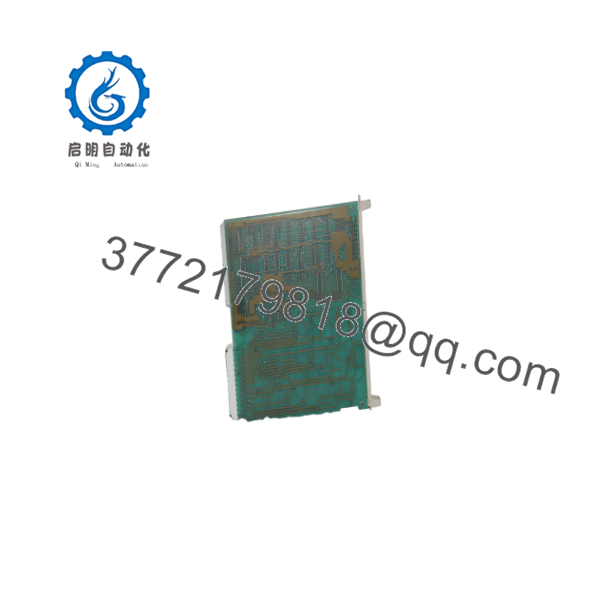
57160001-KX
Installation & Configuration Guide
Stage 1: Pre-Installation Preparation (Approx. 10 minutes)
⚠️ Safety First:
- Inform operations personnel before removing the installed module.
- Place the controlled process into a safe operating condition.
- Apply lockout/tagout procedures.
- Remove cabinet power and wait for stored energy discharge.
Tools Required:
- ESD wrist strap
- Phillips screwdriver
- Digital multimeter
- Wire labels
- Smartphone/camera for reference photos
Data Backup:
- Record module position in the rack.
- Photograph wiring, jumpers, and switch settings.
- Document controller communication settings.
- Save current ABB configuration files if applicable.
Stage 2: Removing the Existing Module (Approx. 10 minutes)
Steps:
- Open the control cabinet and verify the module identification label.
- Confirm the existing part number matches ABB 57160001-KX.
- Label all connected wiring before removal.
- Disconnect terminal wiring carefully.
- Release mounting clips or rack locking mechanisms.
- Pull the module straight out to protect the backplane connector.
- Inspect the connector area for dust, oxidation, or mechanical damage.
⚠️ Note:
Keep the original module until the replacement has completed commissioning. Revision differences can help identify configuration problems.
Stage 3: Installing the New Module (Approx. 10 minutes)
Steps:
- Wear an ESD wrist strap before handling the replacement.
- Verify the module label and revision information.
- Compare physical layout with the removed unit.
- Insert the module into the correct rack position.
- Ensure the backplane connector is fully engaged.
- Reconnect field wiring according to the original documentation.
- Secure all locking mechanisms.
Self-Checklist:
- Correct ABB part number confirmed
- Rack position verified
- Wiring matched to documentation
- Module fully seated
- Mounting locks secured
Stage 4: Power-On & Testing (Approx. 15–30 minutes)
Pre-Power Check:
- Verify supply voltage levels.
- Check for wiring shorts.
- Confirm protective grounding.
Power-On Steps:
- Restore cabinet power.
- Check module LED indicators.
- Verify communication with the ABB controller.
- Confirm hardware recognition in ABB engineering tools.
- Compare configuration parameters.
- Perform functional I/O or communication testing.
⚠️ Troubleshooting Note:
- No communication may indicate configuration mismatch, addressing errors, or incompatible firmware.
- Unexpected alarms may result from incorrect module slot assignment.
- Always compare replacement settings with the removed hardware before returning equipment to production.
Frequently Asked Questions (FAQ)
Q1: Is ABB 57160001-KX obsolete?
This model belongs to a legacy ABB hardware category. Availability depends on remaining stock from automation surplus channels and replacement inventory.
Q2: Is ABB 57160001-KX a direct replacement part?
A direct replacement requires matching the complete part number, hardware revision, and installed ABB control system configuration. Verify compatibility before installation.
Q3: Will replacing this module remove my PLC or DCS program?
Normally, control logic is stored separately from interface hardware. However, configuration parameters associated with the module must match the existing system database.
Q4: Can this ABB module be replaced while the system is powered?
Do not assume hot-swap capability. ABB rack designs differ by product family. Follow the specific installation procedure for the installed controller platform.
Q5: Why do companies buy used or surplus ABB modules instead of new OEM stock?
Many industrial plants continue operating legacy control systems where identical replacement hardware is required. Surplus inventory can provide a practical maintenance option when OEM production has ended.
Q6: What condition is available for ABB 57160001-KX?
Available conditions may include:
- New Original / New Surplus: Unused hardware stored in inventory.
- Factory Sealed: Original packaging when available.
- Refurbished Tested: Previously installed unit inspected and function tested.
Q7: What information should I provide before ordering?
Provide:
- Existing ABB system model
- Current module part number
- Hardware revision
- Rack location
- Application requirements
This information helps prevent installation delays caused by hardware or configuration mismatches.



