
 WhatsApp: +86 16626708626
 Email:
  Phone: +86 16626708626
Description
3. Key Technical Specifications
| Parameter | Value |
| Controller Series | Advant Controller 160 (AC160) |
| Processor Architecture | PowerPC-based processor modules (e.g., PM665 / PM644) |
| CPU Capacity | Multi-processing with up to 6 Processor Modules |
| Maximum I/O Points | 1,500 physical I/O channels (S600 and S800 I/O) |
| Time Tagging Resolution | 1 ms at-the-source event capture |
| Communication Networks | Advant Fieldbus 100, PROFIBUS-DP, Modbus RTU, Siemens 3964R |
| Redundancy Support | Processor Modules, I/O Bus Extension, AF100, and Power Supply |
| Application Tasks | Up to 31 user-definable independent tasks |
| Program Memory | Non-volatile electrically erasable memory (no battery backup required) |
| Minimum Execution Cycle | 2 ms execution rate |
| Power Consumption | Dependent on installed processor and communication module configuration |
4. Product Introduction & Supply Chain Strategy
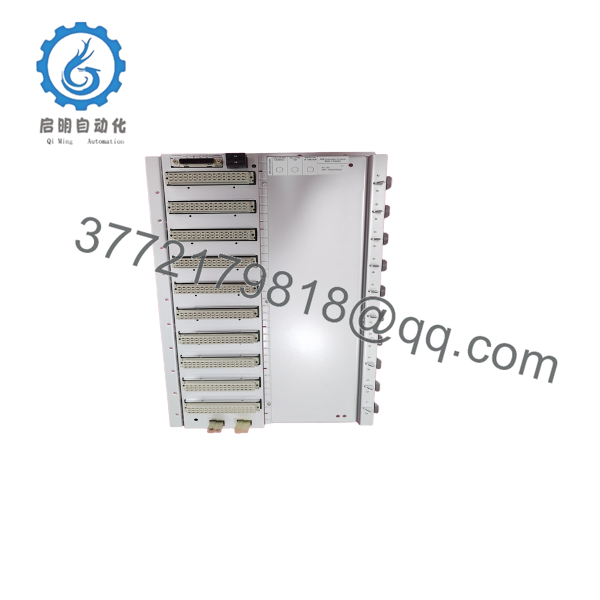
The ABB Advant Controller 160 (AC160) is a high-performance, scalable DCS process controller utilized globally in demanding environments like combined-cycle power stations, waste-to-energy facilities, and nuclear reactor protection systems. It manages complex control loop logic, sequences, and precise at-the-source 1 ms event time-tagging across up to 1,500 local and distributed I/O channels.
With ABB moving legacy systems toward modernization, maintaining a dedicated buffer stock of AC160 spares is critical to combat extreme lead time variability and the looming finality of last-time-buy notices. Selecting a verified New Surplus controller rather than a refurbished unit optimizes your Total Cost of Ownership (TCO) by avoiding premature module failures and unplanned shutdowns. Our vintage-certified parts fit perfectly into a vendor consolidation strategy, offering reliable legacy coverage without requiring immediate, expensive system migrations.

- AC160
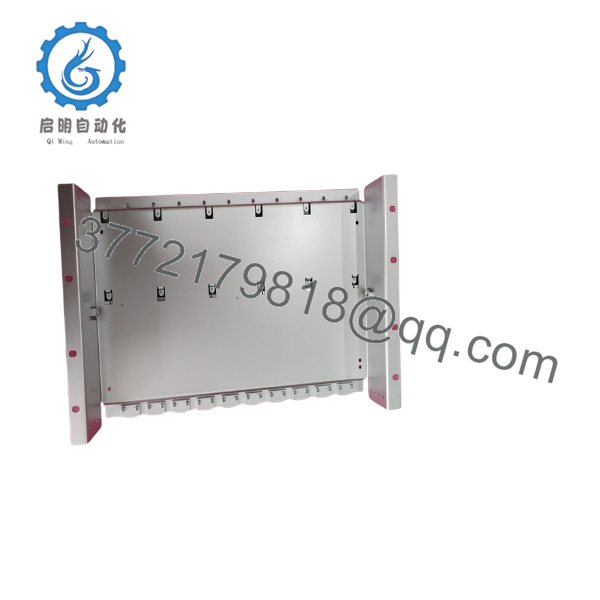
- AC160
5. Installation & Configuration Guide
1.Pre-Installation (Prep & Safety):Requires LOTO and ESD strap.
Isolate all incoming power sources to the cabinet. Securely implement lockout/tagout (LOTO) protocols at the breaker. Wear a grounded electrostatic discharge (ESD) wrist strap connected directly to the bare metal cabinet chassis to protect vulnerable processor memory chips. Take clear photos of all DIP switches, node address jumpers, and interface cables on the legacy unit.
2.Removal:Protect backplane interface.
Loosen the structural retaining screws on the top and bottom of the controller chassis. Pull the integrated card ejector tabs outward simultaneously to disengage the processor and connection boards from the rear backplane. Slide the module straight out of the slot guides to avoid bending or twisting any physical backplane pins, then store it in an anti-static shield bag.
3.Installation (Clone & Seat):Verify switch alignments.
Examine the DIP switches and rotary dials on the replacement New Surplus AC160 modules. Configure them to match the exact node address and communication settings documented in the first step. Slide the replacement module slowly into the chassis slots until it meets the backplane connector. Gently push the card ejectors inward to fully seat and lock the module in place.
4.Power-On & Testing:Monitor status LED codes.
Check that the main 24 VDC rails are clear of ground faults and electrical shorts. Re-energize the controller rack. Monitor the diagnostic LEDs on the processor modules; a solid green RUN LED signals normal startup, while red flashing indicators indicate an address conflict or firmware fault. Verify system communication back to the Advant Station engineering environment.
6. Firmware/Software Versions & Upgrade Notes
- Standard Software Revision: The AC160 controller relies on specific system software libraries (typically V2.2 or higher depending on the application). Verify your host database matches before commissioning.
- Processor Compatibility: Mixing older processor models (such as legacy PM640/PM644 units) with newer PowerPC PM665 modules in a multi-processing rack can trigger immediate backplane timing mismatches and system bus faults. Always verify that co-processors share matching hardware and firmware revisions.
- Upgrade/Downgrade Warning: Upgrading software in an active system requires careful review of your AMPL configuration graphics. Incompatible downgrades can cause program memory corruption, permanently locking the module’s non-volatile ROM in an unbootable state.
7. Frequently Asked Questions (FAQ)
What makes this New Surplus AC160 better than a refurbished unit?
Our New Surplus AC160 modules are original, unused parts sourced from surplus facility inventory. Refurbished boards often contain dried-out capacitors and worn components that hide under clean exteriors. Unused surplus units provide an original 10-to-15 year operating lifespan and immediate reliability, eliminating the risk of unexpected plant failures.
Why is this legacy controller priced higher than rebuilt cards on other websites?
We maintain pristine, original inventory from climate-controlled reserves. The higher cost reflects our rigorous tracking, secure supply chain, and physical verification testing. While a rebuilt card seems cheaper initially, a single day of unplanned downtime from a secondary failure can wipe out those upfront savings, making New Surplus the far safer investment for long-term TCO.
Does the AC160 require a backup battery to retain its program during power outages?
No. The AC160 stores its operating system and your configuration logic in non-volatile, electrically erasable memory. It does not rely on active battery backup power to preserve application programs during extended outages, preventing code loss from dead batteries.
Can I replace an AC160 module while the system is powered up (hot-swap)?
No. Unlike some distributed I/O modules, the central processor cards and communication interface boards in an AC160 subrack should not be hot-swapped while the backplane is energized. Removing these modules with live power can trigger bus line short circuits and disrupt communication across your entire Advant Fieldbus network.
How do I ensure my node settings are correct on the new board?
You must replicate the positions of the DIP switches and configuration jumpers from your old board. These switches define critical network parameters, including node addresses and baud rates. If they do not match your system configuration, the controller will fail to establish communication with your Advant Station.
What kind of warranty coverage do you offer on this legacy module?
Every New Surplus ABB AC160 controller we sell is backed by a full, 1-year replacement warranty. If you experience any functional issues or hardware failures under standard operating conditions, we will quickly replace the module or issue a refund if stock is depleted.



