
 WhatsApp: +86 16626708626
 Email:
  Phone: +86 16626708626
Description
3. Key Technical Specifications
| Parameter | Value |
|---|---|
| Manufacturer | ABB Robotics |
| Model | ACU-01B |
| Part Number | 3HNA024871-001/03 |
| Product Type | Air Control Unit |
| Function | Precision air pressure and airflow regulation |
| Air Channels | 3-channel control |
| Communication | CAN or Ethernet (configuration dependent) |
| Protection Rating | IP65 |
| Ambient Temperature | 0 °C to +55 °C |
| Typical Installation | Mounted on ABB paint robot arm |
| Compatible Robots | IRB 5400, IRB 5500, IRB 580 and other IPS-equipped paint robots |
| Product Status | Active ABB Robotics spare part |
ABB designed the ACU-01B as part of its Integrated Process System (IPS). It regulates shaping air pressure and atomizer turbine speed using closed-loop control with millisecond response, helping maintain consistent paint atomization.
4. Product Introduction
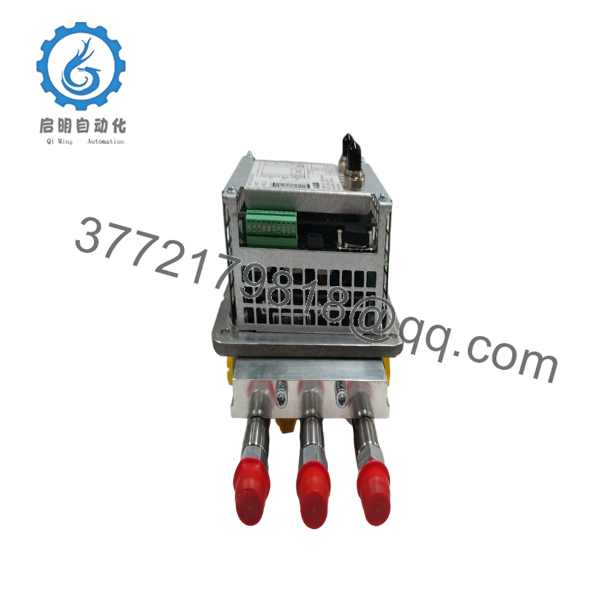
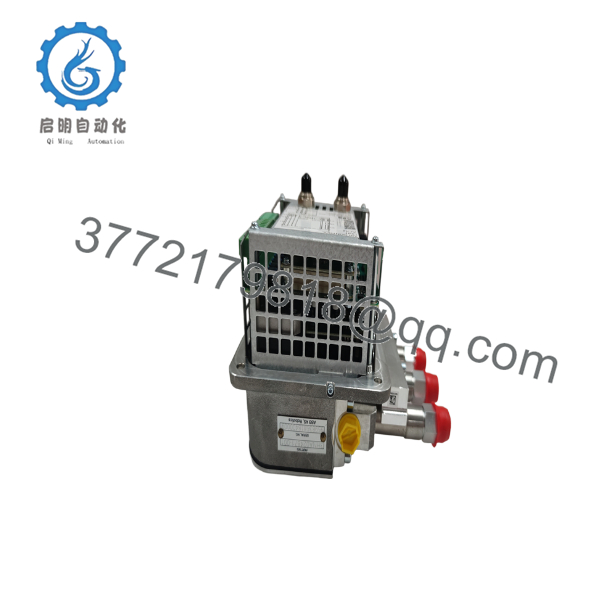
The ABB ACU-01B (3HNA024871-001/03) is a dedicated Air Control Unit used in ABB robotic paint systems. Rather than serving as a general robot controller, it precisely regulates shaping air, turbine air, and other pneumatic parameters required by high-speed rotary atomizers. It communicates with the ABB Integrated Process System (IPS) to provide fast, stable closed-loop air control during painting operations.
One important field consideration is communication mode. Early spare parts were delivered in CAN mode, while newer paint systems typically operate in Ethernet mode. Before installation, verify the communication mode and change it if necessary using the ABB service procedure.

- ACU-01B 3HNA024871-00103
- ACU-01B 3HNA024871-00103
5. Installation & Configuration Guide
Stage 1 – Pre-Installation Preparation (10–15 minutes)
⚠️ Safety First
- Stop all robot motion.
- Shut down the paint process.
- Isolate electrical and pneumatic supplies.
- Lock out compressed air.
- Depressurize all pneumatic circuits before servicing.
Required Tools
- ESD wrist strap
- Phillips screwdriver
- Digital multimeter
- Air pressure gauge
- Laptop with ABB RobotStudio (if configuration is required)
- Serial console cable (for communication mode changes)
Backup Tasks
- Save the robot system backup.
- Record IPS software version.
- Photograph pneumatic tubing.
- Record IP configuration if Ethernet is used.
Stage 2 – Removing the Existing ACU-01B
- Disconnect control power.
- Isolate compressed air.
- Label all pneumatic hoses.
- Disconnect communication and power connectors.
- Remove the mounting hardware.
- Remove the ACU carefully.
⚠️ Do not contaminate pneumatic fittings. Dust or paint residue can affect airflow accuracy.
Inspect:
- Air fittings
- O-rings
- Harness connectors
- Mounting brackets
- Pneumatic tubing
Stage 3 – Installing the New Unit
- Verify the part number is 3HNA024871-001/03.
- Mount the ACU securely.
- Reconnect all pneumatic lines.
- Reconnect communication and power cables.
- Verify CAN or Ethernet mode matches the existing robot system.
- Restore air pressure.
Installation Checklist
- ☑ Correct part number
- ☑ Pneumatic lines connected
- ☑ Communication mode verified
- ☑ Power connector secured
- ☑ Air leaks checked
Stage 4 – Power-Up & Testing
- Restore electrical power.
- Restore compressed air.
- Verify IPS communication.
- Confirm there are no communication alarms.
- Test shaping air regulation.
- Verify atomizer turbine speed response.
- Perform a paint pattern test before production.
⚠️ Troubleshooting
No Communication
Check:
- CAN/Ethernet configuration
- Communication cable
- IPS software compatibility
- Controller network settings
Unstable Air Pressure
Inspect:
- Air supply pressure
- Internal filters
- Pneumatic fittings
- Pressure sensors
- Solenoid valves
6. Frequently Asked Questions (FAQ)
Q1. What is the primary function of the ACU-01B?
The ACU-01B controls airflow and pressure for ABB robotic paint systems. It regulates shaping air and atomizer turbine speed using closed-loop control to maintain consistent spray quality.
Q2. Which ABB robots use the ACU-01B?
The unit is commonly installed on ABB paint robots such as the IRB 5400, IRB 5500, and IRB 580, operating with the IRC5 controller and Integrated Process System (IPS).
Q3. Can I replace an ACU-01 with an ACU-01B?
Yes. ABB identifies ACU-01B (3HNA024871-001) as the replacement for the earlier ACU-01 (3HNA013719-001). However, communication mode must be verified because older spare units may be configured for CAN, while newer systems operate over Ethernet.
Q4. What is the most common commissioning issue?
The most common issue is a communication mode mismatch. If the robot uses Ethernet and the replacement ACU is configured for CAN, the IPS nodes will not communicate until the mode is changed using ABB’s documented procedure.
Q5. Can the ACU-01B be hot-swapped?
No.
The unit controls critical pneumatic functions during paint application. Electrical power and compressed air should both be isolated before replacement to prevent equipment damage and unsafe operation.
Q6. What should I verify before ordering?
Confirm the following:
- Model: ACU-01B
- Part Number: 3HNA024871-001/03
- Robot Controller: IRC5
- Robot Model: IRB 5400, IRB 5500, IRB 580, or compatible
- IPS Software Version
- Communication Mode: CAN or Ethernet
- Pneumatic Connection Configuration
Verifying these items before installation helps ensure compatibility and minimizes commissioning time, particularly in robotic paint systems where communication mode and air calibration are critical.



