
 WhatsApp: +86 16626708626
 Email:
  Phone: +86 16626708626
Description
3. Key Technical Specifications
| Parameter | Specification |
|---|---|
| Manufacturer | ABB |
| Model | AI625 |
| Order Number | 3BHT300036R1 |
| Product Type | Analog Input Module |
| Series | Advant OCS / S600 I/O |
| Number of Channels | 8 Analog Inputs |
| Input Type | Current inputs (0–20 mA / 4–20 mA, depending on configuration) |
| Signal Resolution | 12–16 bit (application dependent) |
| Isolation | Galvanic isolation between field and system |
| Mounting | S600 I/O Rack |
| Operating Voltage | System backplane supply |
| Product Status | Legacy ABB Automation Module |
4. Product Introduction
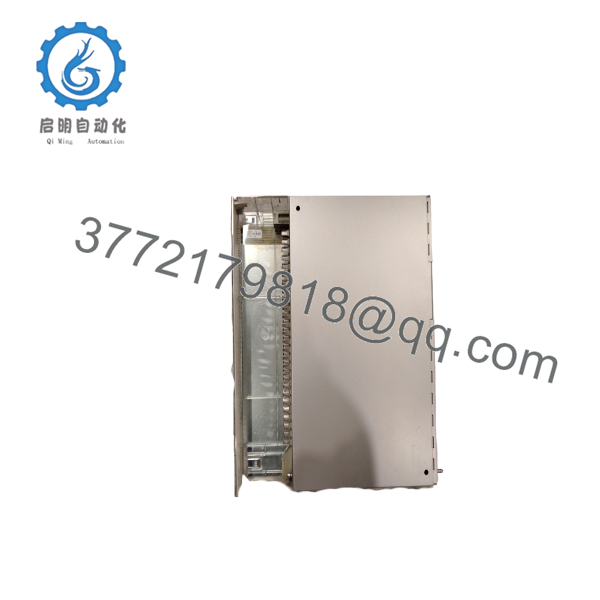
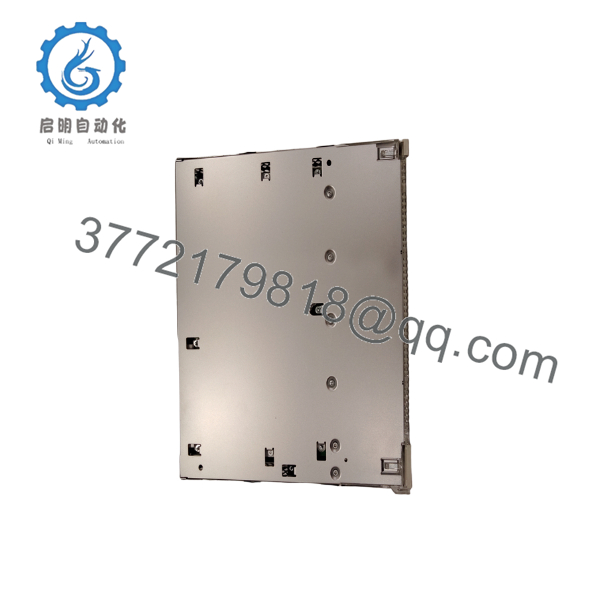
The ABB AI625 (3BHT300036R1) is an 8-channel analog input module designed for ABB Advant OCS and S600 I/O distributed control systems. It converts field analog signals from transmitters and sensors into digital data for the controller, supporting precise monitoring of process variables such as pressure, temperature, flow, and level.
The AI625 is commonly deployed in continuous process industries including power generation, oil & gas, petrochemical, pulp & paper, mining, and water treatment. Its galvanically isolated inputs improve noise immunity and measurement reliability in harsh industrial environments.
As part of the ABB S600 I/O family, the AI625 provides stable signal acquisition, high measurement accuracy, and seamless integration with Advant OCS control systems.
5. Installation & Configuration Guide
Stage 1 – Preparation
Safety Precautions
- Place the controller in a safe maintenance state.
- Isolate field power where required.
- Wear an ESD wrist strap.
- Verify the correct replacement module.
Required Tools
- Multimeter
- Small flat screwdriver
- ESD protection
- ABB engineering workstation
- System documentation
Stage 2 – Remove Existing Module
- Record all analog channel assignments.
- Backup controller configuration.
- Label field wiring.
- Remove terminal block.
- Release the locking mechanism.
- Remove the AI625 module.
Inspect:
- Terminal contacts
- Backplane connector
- Wiring condition
- Grounding
- Cabinet cleanliness
Stage 3 – Install New Module
- Confirm model AI625.
- Insert the module into the rack.
- Lock it securely.
- Reconnect the terminal block.
- Restore field wiring.
- Verify all channel assignments.
Installation Checklist
- ☑ Correct module installed
- ☑ Wiring verified
- ☑ Backplane connection secure
- ☑ Grounding confirmed
- ☑ Channel configuration checked
Stage 4 – Commissioning
- Restore system power.
- Verify module diagnostics.
- Confirm controller communication.
- Check each analog input.
- Compare field transmitter values with engineering software.
- Perform loop testing if required.
Troubleshooting
Input Reading Incorrect
Check:
- Sensor wiring
- Current loop power
- Input configuration
- Calibration
- Terminal connections
Module Offline
Verify:
- Rack power
- Backplane connection
- Controller communication
- Hardware compatibility

- AI625
- AI625
6. Frequently Asked Questions (FAQ)
Q1. What is the ABB AI625 used for?
The AI625 is an analog input module that acquires process signals from field instruments and converts them into digital values for ABB Advant OCS and S600 I/O control systems. It is commonly used to monitor pressure, temperature, flow, level, and other continuous process variables.
Q2. Which systems are compatible with the AI625?
The module is designed for ABB Advant OCS and S600 I/O platforms. Compatibility depends on the controller type, rack configuration, and installed firmware.
Q3. What input signals does the AI625 support?
The AI625 primarily supports industrial current signals, including:
- 4–20 mA
- 0–20 mA
The exact supported ranges and configuration options depend on the application and system configuration.
Q4. Can the AI625 be replaced while the system is running?
Hot swapping depends on the specific S600 I/O rack and controller configuration. Unless the installation explicitly supports online module replacement, ABB recommends placing the affected process in a safe state and removing system power before replacing the module.
Q5. What industries commonly use the AI625?
The AI625 is widely used in:
- Power generation
- Oil & gas
- Chemical processing
- Petrochemical plants
- Pulp & paper
- Mining
- Water and wastewater treatment
- General process automation
Q6. What should I verify before ordering?
Before purchasing, confirm:
- Model: AI625
- Order Number: 3BHT300036R1
- Controller platform compatibility
- Rack type
- Channel configuration
- Signal type (4–20 mA or 0–20 mA)
- Hardware revision
- Firmware compatibility
Verifying these items ensures the replacement module integrates correctly with the existing ABB automation system and minimizes commissioning time.



