
 WhatsApp: +86 16626708626
 Email:
  Phone: +86 16626708626
Description
3. Key Technical Specifications
| Parameter | Value |
|---|---|
| Manufacturer | ABB |
| Model | AX670 |
| Ordering Number | 3BSE000566R1 |
| Product Family | S600 I/O |
| Module Type | Analog Mixed I/O Module |
| System Compatibility | ABB Advant OCS |
| Controller Compatibility | Advant Controller 110/160, Master SW |
| I/O Function | Mixed Analog Input / Output |
| Bus Interface | S600 ModuleBus |
| Mounting | S600 I/O Rack |
| Operating Temperature | Industrial Environment |
| Dimensions | 243 × 225 × 45 mm |
| Weight | Approximately 1.25 kg |
The AX670 belongs to the ABB S600 I/O platform and is intended for use with Advant OCS systems, providing mixed analog input/output capability for distributed process control.
4. Product Introduction
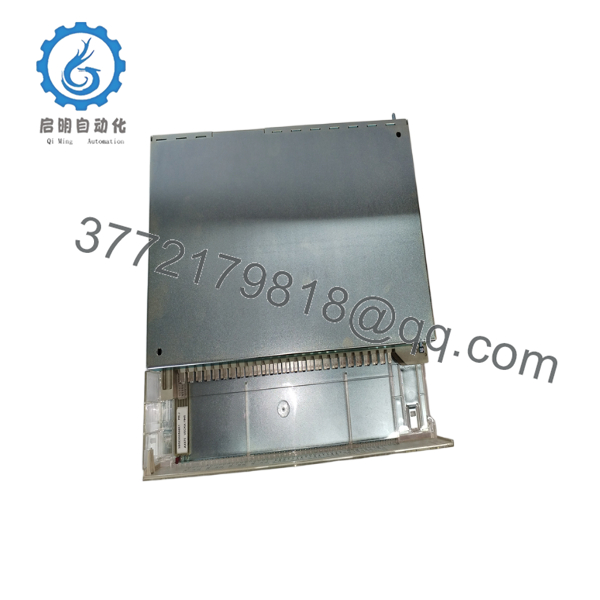
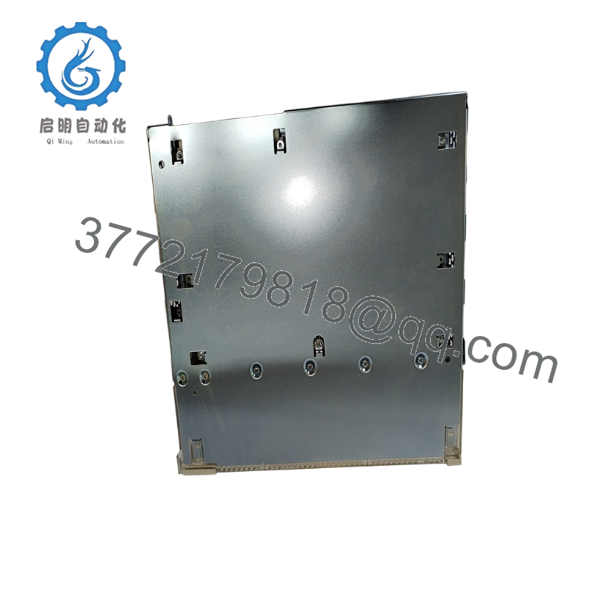
The ABB AX670 (3BSE000566R1) is a mixed analog input/output module developed for the ABB S600 I/O platform used in Advant OCS distributed control systems. It interfaces field analog signals with the controller, supporting continuous process measurement and analog control functions across industrial applications.
The module is commonly installed in power generation, pulp and paper, petrochemical, and water treatment facilities where legacy Advant systems remain in operation. Because the AX670 is now in the mature phase of its lifecycle, many operators maintain spare inventory to minimize downtime during maintenance or unexpected module failures. ABB also identifies AX670 as an S600 I/O product within its lifecycle documentation.

- AX670
- AX670
5. Installation & Configuration Guide
Stage 1 – Pre-Installation Preparation (10 Minutes)
⚠️ Safety First
- Inform operations before shutting down the affected I/O segment.
- Place the process in a safe operating condition.
- Apply Lock-Out/Tag-Out (LOTO).
- Remove cabinet power.
- Wait at least five minutes before removing the module.
Required Tools
- ESD wrist strap
- Phillips screwdriver
- Digital multimeter
- Wire identification labels
- Smartphone for wiring documentation
Backup Tasks
- Save the Advant OCS configuration.
- Record channel assignments.
- Photograph terminal wiring.
- Record any calibration or engineering-unit settings.
Stage 2 – Removing the Existing Module
- Label every field connection.
- Disconnect the terminal wiring carefully.
- Release the module locking mechanism.
- Pull the module straight from the rack.
- Inspect the backplane connector for contamination or bent pins.
⚠️ Keep the original module until commissioning has been successfully completed.
Stage 3 – Installing the New AX670
- Wear an ESD wrist strap.
- Verify the replacement is AX670 (3BSE000566R1).
- Insert the module fully into the S600 rack.
- Confirm the locking mechanism is engaged.
- Reconnect all wiring according to the original documentation.
Installation Checklist
- ✔ Model verified
- ✔ Wiring restored
- ✔ Module fully seated
- ✔ Lock engaged
- ✔ Rack connector inspected
Stage 4 – Power-Up & Testing
Before applying power:
- Verify supply voltage.
- Check analog loop continuity.
- Inspect for wiring shorts.
Commissioning:
- Energize the S600 I/O rack.
- Verify module status indicators.
- Confirm controller communication.
- Check all analog input values.
- Verify analog outputs using loop simulation.
- Restore the process to normal operation.
⚠️ Troubleshooting
Module Not Recognized
Check:
- ModuleBus connection
- Rack position
- Controller configuration
- Hardware compatibility
Incorrect Analog Values
Verify:
- Sensor wiring
- Output loop polarity
- Calibration parameters
- Engineering-unit scaling
6. Frequently Asked Questions (FAQ)
Q1. Is the ABB AX670 still manufactured?
No. The AX670 is considered a legacy S600 I/O product. It remains available primarily through surplus inventory and specialized industrial automation spare-parts suppliers.
Q2. Which control systems use the AX670?
The AX670 is designed for ABB Advant OCS systems using the S600 I/O architecture, including applications based on Advant Controller platforms.
Q3. Can the AX670 directly replace any S600 analog module?
Not necessarily. Although several S600 modules have similar mechanical dimensions, channel count, terminal assignments, and configuration differ. Verify the exact ABB ordering number and application before replacement.
Q4. Will replacing the AX670 erase controller logic?
No. The application program resides in the controller, not in the I/O module. However, verify all channel mappings and scaling after installation before returning the process to service.
Q5. Why should I photograph the wiring before removal?
Many Advant OCS installations have operated continuously for decades. Terminal labels may have faded or been modified during maintenance. A clear photo of the original wiring significantly reduces commissioning time and helps prevent channel wiring errors.
Q6. What should I verify before purchasing an AX670?
Confirm:
- ABB ordering number (3BSE000566R1)
- S600 rack compatibility
- Advant OCS controller version
- Required firmware or engineering software compatibility
- Module condition (New Original, New Surplus, or Refurbished) and functional test documentation before installation.



