
 WhatsApp: +86 16626708626
 Email:
  Phone: +86 16626708626
Description
Key Technical Specifications
| Parameter | Value |
|---|---|
| Manufacturer | ABB |
| Model | BCU-02 |
| Product Type | Drive Control Unit |
| Supply Voltage | 24 V DC (±10%) |
| Maximum Input Current | 2 A |
| Fiber Optic Channels | 2 converter channels |
| Relay Outputs | 3 × 250 VAC / 30 VDC, 2 A |
| Digital Inputs | 6 programmable inputs |
| Communication | RS-485, Fiber Optic |
| Memory | SDHC card support (up to 4 GB) |
| Expansion | Three option slots for fieldbus, encoder, and I/O modules |
| Weight | Approximately 0.9 kg |
The BCU-02 is the two-channel version of ABB’s BCU family. BCU-12 and BCU-22 provide seven and twelve fiber optic converter connections respectively, while maintaining nearly identical hardware architecture. ABB documentation also notes that a BCU-02 installation can be replaced by a BCU-12 or BCU-22 if the application requires additional fiber optic channels.
Product Introduction
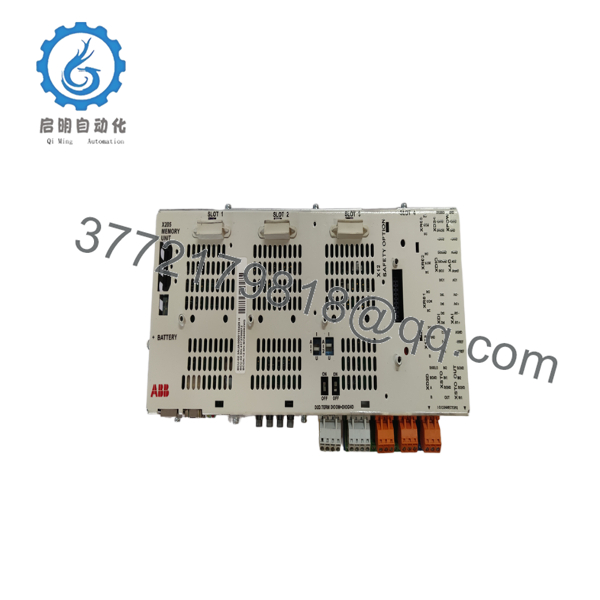
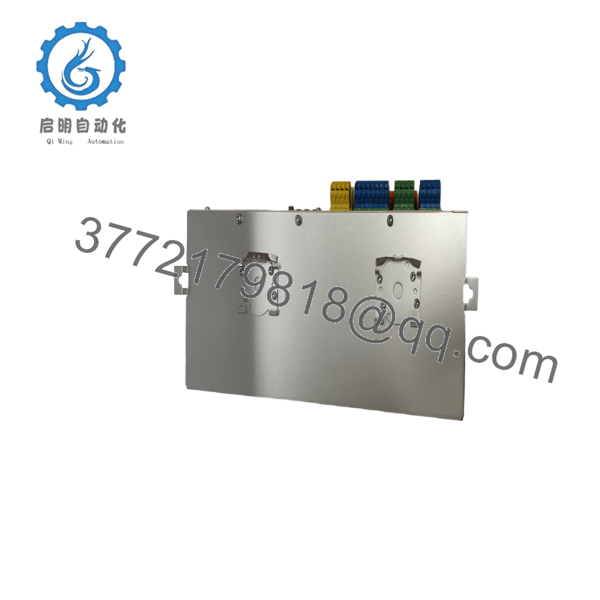
The ABB BCU-02 is an industrial drive control unit designed for ABB ACS880 multidrive systems and related converter platforms. It executes the drive control program, manages communication with converter modules through fiber optic links, and provides local digital, analog, and relay I/O for system integration.
Unlike a simple communication module, the BCU-02 acts as the central controller for the drive cabinet. It supports removable memory, optional fieldbus adapters, encoder interfaces, and integrated diagnostics that assist commissioning engineers in troubleshooting drive faults and maintaining long-term system reliability.
Installation & Configuration Guide
Stage 1 – Pre-Installation Preparation (10 minutes)
⚠️ Safety First
- Notify operations and shut down the drive system.
- Apply Lock-Out/Tag-Out procedures.
- Disconnect incoming power.
- Wait at least five minutes for DC bus capacitors to discharge.
- Wear an ESD wrist strap.
Tools Required
- PH1 screwdriver
- Digital multimeter
- ESD wrist strap
- Wire markers
- Smartphone for recording wiring and switch settings
Before Removal
- Back up drive parameters.
- Record firmware revision.
- Photograph all terminal wiring.
- Record communication settings.
Stage 2 – Removing the Existing Unit (5 minutes)
- Disconnect the external 24 V supply.
- Remove detachable terminal blocks.
- Disconnect all fiber optic cables carefully.
- Release mounting hardware.
- Remove the control unit without twisting.
⚠️ Keep the original controller until the replacement has completed commissioning.
Stage 3 – Installing the New BCU-02 (10 minutes)
- Verify the replacement model is BCU-02.
- Compare firmware compatibility with the existing drive system.
- Install the controller securely.
- Reconnect fiber optic cables in their original locations.
- Install all terminal blocks.
- Reinstall option modules if equipped.
- Insert the SDHC memory card if required.
Checklist
- ✔ Model verified
- ✔ Fiber optic channels connected correctly
- ✔ Terminal blocks fully seated
- ✔ Option modules installed
- ✔ 24 V power verified
Stage 4 – Power-On & Commissioning (10 minutes)
- Verify no short circuit exists on the 24 V supply.
- Energize only the control supply first.
- Confirm normal LED startup sequence.
- Connect ABB commissioning software.
- Verify firmware version.
- Confirm communication with converter modules.
- Perform functional testing before returning equipment to service.
⚠️ If communication does not establish immediately, verify the fiber optic connections before assuming controller failure. Firmware compatibility should also be checked whenever replacing an older controller.

- BCU-02
- BCU-02
Frequently Asked Questions
1. Can the BCU-02 be hot-swapped?
No. ABB recommends removing power before replacing the control unit. Disconnecting the controller under power can interrupt converter communication and may damage the system.
2. What systems use the BCU-02?
The BCU-02 is primarily used in ABB Industrial Drives, including ACS880 multidrive systems and other converter platforms that use the BCU control architecture.
3. What is the difference between BCU-02, BCU-12, and BCU-22?
The primary difference is the number of supported fiber optic converter connections:
- BCU-02: 2 channels
- BCU-12: 7 channels
- BCU-22: 12 channels
The remaining hardware architecture is largely identical.
4. Does replacing the BCU-02 erase my application?
Normally, no. However, parameter backups should always be completed before replacement. If configuration data resides on removable memory, preserve the original SDHC card.
5. Why won’t the replacement communicate with the drive?
The most common causes are:
- Incorrect fiber optic cable routing
- Firmware revision mismatch
- Incorrect option module installation
- Missing parameter restoration
- External 24 V control power not present
6. Is this model still available?
The BCU-02 remains available through industrial spare parts suppliers, although inventory varies because many installations are now maintained as lifecycle spare parts rather than current production equipment. Availability should always be confirmed before scheduling a plant shutdown.
7. What should engineers verify before ordering?
Verify:
- Exact BCU-02 part number
- Drive family (ACS880 or compatible)
- Firmware revision
- Installed option modules
- Required number of fiber optic channels
Taking these steps before ordering avoids the most common commissioning delays after installation.



