
 WhatsApp: +86 16626708626
 Email:
  Phone: +86 16626708626
Description
3. Key Technical Specifications
| Parameter | Specification / Value |
| Part Number | CI532V09 / 3BUP001190R1 |
| Manufacturer | ABB |
| System Family | Advant OCS (Open Control System) with Master software |
| Slot Dependency | Plugs directly into carrier cards or main controller sub-racks |
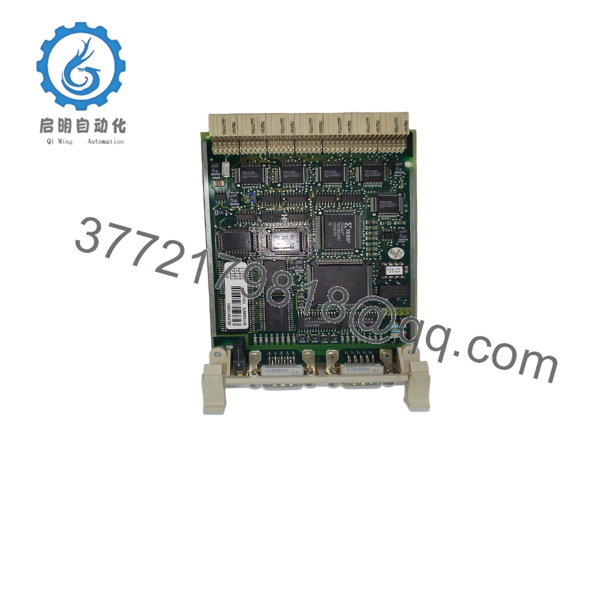
| Port Configuration | 2 x 9-pin D-sub female connectors |
| Protocol Support | MasterFieldbus protocols, specialized serial interface links |
| Power Consumption | Typically less than 800 mA at 5 V DC from system backplane |
| Isolation Barrier | Built-in electrical isolation protecting internal processing logic |
| Physical Dimensions | Standard single-slot eurocard form factor plug-in |
| Operating Temperature | +5 to +55 °C within the cabinet interior |
4. Product Introduction & Supply Chain Strategy
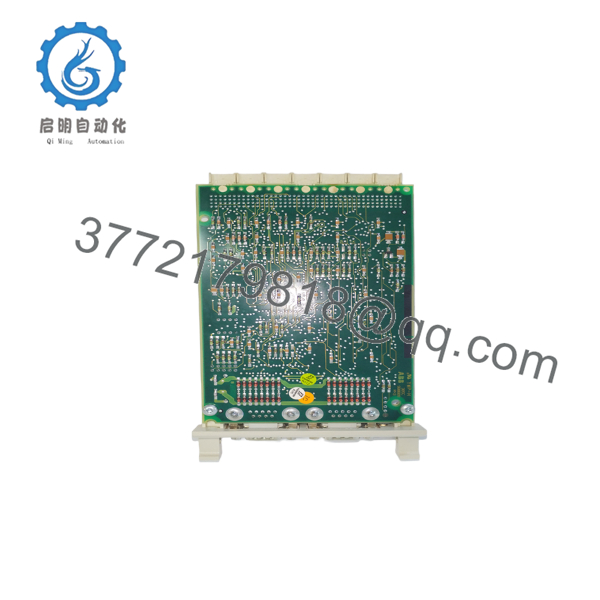
The ABB CI532V09 serves as a dedicated fieldbus and serial communication interface module within the legacy Advant OCS and Advant Master controller framework. It establishes stable network links between central processing units and peripheral subsystems, ensuring smooth process data transfers without overtaxing primary controller cycles. This module remains highly critical in continuous processing sectors like petrochemical facilities, paper mills, and power stations that run dependable ABB AC450 or AC410 hardware.
Because this series is in a mature, legacy phase of its lifecycle, sourcing replacement parts through traditional factory distribution lines can mean long lead times or high last-time-buy premiums. Opting for a certified New Surplus CI532V09 protects your process from prolonged stock-out incidents without requiring a costly, premature full system upgrade. Relying on refurbished alternatives exposes your plant to sudden failures from old solder joins and worn logic chips. This authentic new surplus option guarantees proper electrical safety margins and a long operational lifespan for your system backplane.

- CI532V09
- CI532V09
5. Installation & Configuration Guide
Stage 1: Pre-Installation (Prep & Safety)
- Back up the controller software application and current node topology configurations before starting any physical work.
- Verify if the specific system carrier sub-rack supports active module insertion; if it does not, power down the target sub-rack assembly.
- Put on a grounded anti-static wrist strap and hook it to an unpainted metal surface on the cabinet frame.
- Document any specific jumper configurations or board-level switch positions on the module being replaced.
Stage 2: Removal
- Loosen the front panel retaining screws on the existing card assembly using the correct precision screwdriver.
- Disconnect the attached DB9 communication cables, marking the exact port locations (Port 1 vs. Port 2) to ensure correct re-installation.
- Flip open the extraction tabs to release the card from the backplane connectors.
- Pull the module straight out of the chassis guides, holding it only by the plastic faceplate edges to protect the electronic components.
Stage 3: Installation (Clone & Seat)
- Set the physical jumper blocks on the new surplus CI532V09 to mirror the exact network address or channel modes verified on the old card.
- Align the printed circuit board edges cleanly with the upper and lower sub-rack guide rails.
- Push the module gently into the slot until the rear pins seat completely into the passive backplane.
- Fold down the extraction latches and hand-tighten the front panel locking screws to complete the mechanical installation.
Stage 4: Power-On & Testing
- Reconnect the DB9 communication cables back to their correct designated channel ports.
- Re-energize the rack assembly and watch the front status indicators during the boot sequence.
- Verify that the green power or run indicator illuminates steadily and that no red fault light remains on.
- Open your engineering workstation diagnostics to confirm the host controller successfully establishes communications with the new node link.
6. Firmware/Software Versions & Upgrade Notes
The CI532V09 coordinates directly with the system software version running on the host controller CPU card. When replacing this communication interface, the new board must match the system’s baseline software configuration to avoid driver or protocol errors.
⚠️ Critical Risk Warning: Mismatches between system software and interface revisions can block the module from passing its power-on self-test (POST) or drop subsystem nodes completely offline. Do not change system parameters or software revisions during an emergency hardware swap. Always match the replacement board’s hardware and jumper configurations precisely to your verified, working system backup.
7. Frequently Asked Questions (FAQ)
What makes this new surplus CI532V09 different from a standard pulled board?
This component is a guaranteed Brand New Surplus item. Unlike typical pulled or unverified parts, it has zero operating hours, zero thermal wear from continuous field use, and has undergone no structural component repairs. It provides the same reliability as a brand-new factory unit but at a lower total cost of ownership.
Is the CI532V09 currently classified as an active or obsolete product by the OEM?
This module belongs to a legacy ABB automation system family that is in its mature support lifecycle phase. Because it is no longer produced in volume, keeping an on-site safety buffer stock is smart supply-chain insurance to protect your plant against sudden, costly downtime.
Do I need to completely power down the controller to replace this module?
Whether you can replace this card while the system is live depends on the specific carrier sub-rack and system configuration used in your cabinet. For safety and to protect the data bus from voltage spikes, we always recommend powering down the sub-rack before doing hardware swaps unless your system documentation explicitly confirms hot-swapping is safe.
Does this interface board need any software loaded directly onto it before installation?
The CI532V09 functions as a hardware-driven interface module. It receives its network address and operational rules from physical jumper pins on the board and from configurations pushed by the master CPU. No direct firmware programming is needed on the card itself before inserting it into the rack.
What kind of warranty protection comes with this new surplus card?
Every new surplus CI532V09 module comes with a full 1 year replacement warranty. This gives maintenance teams the long-term protection and reliability they expect from new components, without the risks that come with 30-day unverified used parts.



