
 WhatsApp: +86 16626708626
 Email:
  Phone: +86 16626708626
Description
3. Key Technical Specifications
| Parameter | Specification / Value |
| Part Number | CI810B / 3BSE020520R |
| Manufacturer | ABB |
| Protocol Support | Advant Fieldbus 100 (AF100) |
| I/O Capacity | Drives up to 12 single or 24 redundant S800 I/O cards |
| Input Power Source | 24 V DC nominal, dual redundant inputs supported |
| Power Consumption | Max 150 mA at 24 V DC (excluding I/O module draws) |
| Address Selection | Onboard rotary dials for hardware node configuration |
| Electrical Isolation | 500 V AC galvanic isolation barrier between network and logic |
| Mounting Hardware | Clips directly onto standard DIN rail terminal bases (TU810/TU812) |
| Operational Limits | 0 to +55 °C ambient, non-condensing relative humidity |
4. Product Introduction & Supply Chain Strategy
The ABB CI810B serves as the central Fieldbus Communication Interface (FCI) for modular S800 I/O configurations. It handles data translation, monitoring, and transfer between local I/O expansion racks and the primary Advant Fieldbus 100 (AF100) network link. By managing local execution loops and signal diagnostics independently, this intelligent module allows centralized controllers to interface seamlessly with field instruments across chemical plants, water treatment facilities, and power stations.
Because a failure on this interface card instantly disconnects all downstream field signals from the main control architecture, the CI810B is an essential spare part to track. Choosing a certified New Surplus module ensures immediate drop-in replacement availability without the long lead times or high markup prices of traditional factory lines. Avoid used or refurbished network interfaces, which are prone to sudden memory corruption or link timing drops due to old internal capacitors. Opting for factory-sealed surplus inventory provides predictable performance and a reliable 10-15 year hardware lifecycle.
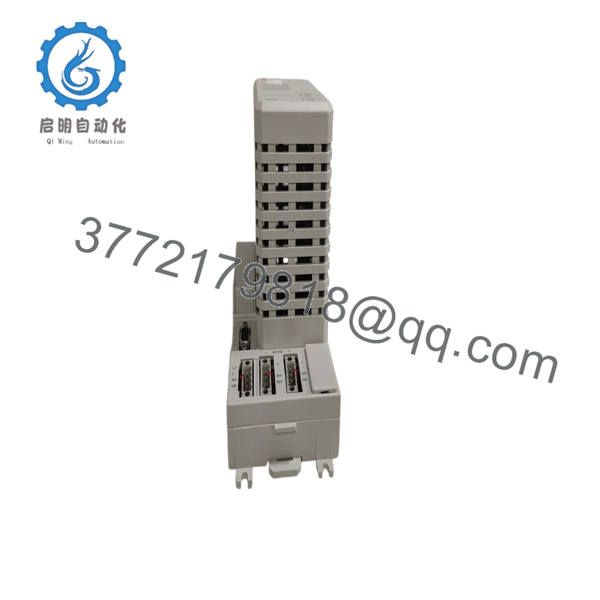
- CI810B 3BSE020520R
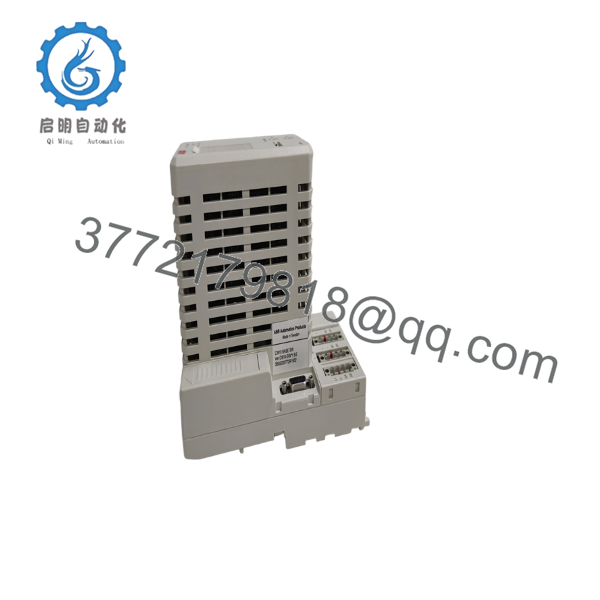
- CI810B 3BSE020520R
5. Installation & Configuration Guide
Stage 1: Pre-Installation (Prep & Safety)
- Back up all controller configurations and download the active S800 station address maps before changing physical hardware.
- Isolate both the main and redundant 24 V DC power sources feeding the terminal base unit.
- Attach a grounded anti-static wrist strap to your arm before opening the factory ESD packaging.
- Record the precise positions of the rotary node address switches located on the front face of the module being replaced.
Stage 2: Removal
- Unplug the AF100 bus connection plugs from the underlying terminal block assembly.
- Release the plastic latch locks holding the module casing to the mounting base frame.
- Pull the card straight outward from the terminal base pins to avoid scratching the connection surface.
- Place the removed hardware into a protective anti-static bag immediately.
Stage 3: Installation (Clone & Seat)
- Turn the rotary dials on the face of the new surplus CI810B to match the node address recorded from the original unit.
- Position the replacement module over the alignment tracks of the TU810 or TU812 terminal base block.
- Press the unit firmly into place until the locking tabs snap shut, establishing a clean connection with the backplane pins.
- Reattach the primary and redundant 24 V DC supply lines and lock the AF100 communication plugs back into place.
Stage 4: Power-On & Testing
- Use a digital multimeter to confirm the incoming 24 V power inputs are clear of any ground faults.
- Turn on the auxiliary power supply and watch the front diagnostic LEDs run through their initialization check.
- Confirm that the green run indicator stays on and that the red fault lamp shuts off completely.
- Verify from the master DCS workstation that all downstream S800 I/O points are online and updating cyclic data without errors.
6. Firmware/Software Versions & Upgrade Notes
The CI810B depends on specific internal firmware revisions to manage data maps with host processors. Running incompatible software configurations can trigger protocol communication drops or block attached S800 I/O cards from initializing correctly.
⚠️ Critical Risk Warning: Modifying firmware configurations or changing system parameters during an emergency replacement can clear active network nodes and halt live processes. Always keep the substitute module matched to your established baseline software configurations to ensure complete drop-in compatibility.
7. Frequently Asked Questions (FAQ)
What separates this new surplus CI810B from a typical refurbished card?
This module is a guaranteed Brand New Surplus item. It has never handled live operations, has zero operating hours, and has undergone no structural board or component repairs. It delivers original factory-level reliability and ships in clean, sealed anti-static packaging.
Why should we keep a new surplus card on site rather than buying as needed?
The CI810B is an older, legacy component that is no longer manufactured in high volume. Waiting for a critical failure to find a replacement component exposes your plant to high emergency logistics costs and extensive operational downtime. Keeping an authentic new surplus unit on site acts as cheap insurance to safeguard your operations.
Does this module contain the application program for the S800 I/O channel mix?
No. The CI810B reads its channel configuration maps and station parameters directly from the master controller during the network boot cycle. You only need to set the physical rotary address switches on the front of the unit to match the original layout before powering it up.
Can I hot-swap this specific interface card while the I/O base is powered?
Hot-swapping is only supported if the module is mounted on a redundant terminal base configuration specifically designed for live replacement. On standard, single-base setups, cutting power before pulling the unit is required to avoid logic damage or communication spikes across the remaining network nodes.
What warranty protection covers this new surplus communication module?
Every new surplus CI810B module includes a comprehensive 1 year replacement warranty. This gives your maintenance team the same protection envelope as a new factory part, bypassing the unexpected failures common with unverified second-hand stock.



