
 WhatsApp: +86 16626708626
 Email:
  Phone: +86 16626708626
Description
Key Technical Specifications
| Parameter | Value |
|---|---|
| Manufacturer | ABB |
| Model | CI810B |
| Product ID | 3BSE020520R1 |
| Product Type | AF100 Fieldbus Communication Interface |
| Communication Protocol | Advant Fieldbus 100 (AF100) |
| Communication Speed | 1.5 Mbit/s |
| Interface | Dual AF100 Twisted Pair Modems |
| Compatible System | ABB S800 I/O, Advant OCS |
| Included Accessories | Power Supply Connector, TB807 Modulebus Terminator, AF100 Connector, Terminal Blocks |
| Net Weight | Approximately 0.5 kg |
| Mounting | S800 I/O Modulebus |
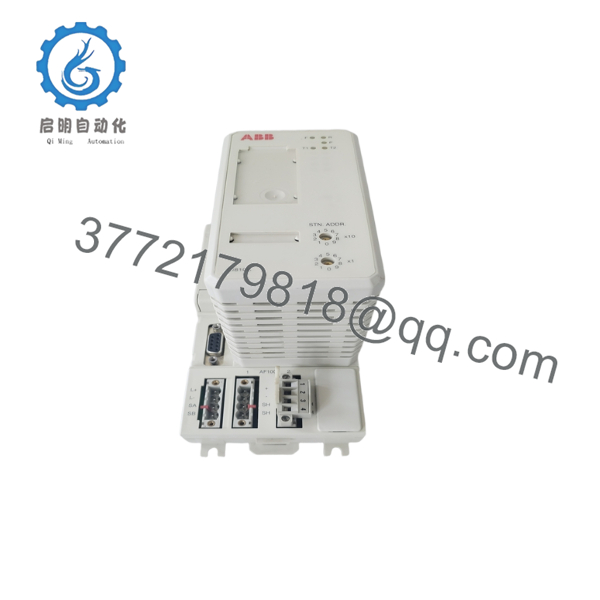
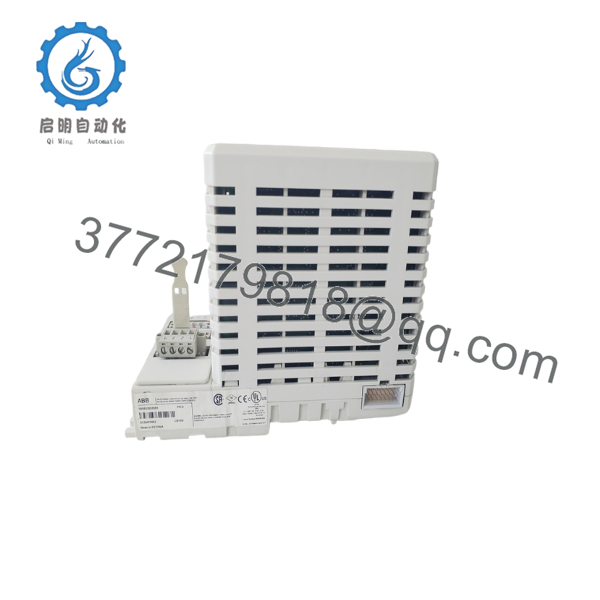
The CI810B is designed as the AF100 communication interface for ABB S800 I/O systems. It includes two AF100 twisted-pair modems and is supplied with the required power connector, TB807 Modulebus terminator, AF100 connector, and terminal blocks. The module supports a communication rate of 1.5 Mbit/s.
Product Introduction
The ABB CI810B (3BSE020520R1) is an AF100 Fieldbus Communication Interface that connects S800 I/O stations to the ABB Advant Fieldbus 100 network. It enables deterministic communication between distributed I/O and Advant controllers in process automation applications including power generation, chemical processing, oil and gas, and pulp and paper plants.
Although the Advant platform is a mature product line, many facilities continue operating these systems because of their proven reliability. For planned maintenance, replacing a failed CI810B is typically more economical than upgrading the complete control architecture.
Installation & Configuration Guide
Stage 1 – Pre-Installation Preparation
⚠️ Safety First
- Shut down the controller and associated process.
- Apply Lock-Out/Tag-Out procedures.
- Remove cabinet power.
- Wait at least five minutes for stored energy to discharge.
- Wear an ESD wrist strap.
Required Tools
- Phillips screwdriver
- Digital multimeter
- ESD wrist strap
- Wire identification labels
- Camera for recording wiring
Before Removal
- Backup controller configuration.
- Record AF100 network settings.
- Photograph terminal wiring.
- Verify the existing module part number.
Stage 2 – Removing the Existing Module
- Disconnect cabinet power.
- Remove fieldbus connectors.
- Disconnect the Modulebus connector.
- Release retaining clips.
- Carefully remove the module.
⚠️ Keep the original module until the replacement has successfully completed commissioning.
Stage 3 – Installing the New Module
- Verify the replacement is CI810B (3BSE020520R1).
- Install the module into the S800 I/O base.
- Reconnect the AF100 connectors.
- Install the TB807 Modulebus terminator.
- Confirm all connectors are fully seated.
Installation Checklist
- ✔ Correct model number
- ✔ AF100 connectors secure
- ✔ Modulebus terminator installed
- ✔ Power connector installed
- ✔ Wiring verified
Stage 4 – Power-On & Commissioning
- Restore cabinet power.
- Verify module LED status.
- Confirm AF100 network communication.
- Verify S800 I/O station recognition by the controller.
- Perform communication diagnostics.
⚠️ Field Experience: The most common commissioning issue is not hardware failure but incorrect AF100 network addressing or missing Modulebus termination. Check both before replacing another module.

- CI810B
- CI810B
Frequently Asked Questions
1. What is the CI810B used for?
The CI810B provides communication between ABB S800 I/O stations and the Advant Fieldbus 100 (AF100) network, allowing distributed I/O to exchange data with Advant controllers.
2. Is the CI810B still manufactured?
No. It is considered a legacy ABB product. Most available inventory consists of new surplus stock or professionally tested refurbished units.
3. What accessories are included?
A standard package includes:
- Power Supply Connector (3BSC840098R1)
- TB807 Modulebus Terminator
- Two Terminal Blocks
- AF100 Connector
These accessories are specified in the ABB product documentation.
4. Can the CI810B be hot-swapped?
No. Power should be removed before replacing the communication interface. Removing the module under power may interrupt AF100 communication and cause I/O faults.
5. Why is the replacement module not communicating?
Typical causes include:
- Incorrect AF100 cable connections
- Missing TB807 Modulebus terminator
- Modulebus connection issues
- Controller configuration mismatch
- Network addressing errors
6. Is CI810B compatible with S800 I/O?
Yes. The CI810B is specifically designed as the AF100 Fieldbus Communication Interface for ABB S800 I/O systems operating on the Advant Fieldbus 100 network.



