
 WhatsApp: +86 16626708626
 Email:
  Phone: +86 16626708626
Description
3. Key Technical Specifications
| Parameter | Specification / Value |
| Part Number | CI830 / 3BSE013252R1 |
| Manufacturer | ABB |
| Protocol Support | PROFIBUS DP (Slave functionality) |
| Maximum Data Rate | Auto-baud detection up to 12 Mbit/s |
| I/O Module Drive | Interfaces with up to 24 S800 I/O blocks (with redundancy) |
| Power Requirements | Nominal 24 V DC input, range 19.2 to 30 V DC |
| Current Consumption | Max 150 mA at 24 V DC (excluding individual module demands) |
| Node Addressing | Physical rotary dials located on the front casing face |
| Connector Interface | 9-pin D-sub female connector via the TU830 terminal base |
| Isolation Rating | Galvanic isolation barrier between PROFIBUS network and local logic |
4. Product Introduction & Supply Chain Strategy
The ABB CI830 functions as an intelligent Fieldbus Communication Interface (FCI) that integrates modular S800 I/O racks with open PROFIBUS DP master control networks. This interface independently manages the localized cyclical data gathering and diagnostic reporting from attached field devices, sending optimized, high-speed telemetry packets back to central controller architectures. It is widely used across water treatment plants, automotive assembly lines, and material handling systems that rely on mixed-vendor PROFIBUS communication networks.
Because the CI830 represents the solitary network gatekeeper for up to 24 physical I/O expansion slots, a sudden failure will instantly drop a massive array of field signals offline. Sourcing a certified New Surplus unit prevents extended factory shutdowns and helps avoid high emergency manufacturer premiums. Avoid refurbished network interfaces for critical remote stations, as older boards are vulnerable to communication trace tracking issues or data timing errors caused by dried filtering capacitors. Investing in factory-sealed surplus inventory provides absolute peace of mind and secures a complete 10-15 year equipment operational life.
5. Installation & Configuration Guide
Stage 1: Pre-Installation (Prep & Safety)
- Upload and save a current copy of your master controller software and PROFIBUS network hardware configuration (.GSD map files).
- Isolate all 24 V DC auxiliary line links feeding into the module’s target terminal assembly block using plant lock-out safety procedures.
- Fasten a grounded anti-static wrist strap around your arm before opening the protective factory ESD wrap.
- Record the precise physical orientation of the front rotary switch address dials to ensure the replacement unit matches exactly.
Stage 2: Removal
- Loosen the retaining fasteners on the incoming PROFIBUS DB9 sub-D network connector and pull it clear of the port.
- Depress the mechanical lock levers securing the plastic chassis body to the base block.
- Draw the module straight forward off the terminal base pins to prevent bending the connector grid interface.
- Set the removed component aside immediately into a dedicated static-shielded storage bag.
Stage 3: Installation (Clone & Seat)
- Turn the rotary address switches on the front plate of the new surplus CI830 to copy the network node ID of the original unit.
- Guide the replacement module cleanly onto the mounting tracks of the TU830 terminal base plate.
- Apply steady pressure until the side lock latches snap home, ensuring a continuous link across the pin contacts.
- Re-mount the DB9 PROFIBUS communication plug into the port housing and tighten the connection pins down firmly.
Stage 4: Power-On & Testing
- Verify the incoming 24 V line supply leads with a digital multimeter to confirm clean power delivery.
- Turn on the auxiliary system power supply and evaluate the behavior of the front panel indicator lamps during boot-up.
- Ensure the green running status lamp glows solid and that the red system fault light turns off completely.
- Monitor the master DCS network tool to verify that the remote node successfully completes its network handshake cycle and begins updating data.
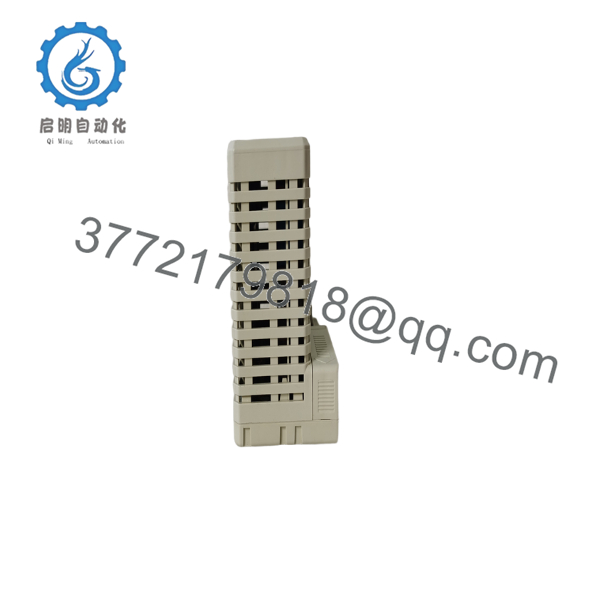
- CI830
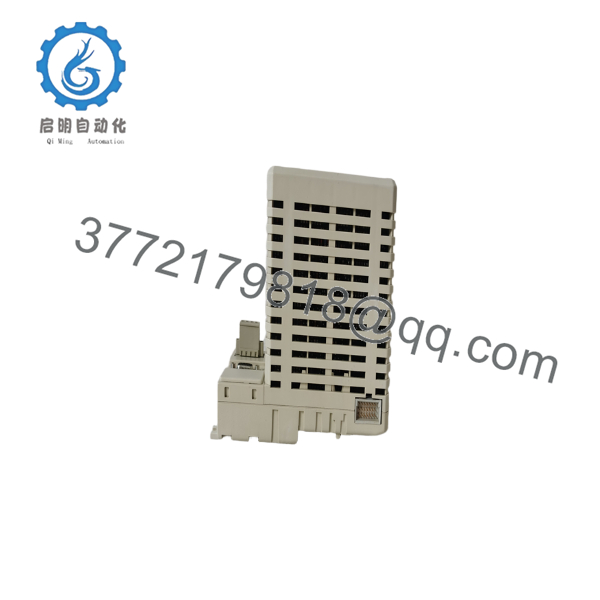
- CI830
6. Firmware/Software Versions & Upgrade Notes
The CI830 relies on distinct internal firmware profiles to handle data maps with different PROFIBUS masters. Running incorrect firmware versions can cause configuration mismatch errors or drop cyclic network communications.
⚠️ Critical Risk Warning: Trying to force a firmware flash rewrite or modifying system parameters during an urgent part swap can clear active network addresses and drop field nodes completely. Always match your substitute module to your established system backup profile to maintain proper plug-and-play component compatibility.
7. Frequently Asked Questions (FAQ)
What verified condition describes this specific CI830 module?
This unit is a guaranteed Brand New Surplus component. It has never been deployed in an active plant production line, has accumulated zero operational run hours, and contains no repaired circuits or second-hand parts. It ships fully enclosed in factory-sealed, clean anti-static materials.
Why should we prefer a new surplus card over a standard refurbished model?
Network interface cards require high signal integrity to maintain clean data packets across long field distances. Refurbished boards often carry hidden thermal damage and degraded capacitors that lead to intermittent data frame drops or line reflections. A new surplus component delivers factory-original performance and a clean lifespan without the risks of used hardware.
Do I need to use an engineering tool to program software onto this card before mounting it?
No. The CI830 reads its system parameters and channel configurations directly from the PROFIBUS master controller during the network initialization phase. You only need to set the physical front rotary switches to match the original node address before applying power.
Can I hot-swap this PROFIBUS interface card while the system is under load?
Hot-swapping is only supported if the module is installed on a redundant terminal base infrastructure specifically built for live hardware swaps. On standard single-base configurations, cutting power before pulling the unit is required to avoid logic damage or communication spikes across the remaining network nodes.
What kind of warranty protection covers this replacement card?
Every new surplus CI830 module is backed by a comprehensive 1 year warranty. This provides maintenance teams with the same long-term protection and reliability as a factory-direct part, bypassing the unexpected failures common with unverified second-hand stock.



