
 WhatsApp: +86 16626708626
 Email:
  Phone: +86 16626708626
Description
Key Technical Specifications
- Protocol: PROFIBUS DP-V1.
- Role: Master interface module.
- Ports: 2 PROFIBUS ports.
- Transmission speed: 9.6 kbit/s to 12,000 kbit/s.
- Power supply: 24 V DC.
- Typical current consumption: 190 mA.
- Redundancy: Line redundancy and module redundancy.
- Hot swap: Yes.
- CEX bus capacity: Up to 12 units.
- Connector: 9-pin DB female.
- Operating temperature: +5 to +55 °C.
- Protection class: IP20.
Product Introduction
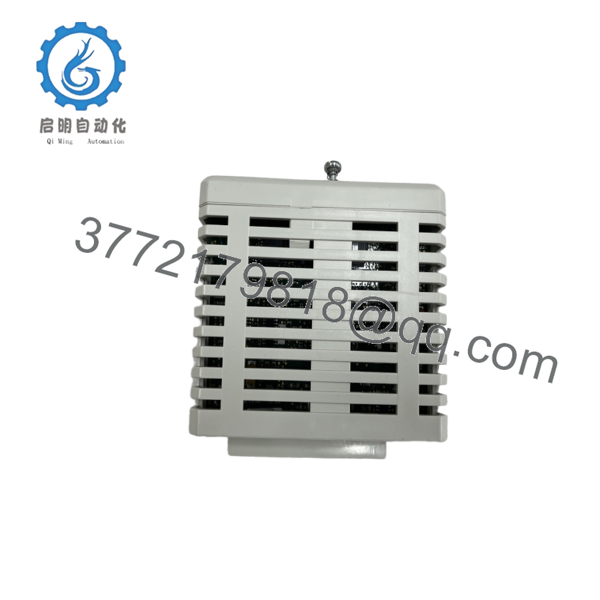
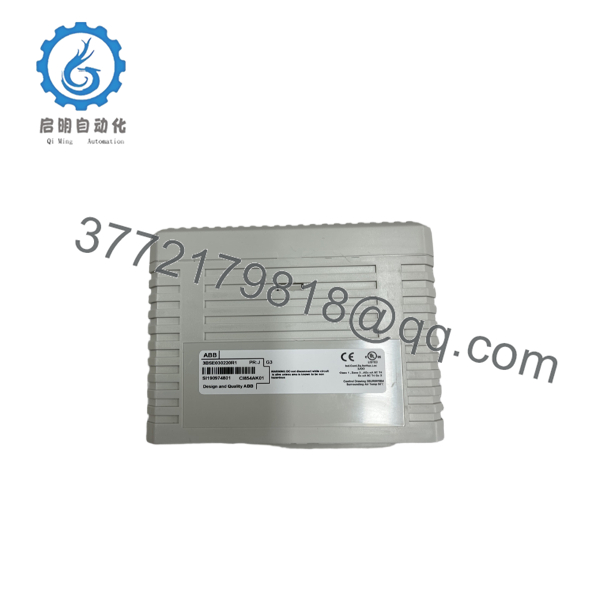
ABB CI854A is a PROFIBUS DP-V1 communication interface module for the AC 800M and System 800xA platform. It links the controller to remote I/O, drives, and other PROFIBUS field devices in distributed control applications. ABB lists the CI854A Classic under article number 3BSE030220R1.library.
It includes two PROFIBUS ports, supports line redundancy, and can be used for master redundancy with a paired module. That makes it a common choice in legacy ABB installations where exact protocol behavior and replacement compatibility matter more than feature upgrades. ABB also identifies CI854B as the newer replacement for new installations.
Installation & Configuration Guide
Stage 1: Pre-Installation Preparation
- Notify operations and isolate the system. Put the loop in a safe state, perform lockout/tagout, and wait at least 5 minutes for capacitor discharge.
- Gather an ESD strap, PH1 screwdriver, multimeter, wire labels, and a smartphone for photos.
- Back up the running logic, record IP settings, and photograph DIP switches, jumpers, and all terminal wiring before removal.
- Verify the replacement part number, firmware level, and redundancy layout before opening the cabinet.
Estimated time: 5–8 minutes.
Stage 2: Removing the Old Module
- Remove the front bezel or cover.
- Label and disconnect wiring carefully; do not force terminals.
- Release the DIN rail or rack locking tabs and pull the module straight out to protect the backplane pins.
- Inspect the backplane for bent pins, dust, corrosion, or heat discoloration.
⚠️ Keep the old module on the bench until the new one is fully commissioned and stable.
Estimated time: 5–7 minutes.
Stage 3: Installing the New Module
- Put on the ESD strap and confirm the exact model number matches.
- Clone the configuration. Mirror every DIP switch and jumper setting from the photo, especially node address and bus termination resistors.
- Seat the module into the rack until it clicks and locks fully.
- Reconnect wiring with the correct torque and verify shield grounding exactly matches the original arrangement.
Self-checklist:
- DIP switches match.
- Wiring is secure.
- Locking tabs are fully engaged.
Estimated time: 8–10 minutes.
Stage 4: Power-On & Testing
- Check the 24 V rail for shorts with a multimeter before energizing.
- Power up the rack first, not the field devices.
- Watch the LEDs. Green RUN is normal; red ERR means a fault condition.
- Connect the engineering tool, confirm IP or station settings, and verify the firmware version.
- Restore backup logic if required, then perform a dry-run of the I/O and network scan.
⚠️ If ERR stays solid red, suspect a firmware mismatch. If comms fail, check station address, termination, and the switch configuration first.
Estimated time: 10–15 minutes.

- CI854A
- CI854A
Frequently Asked Questions
Q: Can I hot-swap the CI854A?
A: ABB lists hot swap support for this module, but I still treat it carefully. If the cabinet design or site procedure does not support live replacement, power it down first. One bad insertion can take down the bus.
Q: Is CI854A obsolete?
A: Yes, ABB classifies CI854A Classic as a legacy part, and CI854B is the newer PROFIBUS-DP master for new installations. That means CI854A stock can be limited and you should confirm the exact suffix before ordering.
Q: What is the direct replacement?
A: For new projects, ABB points to CI854B. For an existing plant, the right answer depends on firmware, redundancy setup, and the exact AC 800M hardware around it. Do not assume CI854B is a drop-in match without checking the site BOM
Q: Will I lose programming when I swap the module?
A: Not if you back up the controller first. The CI854A is an interface module, so the main risk is communication and address settings, not loss of the PLC application. Still, capture the configuration before removal and verify restoration after startup.
Q: Why is the price lower than OEM list price?
A: Usually because the unit is new surplus, excess stock, or sourced outside the OEM distribution channel. That lowers cost, but it also makes condition and test history more important. Ask for test records, photos, and serial traceability.
Q: What condition should I expect?
A: Be specific: new original, new surplus, or refurbished. For a legacy ABB module like this, I would only buy it if the seller can document the condition and provide a functional test result. Generic “good working” claims are not enough.
Q: What are the common replacement mistakes?
A: Firmware mismatch, wrong DIP settings, and termination errors cause most failures. I have seen a module swap trigger a communication timeout for two days because the firmware revision changed just enough to upset the master. Photograph the old unit before removal; that habit prevents a lot of rework.



