
 WhatsApp: +86 16626708626
 Email:
  Phone: +86 16626708626
Description
Key Technical Specifications
- Model: CMA132.
- Ordering number: 3DDE300412.
- Brand: ABB.
- Series: SYNPOL D.
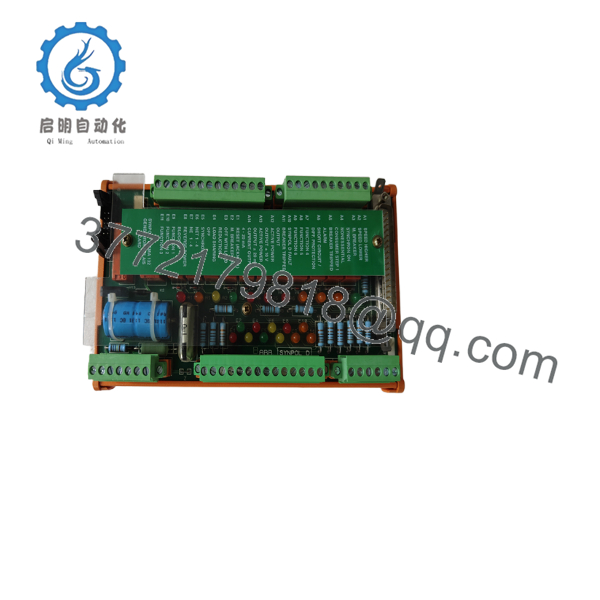
- Product type: Generator relay terminal board.
- Supply voltage: 24 V DC.
- Power consumption: 10 W.
- Communication: Modbus RTU.
- Mounting: Panel / control cabinet installation.
- Weight: About 0.6 kg.
- Dimensions: 12.7 cm x 20.3 cm x 7.6 cm.
- Application: Generator control and signal interface.
Product Introduction
ABB CMA132 3DDE300412 is a generator relay terminal board used in ABB SYNPOL D and Advant DCS / 800xA control environments. It serves as a connection point for relay signals in generator control panels and related protection circuits.
This board is chosen when a site needs organized signal termination and compatibility with ABB generator control hardware. Several seller listings show it as a dedicated terminal board with 24 V DC supply and Modbus RTU support, but the exact installed function should still be verified against the site drawings before replacement.
Installation & Configuration Guide
Stage 1: Pre-Installation Preparation
- Notify operations of downtime. Put the generator or process in a safe state, perform lockout/tagout, and wait 5 minutes for stored energy to discharge.
- Gather an ESD strap, PH1 screwdriver, multimeter, wire labels, and a smartphone for photos.
- Back up the running configuration, document address settings, and photograph all terminal wiring before removal.
- Verify the exact part number, revision, and cabinet layout against the original board.
Estimated time: 5 to 8 minutes.
Stage 2: Removing the Old Module
- Remove the cover or bezel.
- Label and disconnect wiring carefully; do not force terminals.
- Release the locking hardware and pull the board straight out if it is rack-mounted, or loosen the panel fasteners if it is terminal-board mounted.
- Inspect the surrounding area for bent pins, loose lugs, heat marks, dust, or corrosion.
⚠️ Keep the old board on hand until the replacement is fully running and all signals check out.
Estimated time: 5 to 10 minutes.
Stage 3: Installing the New Module
- Put on the ESD strap and confirm the model and ordering number match.
- Clone the wiring exactly. Copy the terminal positions, shield grounding, and any jumper or selector settings from the photos.
- Mount the new board securely and verify that no conductor is pinched.
- Reconnect all field wiring and tighten terminals to the correct torque.
Self-checklist:
- Wiring matches the photo.
- Shields are grounded correctly.
- All fasteners are secure.
Estimated time: 8 to 12 minutes.
Stage 4: Power-On & Testing
- Check the supply rail with a multimeter before energizing.
- Power up the control cabinet first, not the field devices.
- Observe status indicators and confirm no fault LEDs are present.
- Verify relay signal transfer, alarm lines, and any network or interface communication required by the site.
- Run a functional test of the generator start, stop, and fault paths.
⚠️ If the board shows abnormal status or missing signals, stop and recheck wiring, polarity, and terminal mapping before continuing.
Estimated time: 10 to 15 minutes.

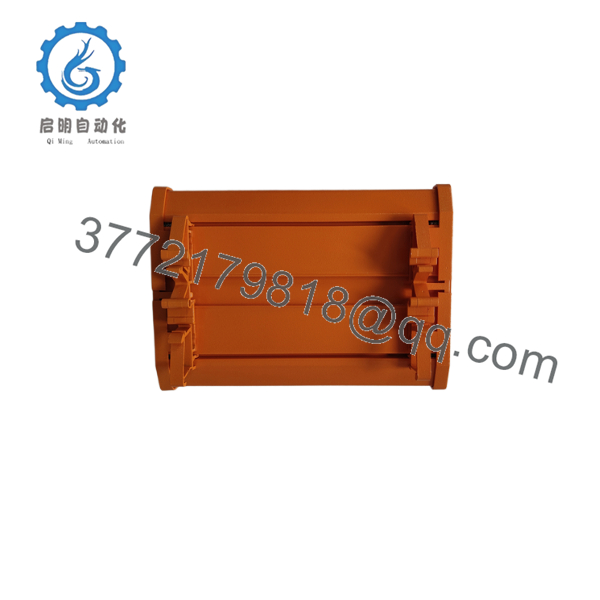
- CMA132 3DDE300412
- CMA132 3DDE300412
Frequently Asked Questions
Q: Can this board be hot-swapped?
A: I would not assume it can be. Terminal boards tied into generator protection circuits are usually not the place to experiment under power. Kill the supply first unless the site manual clearly allows live replacement.
Q: Is CMA132 3DDE300412 obsolete?
A: It appears mainly as a legacy or surplus part in the market, so stock is typically limited. For procurement, that means you should confirm the exact ordering number and condition before issuing the PO.
Q: Is this a direct replacement for every CMA132 panel?
A: No. The same model family can still have wiring or cabinet-specific differences. Always compare the terminal map, signal list, and cabinet drawing before ordering.
Q: Will I lose the control logic when I replace it?
A: Not usually, because this is a terminal board rather than the main controller. The risk is wiring or signal mapping errors, not loss of the application code. Still, document everything before removal.
Q: Why is the price lower than ABB factory pricing?
A: Most often because the unit is new surplus, excess inventory, or sourced outside the OEM channel. That is fine if the seller can prove traceability and functional testing; otherwise, treat the price difference as a warning.
Q: What condition should I buy?
A: New original is the safest choice if you need the least risk. New surplus can also work well if it has clean photos, serial traceability, and test results. Refurbished is acceptable only when the seller documents what was repaired and how it was tested.
Q: What are the biggest replacement traps?
A: Wrong terminal mapping, missed shield grounding, and skipping photos before removal. I have seen more downtime from those three mistakes than from the board itself. Keep the old unit nearby until the new one has passed a full functional check.



