
 WhatsApp: +86 16626708626
 Email:
  Phone: +86 16626708626
Description
3. Key Technical Specifications
| Parameter | Value |
|---|---|
| Manufacturer | ABB |
| Model | CP435T 1SBP260193R1001 |
| Product Type | Industrial HMI Control Panel |
| Series | CP400 |
| Display Size | 7 inch TFT color LCD |
| Display Colors | 64K colors |
| Resolution | 800 × 480 pixels |
| Touch Interface | Resistive touch panel |
| Function Keys | 6 configurable keys |
| Supply Voltage | 24 V DC |
| Power Consumption | Approx. 20 VA |
| Communication Interface | RS-232 / RS-485 (driver dependent) |
| Supported Protocols | Modbus RTU, Modbus ASCII, ABB PLC communication drivers |
| User Program Memory | 8 MB ROM |
| User Data Memory | 512 kB RAM |
| Programming Software | CP400 Soft |
| Operating Temperature | 0 °C to +50 °C |
| Storage Temperature | -10 °C to +60 °C |
| Front Protection Rating | IP65 |
| Mounting Type | Panel mount |
| Weight | Approx. 1.2–1.3 kg |
4. Product Introduction
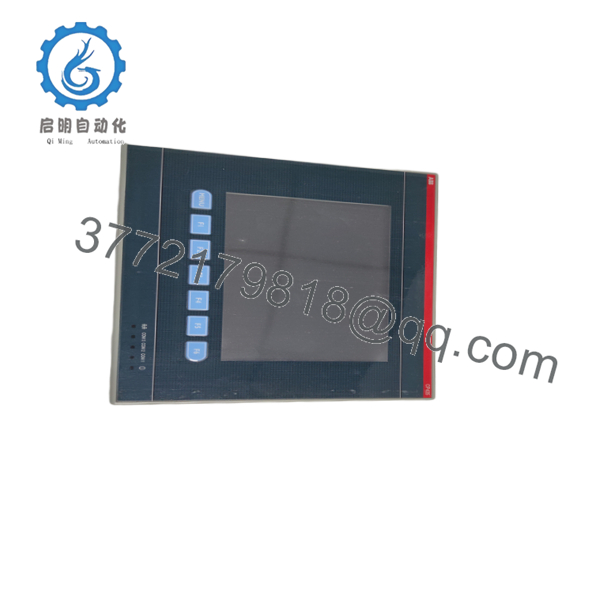
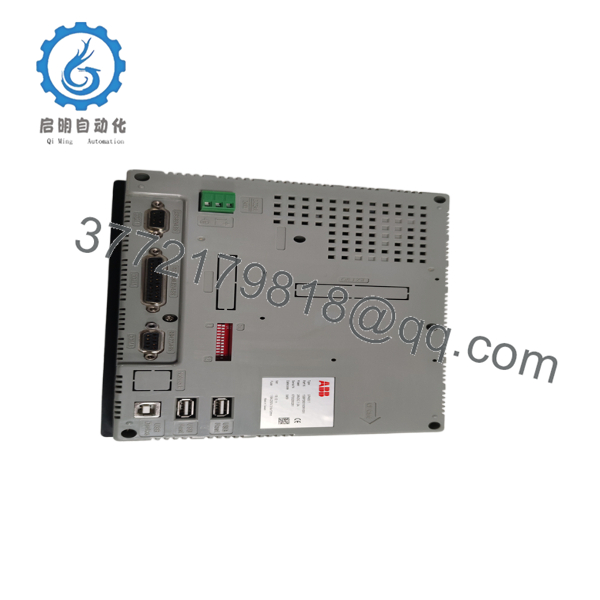
The ABB CP435T 1SBP260193R1001 is a CP400 series industrial HMI panel designed for operator visualization, machine control, and process monitoring applications. It provides a 7-inch TFT color touchscreen with 64K color display and integrates with ABB AC500 PLC systems and other industrial controllers through supported communication drivers.
This panel is commonly used in machine automation, OEM equipment, and legacy ABB control installations where maintaining the existing HMI application is important. Before replacement, verify the existing CP400 project file, communication driver configuration, and PLC interface settings. The CP435T has limited lifecycle availability, so maintaining a tested spare unit can reduce downtime risk.

- CP435T 1SBP260193R1001
- CP435T 1SBP260193R1001
5. Installation & Configuration Guide
Stage 1: Pre-Installation Preparation (Estimated Time: 10 minutes)
⚠️ Safety First
- Notify operations personnel before removing the HMI.
- Place the machine or process into a safe operating condition.
- Apply lockout/tagout procedures to isolate control power.
- Wait at least 5 minutes after power removal to allow internal components to discharge.
Tools Required
- ESD wrist strap
- PH1 screwdriver
- Digital multimeter
- Wire labels
- Smartphone or camera for configuration photos
Data Backup
Before removal:
- Upload and save the existing HMI project from the CP435T if possible.
- Record:
- PLC communication settings
- Serial communication parameters
- Station address
- Baud rate
- Driver selection
- Photograph:
- Terminal wiring
- DIP switch settings
- Connector positions
- Confirm the replacement unit matches:
ABB CP435T — 1SBP260193R1001
Stage 2: Removing the Old Module (Estimated Time: 10 minutes)
- Remove the front bezel or protective cover.
- Label every cable before disconnecting.
- Disconnect communication and power wiring carefully.
- Release panel mounting clips.
- Pull the HMI straight out from the cutout.
⚠️ Do not twist the panel during removal.
The connector pins and terminal blocks can be damaged by side loading.
Inspect:
- Connector condition
- Wiring insulation
- Panel cutout condition
- Dust contamination
⚠️ Keep the old CP435T available until the replacement unit completes commissioning.
Stage 3: Installing the New Module (Estimated Time: 10 minutes)
Installation Steps
- Wear an ESD wrist strap before handling the replacement HMI.
- Verify:
- Model: CP435T
- Order code: 1SBP260193R1001
- Transfer the original mounting hardware.
- Insert the panel into the enclosure opening.
- Tighten mounting clips evenly.
- Reconnect power and communication wiring.
Configuration Clone (Critical)
Before startup, verify:
- Communication driver matches the original project.
- Baud rate matches the PLC.
- Node address matches the previous device.
- Serial wiring polarity is correct.
Self-check:
- Model number verified
- Wiring restored
- Communication settings copied
- Mounting clips locked
Stage 4: Power-On & Testing (Estimated Time: 15 minutes)
Pre-Power Check
Use a multimeter:
- Confirm 24 V DC supply polarity.
- Check for short circuit conditions.
- Verify protective earth connection.
Startup Procedure
- Power up the HMI only.
- Observe startup sequence.
- Check display and touch response.
- Connect programming software.
- Download the saved HMI project.
- Test PLC communication.
- Verify:
- Alarm screens
- Numeric displays
- Pushbuttons
- Recipe functions
- Operator permissions
⚠️ Troubleshooting Notes:
- No communication: Check serial cable pinout, baud rate, and driver selection.
- Blank display: Verify 24 V DC supply and backlight condition.
- Wrong PLC data: Confirm the communication address mapping.
6. Frequently Asked Questions (FAQ)
Q1: Can ABB CP435T 1SBP260193R1001 be hot-swapped under power?
No. The CP435T is not designed as a hot-swappable HMI device. Disconnecting or installing the unit under power can damage communication interfaces or create unexpected machine behavior. Shut down the 24 V DC supply before replacement.
Q2: Is the ABB CP435T 1SBP260193R1001 obsolete?
Yes. ABB has moved the CP400 product family toward lifecycle limitations, with CP600 panels becoming the successor portfolio for many CP400 applications. Existing CP435T installations should be managed carefully with spare inventory planning.
Q3: Is this unit genuinely new or refurbished?
Availability depends on supplier inventory. For industrial spare parts, confirm whether the unit is:
- New Original / New Surplus
- Factory sealed
- Refurbished and tested
A proper supplier should provide inspection records, serial verification, and test evidence.
Q4: Will I lose my HMI program when replacing the CP435T?
The HMI application is stored in the panel memory, not automatically transferred to a replacement unit. You need the original CP400 project file and programming software to restore the application.
Always archive:
- HMI project file
- Driver settings
- PLC communication parameters
- Password configuration
Q5: What is the replacement option if CP435T stock is unavailable?
The replacement depends on the machine design and application requirements. ABB CP600 panels are commonly considered for migration, but the HMI project normally requires adaptation. Verify screen size, communication driver, and mounting dimensions before migration.
Q6: Why is the price lower than buying from ABB channels?
Industrial surplus pricing is usually lower because these units may come from discontinued inventory, plant closures, or excess stock channels. The important checks are traceability, physical condition, functional testing, and warranty terms.
Q7: What should engineers verify before ordering a CP435T?
Confirm:
- Exact order code: 1SBP260193R1001
- Existing CP400 project availability
- PLC communication protocol
- Panel cutout dimensions
- Required accessories and cables
A similar-looking CP400 panel may not be a direct replacement without application changes.



