
 WhatsApp: +86 16626708626
 Email:
  Phone: +86 16626708626
Description
Key Technical Specifications
- Manufacturer: ABB
- Product number: 1SAP550100R0001
- Display size: 10.4 in
- Display type: TFT-LCD
- Resolution: 800 x 600 pixels
- Color depth: 65,536 colors
- Supply voltage: 24 V DC
- Current consumption: 1.0 A
- Operating temperature: 0 to 50 °C
- Storage temperature: -20 to 70 °C
- Protection rating: IP66 front, IP20 rear
- Weight: 2.1 kg
Product Introduction
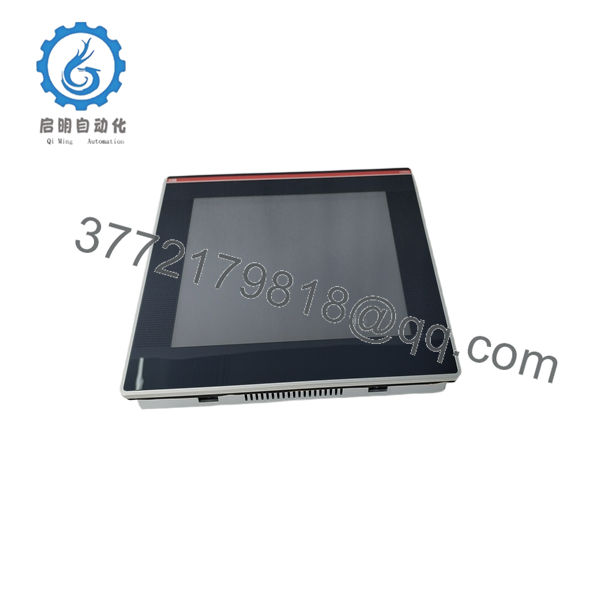
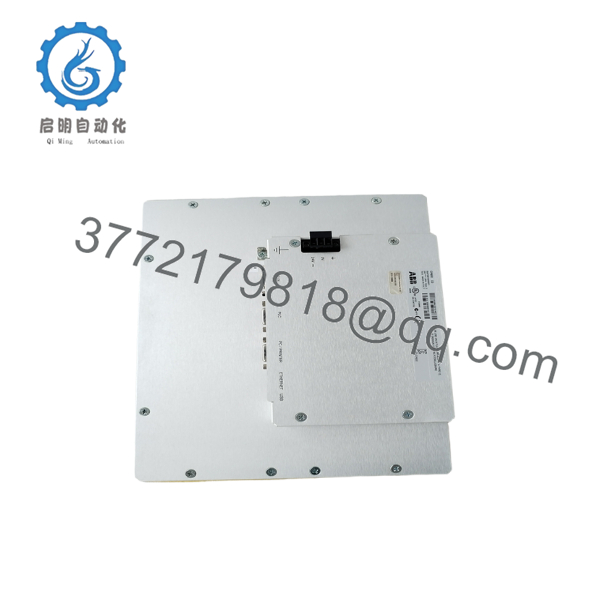
ABB CP650 1SAP550100R0001 is a 10.4-inch TFT operator panel used for AC500 and related industrial control applications. It provides local visualization, operator input, and machine interface functions in a panel-mounted format.
This unit fits applications that need a compact HMI with Ethernet and serial connectivity, plus a clear industrial display. It is a practical choice when you need a direct ABB replacement with known panel dimensions and standard 24 V DC power input.

- CP650 1SAP550100R0001
- CP650 1SAP550100R0001
Troubleshooting Quick Reference
| Symptom | Possible Cause | Relevance to this Part | Quick Check Method | Recommendation |
|---|---|---|---|---|
| Screen stays blank | No 24 V DC supply or wiring fault | ✅ High | Measure supply at the power terminals with a multimeter | Check fuses, terminal tightness, and polarity first |
| Backlight on, no image | HMI firmware, contrast, or internal display fault | ✅ High | Confirm startup behavior and try a known-good project | Reflash or replace if the panel does not initialize |
| Touch input not responding | Calibration issue, panel wear, or overlay damage | ✅ High | Test touch points in diagnostics and inspect the screen surface | Recalibrate first; replace if touch remains unstable |
| PLC link failure | Wrong IP, serial settings, or cable issue | ⚠️ Medium | Ping the panel, verify baud rate, and inspect cable terminations | Fix comms settings before blaming the hardware |
| Random resets | Supply dip, poor grounding, or overheating | ⚠️ Medium | Monitor 24 V DC under load and check cabinet ventilation | Stabilize the supply and verify enclosure temperature |
| USB device not recognized | Unsupported device or port issue | ❌ Low | Test with a known-good USB stick and inspect the port | Replace the cable or use a supported device first |
If the fault is still unclear, contact technical support with photos, cabling details, and any alarm or event logs.
Frequently Asked Questions
Q: Is ABB CP650 still current production?
A: No, this is generally treated as a legacy or limited-availability HMI in the secondary market. Stock may exist as new surplus, but I would not plan on factory-style replenishment.
Q: Is this a direct replacement for every CP650 label variant?
A: Not automatically. Match the full product number, panel cutout, power requirements, and communication setup before ordering. A close-looking panel can still fail at installation if the variant is wrong.
Q: Can I swap the panel without losing the HMI project?
A: Usually the project is stored on the engineering side or backed up separately, not magically inside the replacement panel. Save the project, screen files, and communications settings before removal.
Q: Is it hot-swappable?
A: No, I would not treat it as hot-swappable. Power down first, because live removal can create comms faults or damage the panel or cabinet wiring.
Q: What condition should I expect if I buy one from the surplus market?
A: The honest answer is usually New Original, New Surplus, or Refurbished. The seller should state it plainly and provide test evidence if it is not factory-sealed.
Q: Why is this cheaper than factory direct?
A: Because surplus and secondary-market stock does not carry the same distribution chain or factory pricing. The savings are real, but only if the seller documents condition and testing.
Q: What usually causes “bad panel” symptoms that are really not the panel’s fault?
A: Power quality, cabling, wrong project files, and communication settings cause more trouble than the HMI itself. I always verify 24 V DC, grounding, and the correct project load before calling the panel defective.



