
 WhatsApp: +86 16626708626
 Email:
  Phone: +86 16626708626
Description
3. Key Technical Specifications
| Parameter | Value |
|---|---|
| Manufacturer | ABB |
| Model | CP651 |
| Product ID | 1SAP551100R0001 |
| Product Series | CP600 |
| Display | 10.4-inch TFT-LCD |
| Resolution | 800 × 600 pixels |
| Display Colors | 65,536 colors |
| Touch Technology | 4-wire analog resistive touchscreen |
| Processor | ARM Cortex-A8, 1 GHz |
| Operating System | Microsoft Windows CE 6.0 Core |
| HMI Runtime | Panel Builder 600 (PB610) |
| Power Supply | 24 V DC (18–30 V DC) |
| Ethernet | 2 × 10/100 Mbps |
| Serial Port | RS-232 / RS-422 / RS-485 |
| USB | 2 × USB 2.0 Host |
| Expansion | SD Card Slot, Expansion Slots |
| Front Protection | IP66 |
| Rear Protection | IP20 |
| Operating Temperature | 0 °C to +50 °C |
| Storage Temperature | −20 °C to +70 °C |
| Mounting | Front panel mounting |
| Weight | Approximately 2.1 kg |
4. Product Introduction
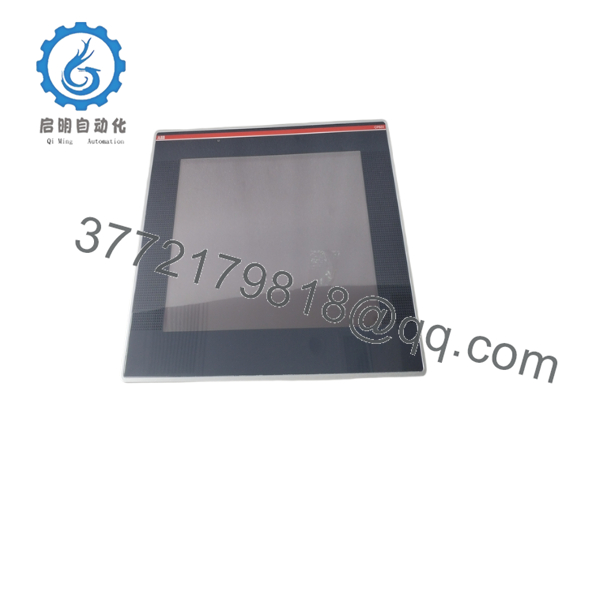
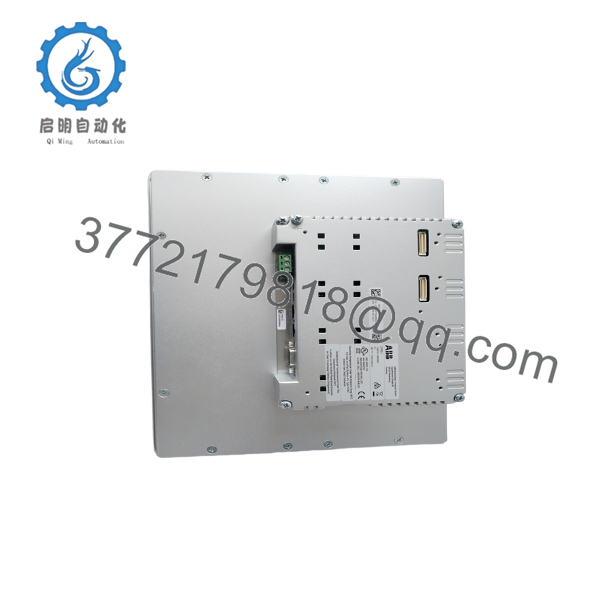
The ABB CP651 is a 10.4-inch industrial HMI in the CP600 family designed for machine operation, process visualization, and operator interaction. It runs ABB Panel Builder 600 applications and connects directly to ABB AC500 PLCs as well as many third-party controllers through supported industrial communication drivers.
In field deployments, the CP651 is frequently installed on packaging equipment, material handling systems, water treatment plants, and process skids. Its dual Ethernet ports, multiple serial interfaces, and IP66 front protection make it suitable for demanding industrial environments. Before replacing an existing panel, verify the PB610 project version and communication driver compatibility.

- CP651 1SAP551100R0001
- CP651 1SAP551100R0001
5. Installation & Configuration Guide
Stage 1 – Pre-Installation Preparation (10 minutes)
⚠️ Safety First
- Notify production personnel.
- Stop the controlled equipment safely.
- Lock out and tag out the 24 V DC supply.
- Wait at least five minutes before opening the cabinet.
Required Tools
- Grounded ESD wrist strap
- PH1 screwdriver
- Fluke 115 (or equivalent) multimeter
- Wire labels
- Smartphone for documentation
Data Backup
Before removing the HMI:
- Export the PB610 project.
- Record Ethernet IP settings.
- Save communication parameters.
- Photograph all wiring.
- Photograph every DIP switch or hardware setting.
Stage 2 – Remove the Existing Panel (10 minutes)
- Disconnect cabinet power.
- Label every cable.
- Remove communication and power connectors.
- Release mounting clamps evenly.
- Pull the CP651 straight out.
⚠️ Do not pry against the touchscreen. The aluminum housing can distort if excessive force is applied.
Inspect:
- Panel gasket
- Ethernet connectors
- Terminal blocks
- Cabinet opening
Keep the original unit until commissioning is complete.
Stage 3 – Install the Replacement Panel (10 minutes)
- Wear an ESD wrist strap.
- Confirm the replacement is ABB CP651 (1SAP551100R0001).
- Install the panel into the enclosure.
- Tighten mounting clamps evenly.
- Reconnect power and communication cables.
Configuration Clone (Critical)
Verify:
- Ethernet IP address
- Serial baud rate
- Communication protocol
- PLC driver selection
- Panel Builder 600 project version
Self-check:
- ✅ Wiring secure
- ✅ Ethernet connected
- ✅ Mounting clamps tightened
- ✅ Project loaded
Stage 4 – Power-On & Testing (15 minutes)
Before energizing:
- Verify 24 V DC polarity.
- Measure for shorts.
- Confirm protective grounding.
Startup sequence:
- Power the HMI.
- Confirm normal boot.
- Verify touchscreen calibration.
- Download the PB610 application if required.
- Confirm PLC communication.
- Test alarms, buttons, trends, and recipe screens.
⚠️ Troubleshooting
Solid communication failure
- Verify IP address.
- Confirm subnet.
- Check Ethernet switch configuration.
Application will not load
- Verify PB610 runtime compatibility.
Blank screen
- Measure incoming 24 V DC.
- Check backlight operation.
6. Frequently Asked Questions (FAQ)
Q1. Can the ABB CP651 be replaced without shutting down power?
No. It is not designed for hot swapping. Removing power protects both the HMI and connected PLC communication ports.
Q2. Which software programs the CP651?
The CP651 uses Panel Builder 600 (PB610 Runtime). Always maintain the original project archive before replacing the hardware.
Q3. Will replacing the panel erase my machine program?
No. The PLC logic remains inside the controller. However, the HMI application resides on the panel itself. If you don’t have the original PB610 project, recreating the screens can take considerably longer than the hardware replacement.
Q4. Is the CP651 compatible with controllers other than ABB AC500?
Yes. Through supported communication drivers, it can communicate with many third-party PLCs using Ethernet or serial protocols. Always verify the required driver and firmware combination before installation.
Q5. Why should I document the existing IP address before replacement?
I’ve seen technicians install a new HMI and immediately suspect a defective unit because it wouldn’t communicate. The problem turned out to be the replacement panel shipping with factory-default network settings. Recording the original configuration before removal can save hours of troubleshooting.
Q6. Is this product available as New Original or Refurbished?
Depending on inventory, suppliers typically offer:
- New Original (Factory Sealed)
- New Surplus
- Refurbished (Function Tested)
Request serial number verification, functional test reports, and photographs before purchasing.
Q7. What is the most common installation mistake?
The most common mistake is loading an HMI project built with an incompatible PB610 version or selecting the wrong communication driver. Another frequent issue is assuming Ethernet settings are identical across replacement panels. Verify firmware, project version, and network configuration before commissioning. Keep these checks in mind and you’ll avoid most commissioning delays.



