
 WhatsApp: +86 16626708626
 Email:
  Phone: +86 16626708626
Description
Key Technical Specifications
| Parameter | Specification |
| Part ID | 1SAP576100R0001 |
| Display Size & Type | 15-inch TFT color LCD touchscreen (4:3 ratio) |
| Resolution | 1024 x 768 pixels (XGA) |
| Color Depth | 64,000 colors |
| Backlight Type & Lifespan | LED backlight, 40,000 hours service life |
| Supply Voltage | 24 V DC (18 to 30 V DC operating range) |
| Power Consumption | 34 W |
| User Memory | 256 MB Flash Disk (Data) / 256 MB DDR RAM (Program) |
| Ethernet Interfaces | 2x RJ45 10/100 Mbit/s ports |
| Serial & Auxiliary Ports | 1x RS232/RS422/RS485, 2x USB 2.0 Host, 1x SD Card Slot |
| Runtime License | PB610 Panel Builder 600 runtime included |
| Enclosure Material | Aluminum front frame and reverse housing |
| Protection Rating | Front IP66 / NEMA 4X (indoor), Housing IP20 |
| Operating Temperature | 0°C to +50°C (32°F to 122°F) |
Product Introduction & Supply Chain Strategy
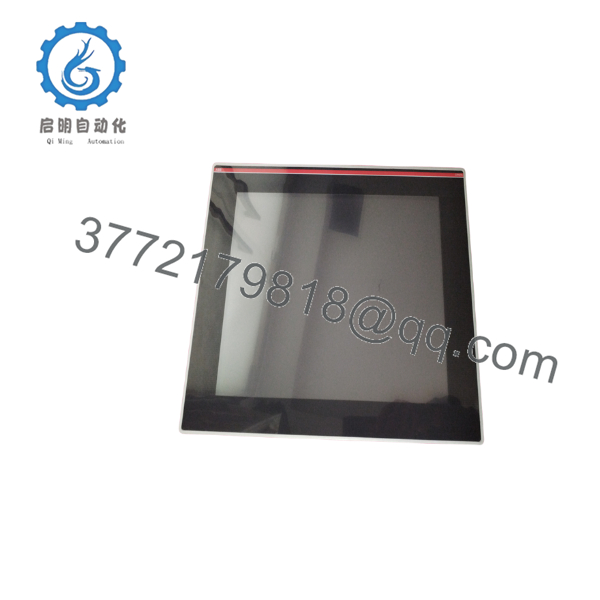
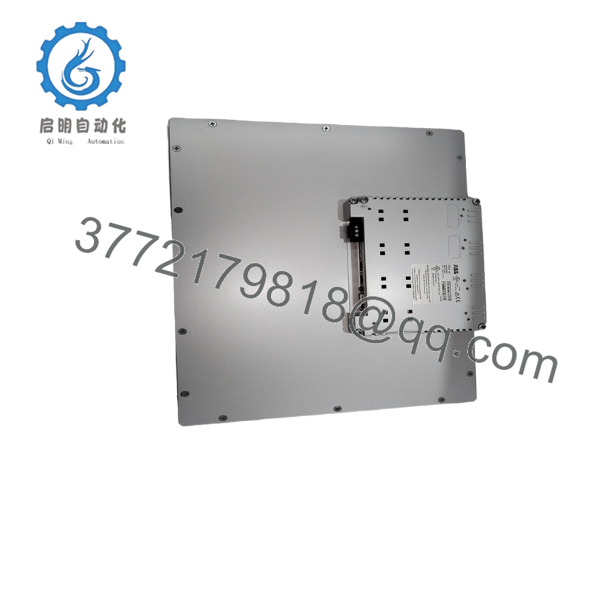
The ABB CP676 (1SAP576100R0001) is a 15-inch industrial control panel engineered for plant automation using AC500 controllers and distributed I/O networks. Featuring dual Ethernet channels, serial communication, and an IP66 aluminum front bezel, it executes complex operator interface and alarm monitoring tasks across manufacturing facilities.
This product is a Brand New Surplus unit. It is not used, not pulled from a decommissioned plant, and not refurbished. All modules undergo rigorous quality verification to ensure OEM-level reliability. Holding a New Surplus CP676 unit on-site eliminates long vendor lead times during hardware failure. Refurbished touchscreen panels carry severe hidden risks—such as degraded LED backlights, touch grid dead zones, and dried power supply capacitors. Installing genuine New Surplus inventory avoids unexpected downtime events that cost up to $50,000 per hour in lost output.

- CP676
- CP676
Installation & Configuration Guide
Stage 1: Pre-Installation (Prep & Safety)
- Perform Lock-Out/Tag-Out (LOTO) on the cabinet power distribution block serving the HMI panel.
- Put on an ESD wrist strap connected to cabinet earth ground before handling the unit.
- Verify panel cutout dimensions (382 mm x 297 mm) and inspect the IP66 perimeter sealing gasket.
- Record serial switch pinouts, network cabling designations, and terminal connector layouts from the legacy unit.
Stage 2: Removal
- Unplug the 24V DC terminal block, dual Ethernet RJ45 connectors, and serial lines from the rear housing.
- Loosen all retaining screw clamps securing the aluminum frame inside the enclosure wall.
- Pull the panel straight forward out of the cutout, ensuring cable harnesses do not snag on the rear heat sink.
Stage 3: Installation (Clone & Seat)
- Verify DIP switch configuration on the new CP676 to match the network node and bus termination of the old panel.
- Guide the CP676 into the cutout and torque the mounting clips evenly to compress the front IP66 seal.
- Fasten the dedicated protective conductor (PE) wire directly to the chassis ground stud.
- Connect Ethernet ports ETH1/ETH2, serial interface cables, and the 24V DC power connector.
Stage 4: Power-On & Testing
- Measure input power across the DC leads using a multimeter to confirm a steady 24 V DC (18–30 V DC range).
- Supply power and observe the boot routine on the 1024×768 TFT screen.
- Confirm network connectivity by verifying green link/act LEDs on both Ethernet ports.
- Upload the target project file using Panel Builder 600 (PB610) and verify touch response across all screen quadrants.
Firmware/Software Versions & Upgrade Notes
- Programming Software: PB610 Panel Builder 600 (integrated with ABB Automation Builder).
- Runtime Firmware: Ensure the panel’s PB610 runtime version matches the project build software on your engineering workstation.
- Compatibility Details: The CP676 includes an embedded PB610 runtime license. Firmware mismatches between the HMI runtime and PLC communication drivers (e.g., Modbus or CS31) can trigger communication handshake dropouts.
- Firmware Flashing Hazard: Never clear firmware during a live swap without backing up flash memory to an SD card. A failed flash write forces the terminal into a bootloader recovery loop.
Frequently Asked Questions (FAQ)
Is this CP676 unit genuine new stock or a refurbished module?
This product is a Brand New Surplus unit. It is not used, not pulled from a decommissioned plant, and not refurbished. All modules undergo live power-on self-tests, display checks, and port verification before shipment.
Why does a New Surplus CP676 cost more than a used or repaired panel?
Refurbished panels typically retain aged components like dimmed LED backlights or worn touch matrices. While a repaired unit saves upfront purchase capital, a single backplane power failure can trigger an unscheduled line halt costing 20,000 to 100,000. New Surplus provides full operational lifespan (40,000 hours backlight rating) and zero prior thermal stress.
Does this panel include the PB610 software license?
Yes. The ABB CP676 (1SAP576100R0001) ships with an active PB610 Panel Builder 600 runtime license pre-installed in firmware, enabling immediate execution of uploaded project files.
Can I hot-swap the serial or power connectors on the rear housing?
No. De-energize the 24V DC power bus before disconnecting or connecting serial interfaces (RS232/422/485) or power terminals. Hot-plugging serial lines can cause ground potential offsets that damage the transceiver ICs on the main board.
What happens to retained data during an extended power outage?
The CP676 features an integrated hardware real-time clock backed by a lithium battery and 256 MB of non-volatile Flash Disk storage. Alarm histories, trend logs, and recipe records remain intact when supply power is completely removed.
What warranty and quality documentation accompanies this unit?
Each CP676 unit ships in anti-static packaging with an individual serial verification tag, functional inspection report, and a comprehensive 1-year operational warranty.



