
 WhatsApp: +86 16626708626
 Email:
  Phone: +86 16626708626
Description
3. Key Technical Specifications
| Parameter | Value |
|---|---|
| Manufacturer | ABB |
| Model | GNT0104500R0002 |
| Product Type | Industrial Communication Interface Module |
| Primary Function | Industrial controller communication and network connectivity |
| Typical Application | DCS / PLC communication infrastructure |
| Mounting | Rack or controller backplane (system dependent) |
| Supply Voltage | Typically supplied from controller backplane or 24 V DC system (verify hardware revision) |
| Communication Interface | Industrial Ethernet / industrial communication interface (configuration dependent) |
| EMC Compliance | Industrial EMC design |
| Operating Temperature | Refer to ABB project documentation for installed system |
| Diagnostics | Module status indicators and controller diagnostics |
| Maintenance | Periodic inspection of connectors, network status, and communication diagnostics |
4. Product Introduction
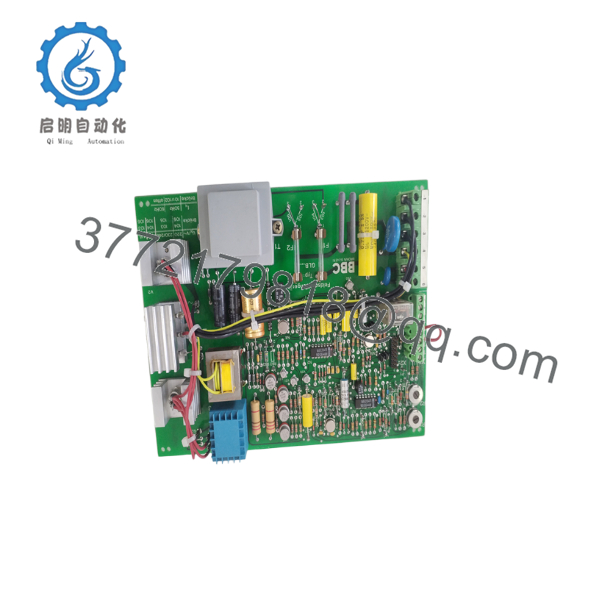
The ABB GNT0104500R0002 is an industrial communication interface module used to establish reliable data exchange between ABB controllers, distributed I/O, operator workstations, and industrial networks. It is intended for automation systems where deterministic communication and high system availability are required.
Depending on the installed hardware revision and system architecture, the module may support Ethernet-based industrial communication within ABB control platforms. Before replacement, engineers should verify the controller model, firmware compatibility, network configuration, and supported communication protocols to avoid commissioning delays.
5. Installation & Configuration Guide
Stage 1 – Pre-Installation Preparation (10–15 minutes)
⚠️ Safety First
- Notify plant operations.
- Shut down the affected controller according to site procedures.
- Apply Lock-Out/Tag-Out.
- Wait for all control power indicators to extinguish.
- Verify the cabinet is de-energized.
Required Tools
- ESD wrist strap
- Phillips screwdriver
- Digital multimeter
- Network cable tester
- Wire labels
- Smartphone for documenting wiring and port assignments
Before Removal
- Back up the controller configuration.
- Record IP addresses and network settings.
- Photograph cable routing and module location.
- Document firmware revisions.
Stage 2 – Removing the Existing Module
- Disconnect network cables.
- Label every Ethernet connection.
- Release the module locking mechanism.
- Remove the module straight out without twisting.
- Inspect the backplane connector for contamination or damaged pins.
⚠️ Keep the existing module available until the replacement has been fully commissioned.
Stage 3 – Installing the Replacement Module
- Wear a grounded ESD wrist strap.
- Confirm the replacement part number is GNT0104500R0002.
- Install the module completely into the backplane.
- Lock the retaining mechanism.
- Reconnect all communication cables.
- Verify cable shielding and grounding practices.
Installation Checklist
- ✔ Correct model installed
- ✔ Network cables secured
- ✔ Controller firmware verified
- ✔ IP configuration confirmed
- ✔ Module fully seated
Stage 4 – Commissioning
- Restore controller power.
- Observe module status LEDs.
- Confirm communication with the engineering workstation.
- Verify all configured network connections.
- Test communication with field devices.
- Record commissioning results.
⚠️ Troubleshooting
No communication
- Verify network configuration.
- Check controller firmware compatibility.
- Inspect Ethernet cables.
- Confirm switch configuration.
Module fault indication
- Review controller diagnostics.
- Confirm supported hardware revision.
- Verify the module is approved for the installed controller family.

- GNT0104500R0002
- GNT0104500R0002
6. Frequently Asked Questions (FAQ)
Q1. Can the GNT0104500R0002 be hot-swapped?
Not necessarily. Whether online replacement is supported depends on the specific ABB controller platform and system redundancy configuration. Unless the installation manual explicitly permits hot-swapping, isolate power before replacing the module.
Q2. Which ABB systems support this module?
Public information indicates that the module is used as an industrial communication interface within ABB automation platforms, but compatibility varies by hardware revision and controller family. Always verify the exact supported platform using ABB documentation before ordering.
Q3. Will replacing the communication module erase my application program?
Normally, no. The application program is stored in the controller CPU, not in the communication module. However, communication parameters should be backed up before replacement.
Q4. What is the most common installation mistake?
The most frequent issue is assuming that a newer hardware revision is automatically compatible with an older controller firmware. Always verify firmware compatibility before installation to avoid communication failures.
Q5. Why should I record the network configuration before replacement?
Industrial automation systems often contain static IP addresses, VLAN assignments, redundant network paths, and protocol-specific settings. Restoring these correctly can significantly reduce commissioning time after replacement.
Q6. How should a spare GNT0104500R0002 be stored?
Store the module in its original anti-static packaging in a clean, dry environment. Avoid high humidity, mechanical shock, and electrostatic discharge. Before installation, inspect the connectors for oxidation or shipping damage.



