
 WhatsApp: +86 16626708626
 Email:
  Phone: +86 16626708626
Description
Key Technical Specifications
| Parameter | Specification |
| Model / Part Number | GOP 1 / GOP1 |
| Primary Power Supply | 24 V DC (±15% nominal operational window) |
| Power Consumption | Max 40 VA |
| Auxiliary Output | 12 V DC @ 3.3 A |
| Interface Type | High-contrast industrial graphic screen with dedicated menu navigation |
| Host System Communication | Industrial Serial / Bus interface (RS485/RS232 drive protocol) |
| Mounting Type | Flush panel cutout mount with perimeter sealing gasket |
| Enclosure Protection | IP65 / NEMA 4 rated front panel faceplate (dust/splash resistant) |
| Operating Temperature | 0°C to +50°C (32°F to 122°F) |
Product Introduction & Supply Chain Strategy
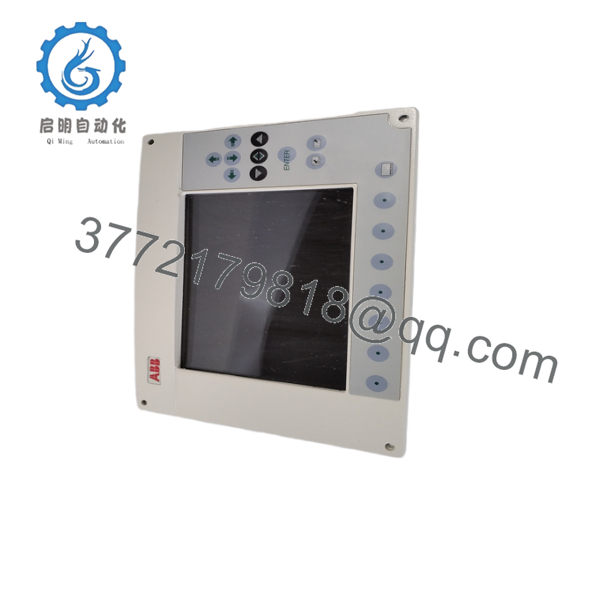
The ABB GOP 1 (GOP1) Graphic Operator Panel is an industrial-grade interface unit designed for legacy ABB drive systems, marine control consoles, and automated process machinery. Operating on a 24 V DC input, it provides clear graphical visualization, alarm logging, and direct parameter adjustment for operators on the factory or vessel floor.
This unit is supplied as Brand New Surplus stock—never deployed, pulled from decommissioned panels, or rebuilt. Relying on refurbished or aging GOP 1 units poses significant operational risks: degraded display backlights, failing touch/keypad membranes, and thermal degradation of internal power supply components. Failure of a primary operator panel disables local machine control and blind-spots plant personnel to active fault alarms, leading to costly unmonitored downtime. Sourcing a verified New Surplus GOP 1 unit guarantees instant drop-in compatibility, optimal display clarity, and continued long-term support for legacy control architectures.
Installation & Configuration Guide
Stage 1: Pre-Installation & Safety
- Isolate and lock out (LOTO) all 24 V DC power sources feeding the enclosure cutout area.
- Wear an ESD grounding wrist strap connected to cabinet ground prior to unpacking the GOP 1 panel.
- Inspect the front panel sealing gasket for tears or debris to maintain cabinet NEMA/IP ingress ratings.
- Verify field wiring terminations for 24 V DC input power and communication interface cables against site schematics.
Stage 2: Panel Mounting & Mechanical Installation
- Insert the GOP 1 chassis cleanly into the rectangular enclosure cutout from the front of the cabinet door.
- Attach and tighten all panel mounting clamps evenly around the perimeter to compress the gasket without warping the frame.
- Secure the protective earth (PE) ground lead directly to the panel’s rear grounding stud.
Stage 3: Wiring & Connections
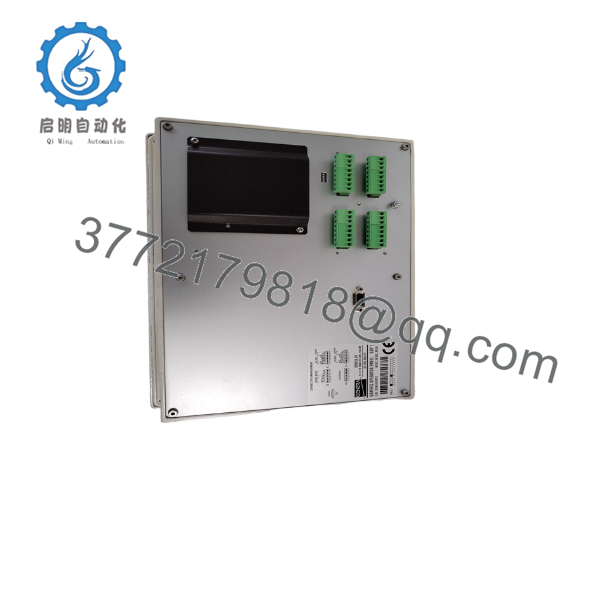
- Connect the serial/bus communication cable securely to the designated host interface port on the rear of the GOP 1.
- Wire the 24 V DC primary power leads to the power terminal block, observing proper polarity (+24V and 0V).
- If utilizing the auxiliary 12 V DC power output (up to 3.3 A), verify loop current demands do not exceed maximum ratings.
Stage 4: Power-On & Operational Testing
- Apply 24 V DC power and confirm the display initializes to the boot screen without error codes.
- Verify communication link status with the host controller or drive rack (green COM/STATUS LEDs).
- Navigate through operator menu screens, test input responsiveness, and confirm live parameter feedback.

- GOP 1
- GOP 1
Firmware/Software Versions & Upgrade Notes
- Firmware Compatibility: Common runtime versions include Ver 1.7 (and related release builds) configured for legacy ABB drive and control platforms.
- Drop-In Replacement: Replacing a GOP 1 panel with identical unit hardware and firmware revision requires no alterations to the host controller program.
- Protocol Match: Ensure communication port baud rates, node addresses, and parity settings match the existing host drive or PLC interface settings before commissioning.
Frequently Asked Questions (FAQ)
Is this ABB GOP 1 panel brand new or refurbished?
This product is supplied as Brand New Surplus. It is guaranteed unused, fully intact, and pre-inspected to meet original factory operational specifications.
Why choose New Surplus over a refurbished HMI panel?
Refurbished HMI displays often suffer from worn keypad membranes, degraded CCFL/LED backlights, and dried-out power supply capacitors that lead to unexpected screen burnout. New Surplus offers factory-level component integrity and long-term operating life.
What are the primary power requirements for the GOP 1?
The panel operates on 24 V DC power with a total power consumption rating of approximately 40 VA.
Does the GOP 1 provide auxiliary power for external devices?
Yes, the panel includes a built-in auxiliary power tap capable of outputting 12 V DC at up to 3.3 Amps.
What should I do if the GOP 1 displays a communication loss fault on startup?
Check that the communication cable is fully seated, verify the shielding ground, and confirm that the baud rate and node address on the panel match the host drive/PLC settings.



