
 WhatsApp: +86 16626708626
 Email:
  Phone: +86 16626708626
Description
3. Key Technical Specifications
| Parameter | Value |
|---|---|
| Manufacturer | ABB |
| Model | IMFEC12 |
| Product Type | Analog Input Module |
| Product Family | Bailey INFI 90 |
| Number of Input Channels | 15 |
| Supported Signal Sources | Conventional BC, EQ, and PT transmitters |
| System Interface | Multifunction Processor (MFP) or Multifunction Controller (MFC) |
| Installation | INFI 90 module rack |
| Primary Function | Analog process signal acquisition |
| Weight | Approximately 0.48 kg |
| Diagnostics | Module diagnostics through the INFI 90 controller |
| Maintenance | Periodic terminal inspection and calibration verification |
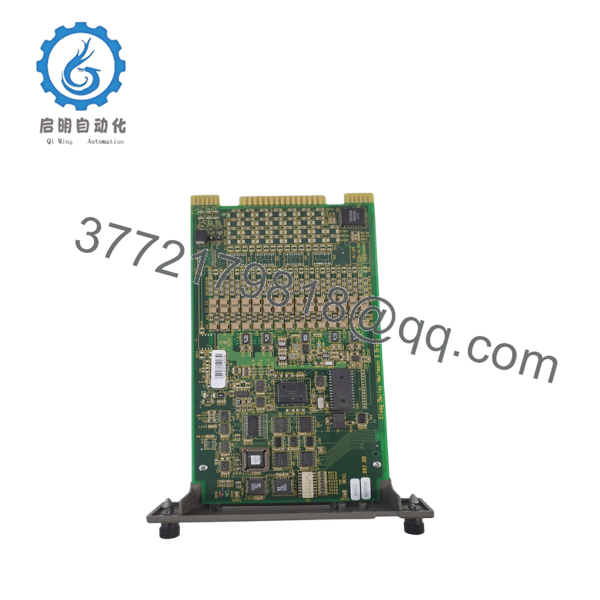
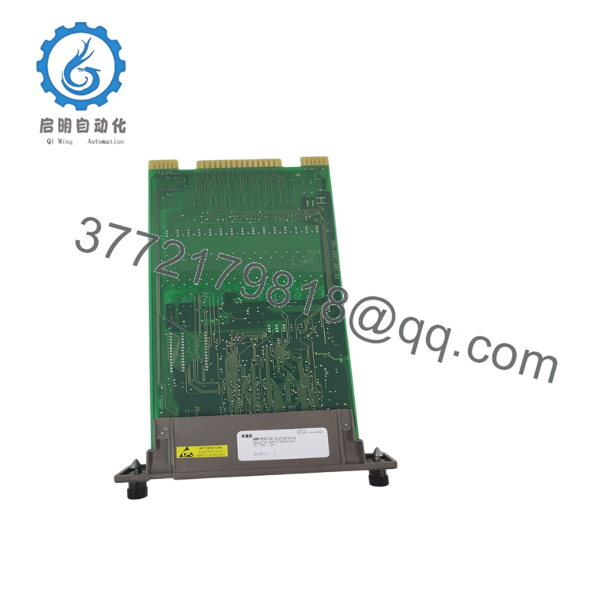
The IMFEC12 is a 15-channel analog input module designed for the Bailey INFI 90 distributed control system. It interfaces directly with Multifunction Processor (MFP) or Multifunction Controller (MFC) modules and accepts conventional analog transmitter signals.
4. Product Introduction
The ABB IMFEC12 is an analog input module developed for the Bailey INFI 90 DCS platform. It converts field analog signals from conventional transmitters into digital values that can be processed by the system controller for monitoring, control, alarming, and historical data collection.
Although the IMFEC12 is a legacy product, it remains widely installed in power generation, petrochemical, pulp and paper, and process manufacturing facilities. Plants maintaining INFI 90 systems often keep spare IMFEC12 modules to minimize downtime during maintenance or unexpected failures.

- IMFEC12
- IMFEC12
5. Installation & Configuration Guide
Stage 1 – Pre-Installation Preparation (10–15 minutes)
⚠️ Safety First
- Notify operations before shutting down the affected process.
- Apply Lock-Out/Tag-Out procedures.
- Verify the I/O cabinet is de-energized.
- Wait at least 5 minutes before handling system modules.
- Wear an ESD wrist strap.
Required Tools
- Phillips screwdriver
- Digital multimeter
- ESD wrist strap
- Wire markers
- Camera for documenting wiring
- Loop calibrator (recommended)
Before Removal
- Back up the controller configuration.
- Record channel assignments.
- Photograph terminal wiring.
- Document transmitter ranges and scaling parameters.
Stage 2 – Removing the Existing Module
- Label every field cable.
- Disconnect terminal blocks carefully.
- Release the module retaining clips.
- Pull the module straight from the backplane.
- Inspect the rack connector for contamination or bent contacts.
⚠️ Keep the original module until all analog channels have been verified after commissioning.
Stage 3 – Installing the Replacement Module
- Confirm the replacement part number is IMFEC12.
- Install the module fully into the INFI 90 rack.
- Secure the locking mechanism.
- Reconnect all terminal wiring.
- Verify channel assignments against the I/O database.
- Restore cabinet power.
Installation Checklist
- ✔ Correct module installed
- ✔ Wiring verified
- ✔ Rack connector fully engaged
- ✔ Channel configuration confirmed
- ✔ Grounding inspected
Stage 4 – Power-On & Functional Testing
- Power up the INFI 90 cabinet.
- Verify controller diagnostics report the module as healthy.
- Check each analog input using a calibrated signal source.
- Compare displayed values with transmitter outputs.
- Confirm alarm and scaling functions operate correctly.
- Record commissioning results.
⚠️ Troubleshooting
Channel reading remains at zero
- Verify loop power.
- Inspect field wiring.
- Check transmitter operation.
Unstable measurements
- Inspect signal shielding.
- Verify grounding.
- Check for electrical noise.
Module not recognized
- Confirm the module is fully seated.
- Verify compatibility with the installed MFP or MFC controller.
- Inspect the backplane connector for damage.
6. Frequently Asked Questions (FAQ)
Q1. What does the IMFEC12 do?
The IMFEC12 collects analog signals from field instruments such as pressure, flow, level, and temperature transmitters, then transfers those measurements to the Bailey INFI 90 control system for processing.
Q2. How many analog channels are available?
The module provides 15 analog input channels, making it suitable for monitoring multiple process variables within a single INFI 90 I/O slot.
Q3. Is the IMFEC12 compatible with all INFI 90 controllers?
It is intended to interface with Multifunction Processor (MFP) or Multifunction Controller (MFC) modules. Before installation, verify your controller revision and system configuration to ensure compatibility.
Q4. Can the IMFEC12 be hot-swapped?
Generally, no. Most INFI 90 installations require the rack or affected segment to be de-energized before replacing I/O modules. Unless your system documentation explicitly permits online replacement, remove power before servicing.
Q5. What is the most common installation mistake?
One of the most frequent problems is reconnecting transmitter wiring to the wrong input channel. Before removing the old module, photograph every terminal and label each cable individually. Spending five extra minutes documenting the wiring can save hours of troubleshooting later.
Q6. Why are IMFEC12 modules still in demand?
Many industrial facilities continue to operate Bailey INFI 90 systems because of their long service life and proven reliability. Although the IMFEC12 is a legacy product, maintaining a qualified spare inventory helps reduce outage time and avoids costly emergency upgrades.



