
 WhatsApp: +86 16626708626
 Email:
  Phone: +86 16626708626
Description
3. Key Technical Specifications
- Processor: 32-bit running at 32 MHz
- Memory: Supports up to 10,000 usable function blocks / 4,000 lines of BASIC or C
- Power Requirements: +5 VDC at 2 A (10 W typical)
- I/O Support: Up to 64 I/O modules via appropriate interface
- Station Support: 64 low-power serial stations (40 kbaud) or 8 higher-speed
- Communication: INFI-NET / Superloop compatible, parallel comms link
- Programming: Function blocks, Ladder, BASIC, C, user-defined functions
- Dimensions: 35.56 mm wide x 177.80 mm high x 298.45 mm long
- Weight: Approx. 0.24 kg (8.5 oz)
- Mounting: Plugs into Infi 90 module mounting unit
- Operating Environment: Standard industrial DCS conditions (verify exact ratings per installation)
- Redundancy: Supports redundant configurations
4. Product Introduction
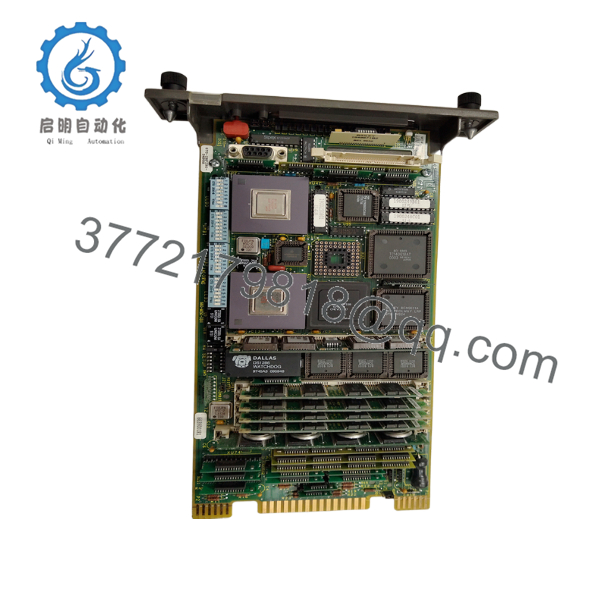
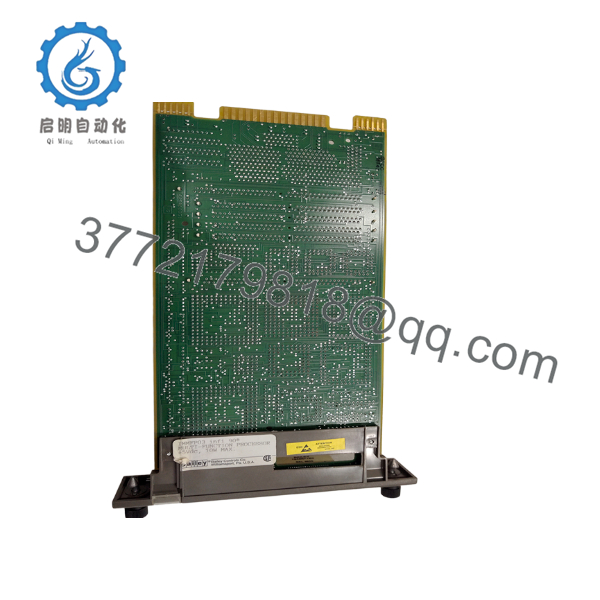
The ABB IMMFP03 is a Multifunction Processor Module for the Bailey Infi 90 distributed control system. It serves as a powerful stand-alone controller that executes complex control strategies, processes data from analog and digital I/O modules, and handles communication across the plant network.
In real-world Infi 90 deployments, this module provides the horsepower needed for advanced regulatory control, sequencing, and batch applications. Its 32-bit architecture and generous block capacity make it a go-to choice when replacing older processors or expanding existing racks without a full system overhaul.

- IMMFP03
- IMMFP03
5. Troubleshooting Quick Reference
| Symptom | Possible Cause | Relevance to this Part | Quick Check Method | Recommendation |
|---|---|---|---|---|
| Processor not booting (no LEDs or comms) | Power supply failure to rack | ❌ Low | Measure +5 VDC at module backplane pins with multimeter | Verify rack power supply and fuses first |
| Error codes on front LEDs (e.g., NVRAM checksum) | Configuration or memory corruption | ✅ High | Read error code from LED pattern; check diagnostic buffer | Initialize NVRAM or reload configuration |
| Control loops unstable or slow response | Insufficient processor resources or bad I/O config | ✅ Medium | Monitor CPU loading in operator station | Optimize strategies or upgrade to higher memory variant if needed |
| Redundant pair failover issues | Mismatch in firmware or config between units | ✅ High | Compare firmware versions and configs on both MFPs | Ensure identical revisions and synchronized databases |
| Communication timeouts with I/O or network | Loose module seating or cable fault | ❌ Medium | Reseat module and inspect INFI-NET cables | Check physical connections and terminating resistors |
| High error rate in function blocks | Programming logic or I/O module fault | ✅ Medium | Use engineering workstation to review diagnostics | Isolate to specific I/O or review application logic |
If problems continue after basic checks, provide LED error codes, system diagnostics, and recent configuration changes when contacting support.
6. Frequently Asked Questions (FAQ)
Is the IMMFP03 still supported? Yes, though it is a mature product. Many plants continue running it reliably. We stock New Surplus units for direct replacements.
Can this be used in a redundant setup? Yes. The IMMFP03 supports redundant processor configurations. Proper database synchronization and identical firmware are required for clean failover.
What is the difference between IMMFP03 and IMMFP03B? The IMMFP03B offers enhanced memory capacity. Confirm your application block count before selecting — most standard applications run fine on the IMMFP03.
Do I need additional hardware to use serial ports or stations? Yes. The IMMPI01 interface module is typically required if you need RS-232/485 ports or additional station support.
How do you test these processor modules? We verify in a live Infi 90 test rack, run power-on diagnostics, load sample configurations, test I/O communication, and perform extended runtime monitoring. Test report provided with each unit.
What should I do before swapping this module? Photograph all existing settings, back up the current configuration and database, note firmware version, and follow proper ESD procedures. Always de-energize the rack for processor swaps.
Warranty and shipping? Standard 1-year warranty on functional New Surplus units. Most orders ship same or next business day after verification. Lead times may vary for larger quantities.



