
 WhatsApp: +86 16626708626
 Email:
  Phone: +86 16626708626
Description
3. Key Technical Specifications
| Parameter | Value |
|---|---|
| Manufacturer | ABB |
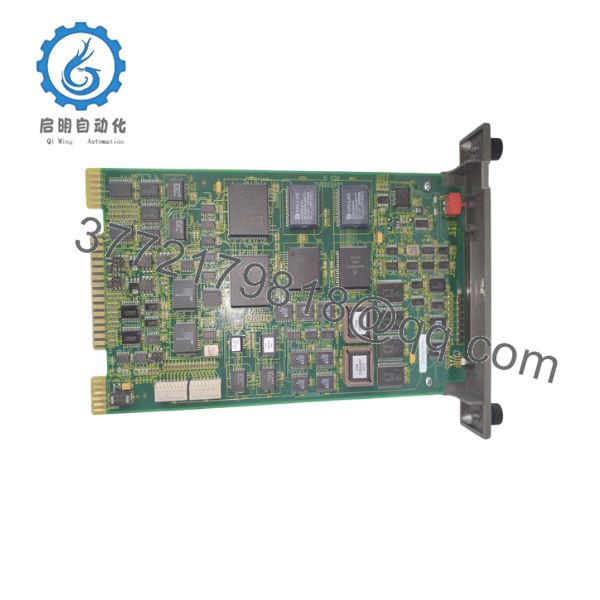
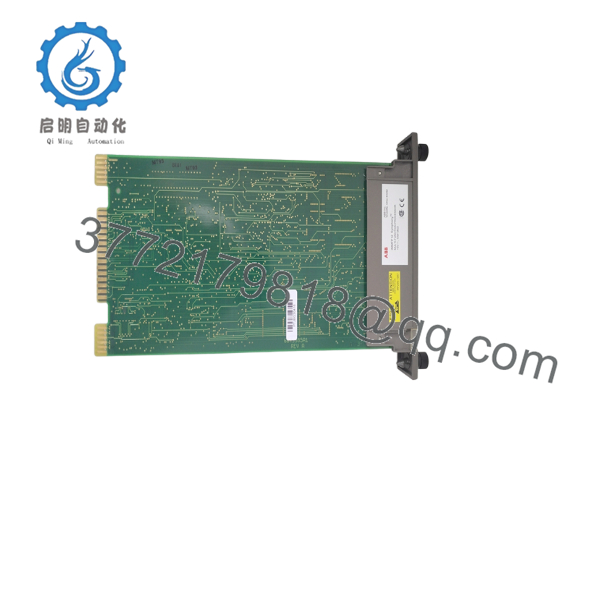
| Model | IMMFP12 |
| Product Type | Multifunction Processor Module |
| Product Family | Bailey INFI 90 OPEN / Harmony Rack |
| Processor | 32-bit CPU with 16-bit external bus @ 16 MHz |
| Memory | 512 KB ROM, 512 KB RAM, 256 KB NVRAM |
| Available User Memory | 347,712 bytes RAM, 194,752 bytes NVRAM |
| Power Requirement | +5 VDC @ 2 A (10 W typical) |
| Serial Interfaces | Two RS-232-C ports or one RS-232-C plus one RS-485 |
| Serial Data Rate | Up to 19.2 kbaud |
| Redundant Communication Link | 1 Mbaud serial link |
| Programming Languages | Function Codes, C, BASIC, Batch 90, Ladder, User-defined Functions |
| Operating Temperature | 0 °C to 70 °C |
| Mounting | One slot in a standard INFI 90 OPEN module mounting unit |
| Certifications | CSA and Factory Mutual approved for applicable industrial environments |
The IMMFP12 is the highest-memory version of the Harmony Rack Multifunction Processor family and is fully compatible with the INFI 90 OPEN architecture.
4. Product Introduction
The ABB IMMFP12 is a high-performance multifunction processor designed for the Bailey INFI 90 OPEN and Harmony Rack distributed control systems. It executes continuous control, sequential logic, batch operations, and advanced process algorithms while coordinating communication with local I/O modules and higher-level control networks.
Compared with earlier MFP processors, the IMMFP12 provides increased memory capacity for larger applications while maintaining compatibility with existing INFI 90 hardware and software. It is widely deployed in power generation, oil and gas, chemical processing, pulp and paper, and other continuous-process industries where long-term system stability is critical.

- IMMFP12
- IMMFP12
5. Installation & Configuration Guide
Stage 1 – Pre-Installation Preparation (10–15 minutes)
⚠️ Safety First
- Notify plant operations before shutting down the controller.
- Place the process in a safe operating condition.
- Apply Lock-Out/Tag-Out procedures.
- Remove cabinet power and allow at least 5 minutes for capacitors to discharge.
- Wear a grounded ESD wrist strap.
Required Tools
- Phillips screwdriver
- Digital multimeter
- ESD wrist strap
- Laptop with ABB engineering software
- Camera for recording wiring and switch settings
Before Removal
- Back up the complete control configuration.
- Record firmware revision.
- Save controller databases and application programs.
- Photograph communication cables and module locations.
Stage 2 – Removing the Existing Processor
- Disconnect serial communication cables.
- Label every connector.
- Release the retaining clips.
- Remove the processor straight from the rack.
- Inspect the backplane connector for bent pins or contamination.
⚠️ Do not dispose of the original processor until the replacement has completed commissioning and process verification.
Stage 3 – Installing the New IMMFP12
- Verify the replacement part number is IMMFP12.
- Compare firmware compatibility with the existing system.
- Insert the processor fully into the module mounting unit.
- Secure the retaining mechanism.
- Reconnect all communication cables.
- Restore configuration files if required.
Installation Checklist
- ✔ Correct model number
- ✔ Firmware compatibility verified
- ✔ Communication cables connected
- ✔ Processor fully seated
- ✔ Configuration backup available
Stage 4 – Power-On & Functional Testing
- Restore cabinet power.
- Observe the processor startup sequence.
- Verify controller diagnostics report normal operation.
- Confirm communication with all local I/O modules.
- Verify Controlway and network communications.
- Test critical control loops before returning the process to service.
⚠️ Troubleshooting
Processor remains offline
- Verify +5 VDC backplane power.
- Check rack connector seating.
- Confirm firmware compatibility.
Communication errors
- Inspect RS-232/RS-485 connections.
- Verify node addresses.
- Confirm redundant communication link configuration.
Application fails to start
- Restore the verified backup configuration.
- Check software revision compatibility before downloading the application.
6. Frequently Asked Questions (FAQ)
Q1. What is the primary function of the IMMFP12?
The IMMFP12 is the main processing controller in an INFI 90 OPEN or Harmony Rack system. It executes control logic, communicates with I/O modules, manages process data, and supports advanced control strategies including continuous, sequential, and batch control.
Q2. What is the difference between the IMMFP11 and IMMFP12?
The IMMFP12 offers twice the memory capacity of the IMMFP11 while maintaining the same hardware architecture and software compatibility. This additional memory allows larger control applications and more complex process strategies.
Q3. Can the IMMFP12 be replaced while the system is energized?
Generally, no. Although some INFI 90 I/O modules support online replacement, replacing the system processor under power is not recommended unless explicitly permitted by ABB documentation and plant operating procedures.
Q4. Which programming methods does the IMMFP12 support?
The processor supports multiple programming environments, including Function Codes, C, BASIC, Batch 90, Ladder Logic, and user-defined functions, providing flexibility for both continuous and batch process applications.
Q5. What is the most common field replacement mistake?
The most common issue is overlooking the firmware revision. I’ve seen maintenance teams install a replacement processor with the correct part number, only to spend hours troubleshooting because the firmware revision did not match the system software. Always document the original firmware before removing the module.
Q6. Is the IMMFP12 still supported?
The IMMFP12 is a legacy controller that remains widely deployed in long-life industrial facilities. While many systems continue to operate reliably, procurement often depends on new surplus inventory or professionally tested refurbished units. Before ordering, verify the hardware revision, firmware level, and compatibility with the installed INFI 90 or Harmony Rack system.



