
 WhatsApp: +86 16626708626
 Email:
  Phone: +86 16626708626
Description
Key Technical Specifications
| Parameter | Specification |
| Manufacturer Model | INIET800 / IET800 |
| System Architecture | ABB Bailey INFI 90 / Symphony Harmony DCS |
| Main Processor | 32-bit ColdFire processor @ 256 MHz |
| Onboard Memory | 64 MB RAM, 4 MB ROM, 2 MB NVRAM |
| Communication Protocols | INFI-Net / Cnet to Ethernet TCP/IP (UDP/IP support) |
| Ethernet Interface | 1 × 10/100 Mbps RJ45 (Front Faceplate) |
| Serial Ports | 2 × RS-232 asynchronous ports (up to 115.2 Kbps) |
| Power Consumption | Typical: +5 V DC @ 1.05 A (5.25 W) |
| Status Indicators | Front panel LEDs for Power, Link, Network Activity, and Fault |
| Module Slot Requirement | Occupies 1 slot in standard INFI 90 Module Mounting Unit (MMU) |
| Operating Temperature | 0°C to +70°C (32°F to 158°F) |
Product Introduction & Supply Chain Strategy
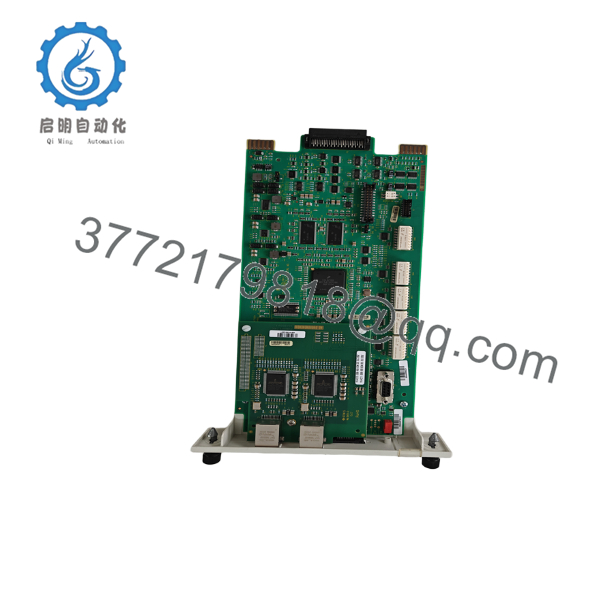
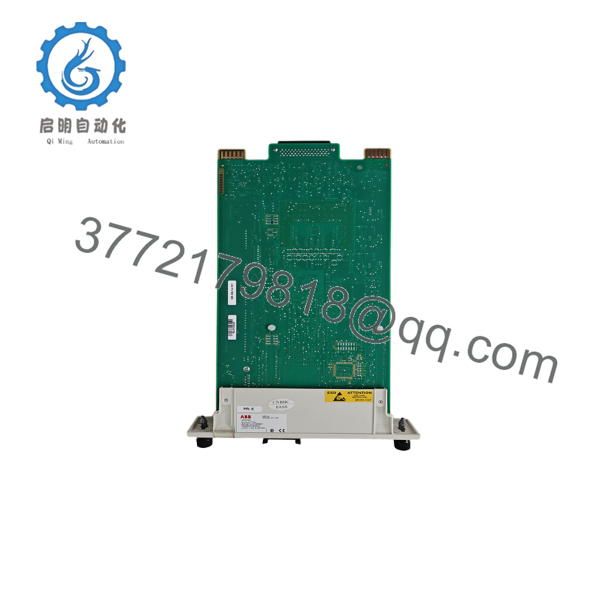
The ABB Bailey INIET800 (IET800) is a high-performance communication gateway card for ABB INFI 90 and Symphony Harmony distributed control systems. It acts as a vital bridge, translating high-speed, proprietary INFI-Net/Cnet network data into standard Ethernet TCP/IP. This enables real-time data transfer to modern HMI operator workstations (e.g., System 800xA, S+ Operations), historian servers, and S+ Engineering Composer tools.
This unit is supplied as Brand New Surplus stock—never deployed, pulled from decommissioned panels, or rebuilt. Relying on refurbished or aged network gateway cards presents critical plant vulnerabilities: degraded Ethernet daughterboards, dried-out filtering capacitors, and intermittent network dropouts. If the central Ethernet gateway fails, operator visibility across the entire DCS is lost, leading to unmonitored process conditions and costly emergency shutdowns. Sourcing a verified New Surplus INIET800 ensures zero thermal wear, full throughput speed, and complete cybersecurity protocol integrity.
Installation & Configuration Guide
Stage 1: Pre-Installation (Prep & Safety)
- Perform full Lock-Out/Tag-Out (LOTO) on the targeted MMU chassis power supply.
- Wear an ESD grounding wrist strap connected to cabinet chassis ground before touching the module.
- Record all hardware address DIP switch settings and option jumpers on the existing gateway card.
- Verify network configuration settings (IP address, Subnet Mask, Default Gateway) in the Harmony System Configuration (
hSysCfg.exe) software utility.
Stage 2: Removal
- Disconnect the front RJ45 Ethernet cable and any serial diagnostic connections.
- Loosen the top and bottom card locking screws on the faceplate.
- Pull the ejector handles outward to disengage the rear connectors from the MMU backplane, then slide the module out along the guide channels.
Stage 3: Installation (Clone & Seat)
- Match the onboard DIP switches and hardware jumpers on the replacement INIET800 module to mirror the removed card exactly.
- Align the INIET800 module with the card guides in the designated MMU slot.
- Slide the board in firmly until the rear edge connector seats into the backplane, then lock the faceplate ejector handles.
- Tighten the top and bottom retaining screws to hand tightness (0.5 N·m).
Stage 4: Power-On & Network Testing
- Reattach the CAT5/6 Ethernet cable to the 10/100 Mbps front RJ45 port.
- Restore power to the MMU frame and observe the initialization LED sequence.
- Verify that the POWER and LINK LEDs illuminate solid green and the ACTIVITY LED flashes with network traffic.
- Run a
pingcommand from the host workstation and verify active HMI/Composer software communication.

- INIET800
- INIET800
Firmware/Software Versions & Upgrade Notes
- System Integration: Fully compatible with ABB Symphony Harmony, INFI 90, and System 800xA architectures.
- Software Tools: Network address parameters, client connection ports, and baud rates are managed using the Harmony System Configuration Utility (
hSysCfg.exe) within the S+ Engineering environment. - Hot-Swap Caution: Do not insert or extract the INIET800 card while the MMU backplane is energized. Power down the rack section prior to card replacement to prevent bus communication spikes or corrupting NVRAM memory.
Frequently Asked Questions (FAQ)
Is this ABB INIET800 card brand new or refurbished?
This product is a Brand New Surplus unit. It is guaranteed unused, fully intact, and pre-inspected to meet original factory operational specifications.
What is the primary function of the INIET800 in an INFI 90 system?
The INIET800 converts proprietary INFI-Net/Cnet control system protocols to standard Ethernet TCP/IP, allowing PCs, engineering workstations, and modern HMIs to communicate with legacy DCS nodes.
Are the INIET800 and IET800 the same module?
Yes. “INIET800” is the formal catalog designation, while “IET800” refers to the core INFI-Net to Ethernet Transfer Module board assembly.
What happens if the Ethernet link drops on this card?
If the Ethernet connection fails, field control loops continue to run autonomously via local processors (such as the IMMFP01), but operator workstations and HMI servers will lose real-time telemetry and alarm feedback.
What warranty and documentation accompany this module?
All New Surplus ABB INIET800 modules ship in protective ESD packaging with serial verification tags, QC inspection documentation, and a full 1-year operational replacement warranty.



