
 WhatsApp: +86 16626708626
 Email:
  Phone: +86 16626708626
Description
3. Key Technical Specifications
| Parameter | Value |
|---|---|
| Manufacturer | ABB |
| Model | NINT-72C |
| Product Type | Main Circuit Interface Board |
| Function | Interface between control electronics and power stage |
| Compatible Drive Family | ABB ACS600 industrial drives |
| Installation | Drive control subassembly |
| Typical Replacement | Replaced by NXPP-02C in retrofit kits |
| Mounting | Internal PCB assembly |
| Application | Medium- and high-power AC drives |
| Product Status | Legacy / Obsolete spare part |
ABB installation documentation identifies the NINT-72C as a main circuit interface board used in ACS600 drive systems. For certain retrofit projects, ABB instructs replacing the NINT-72C with the newer NXPP-02C interface board.
4. Product Introduction
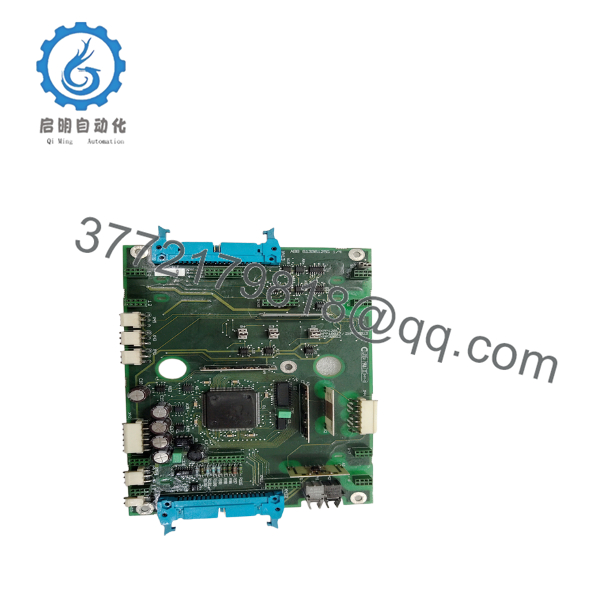
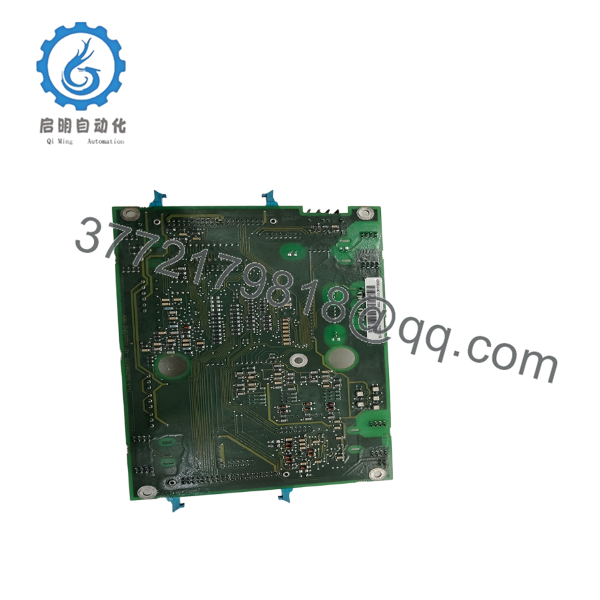
The ABB NINT-72C is a control/interface board used in the ACS600 variable frequency drive platform. Its primary function is to exchange control and feedback signals between the drive’s control electronics and the main power converter section, ensuring correct operation of the power stage.
As the ACS600 product family has reached its legacy lifecycle, the NINT-72C is typically supplied as a spare part for maintenance projects. ABB retrofit documentation recommends NXPP-02C as the replacement board in supported upgrade programs rather than installing another NINT-72C in some drive revisions.

- NINT-72C
- NINT-72C
5. Installation & Configuration Guide
Stage 1 – Pre-Installation Preparation (10–15 minutes)
⚠️ Safety First
- Stop the drive and isolate incoming power.
- Apply Lock-Out/Tag-Out procedures.
- Verify the DC bus voltage has fully discharged.
- Wait the discharge time specified in the ACS600 service manual before opening the cabinet.
Required Tools
- ESD wrist strap
- Phillips screwdriver
- Digital multimeter
- Camera or smartphone
- ACS600 service manual
Before Removal
- Record all active drive faults.
- Photograph every cable connection.
- Label ribbon cables and connectors.
- Record the drive software version.
Stage 2 – Removing the Existing Board
- Open the drive control compartment.
- Locate the NINT-72C interface board.
- Disconnect ribbon cables carefully.
- Remove mounting screws or spacers.
- Withdraw the board vertically without bending it.
⚠️ Do not pull on ribbon cables. Damage to the connectors is a common cause of commissioning failures.
Inspect:
- Edge connectors
- PCB for overheating
- Mounting spacers
- Connector oxidation
- Backplane contacts
Stage 3 – Installing the New NINT-72C
- Verify the replacement model is NINT-72C.
- If performing an ABB-approved retrofit, confirm whether NXPP-02C is required instead.
- Install the board using the original spacers and mounting hardware.
- Reconnect all ribbon cables.
- Confirm every connector is fully seated.
Installation Checklist
- ☑ Correct board installed
- ☑ Ribbon cables secured
- ☑ Connectors verified
- ☑ Mounting screws tightened
- ☑ No foreign objects inside cabinet
Stage 4 – Power-Up & Testing
- Restore auxiliary control power.
- Observe diagnostic LEDs.
- Power the drive.
- Verify that no interface communication faults are present.
- Perform a low-speed motor test.
- Confirm stable operation under load.
⚠️ Troubleshooting
Drive Reports Interface Fault
Check:
- Ribbon cable orientation
- Connector seating
- Board compatibility
- Control PCB connections
Drive Fails to Initialize
Possible causes include:
- Incorrect replacement board
- Loose connectors
- Control power issues
- Incompatible retrofit configuration
6. Frequently Asked Questions (FAQ)
Q1. What is the function of the ABB NINT-72C?
The NINT-72C is the main circuit interface board used in ABB ACS600 drives. It provides the communication interface between the drive control electronics and the main power converter.
Q2. Which ABB drive family uses the NINT-72C?
It is primarily used in the ACS600 industrial drive family, particularly in medium- and high-power configurations. Compatibility should always be confirmed using the specific drive type code and hardware revision.
Q3. Is there an official replacement for the NINT-72C?
Yes. ABB retrofit documentation specifies that, in certain ACS600 upgrade kits, the NINT-72C is replaced by the NXPP-02C interface board. The applicable replacement depends on the drive frame size and retrofit package.
Q4. Can I replace only the NINT-72C board?
In many cases, yes. However, before replacement you should inspect the associated control board, power interface connections, and ribbon cables. A damaged cable or connector can produce the same symptoms as a failed interface board.
Q5. Can the NINT-72C be hot-swapped?
No.
The board is installed inside the drive’s control assembly. Always isolate the drive from power and verify that the DC bus has discharged completely before removing or installing the board.
Q6. What should I verify before ordering?
Confirm the following:
- Model: NINT-72C
- Drive family: ACS600
- Drive frame size
- Hardware revision
- Control board compatibility
- Connector configuration
- Whether the drive has been upgraded to the NXPP-02C retrofit
Verifying these items before purchase helps ensure compatibility and minimizes commissioning time after replacement.



