
 WhatsApp: +86 16626708626
 Email:
  Phone: +86 16626708626
Description
3. Key Technical Specifications
| Parameter | Value |
|---|---|
| Manufacturer | ABB |
| Model | NTST01 |
| Product Type | Time Synchronization Termination Unit |
| Product Family | Bailey INFI 90 OPEN / Symphony Harmony |
| Primary Function | Time synchronization signal termination and distribution |
| Typical Application | Sequence of Events (SOE) systems |
| Compatible Modules | SPTKM, SPSET, INTKM01, IMSET01 |
| Network Topology | Sequential or Star configuration |
| Installation | Harmony Rack / INFI 90 cabinet |
| Connection Type | Dedicated time synchronization cable interface |
| Diagnostics | Passive termination unit (no programmable functions) |
| Maintenance | Inspect connectors, jumpers, and terminal integrity |
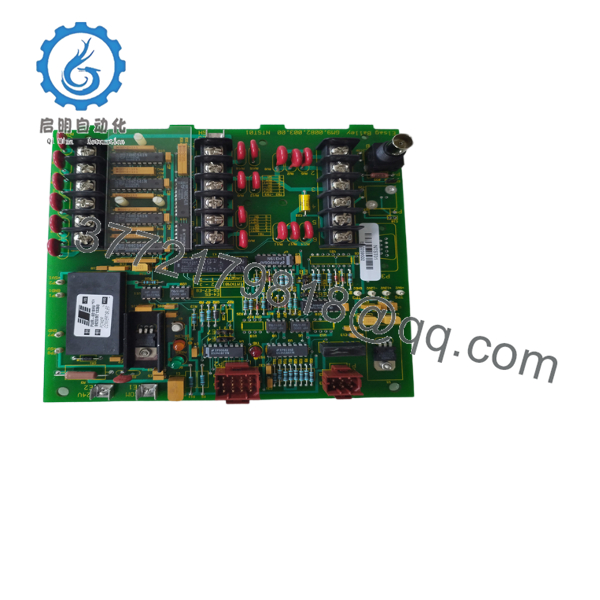
The NTST01 is the ABB Time Synchronization Termination Unit used in Sequence of Events (SOE) applications. It is designed for use with SPTKM and SPSET modules and supports both sequential and star network configurations.
4. Product Introduction
The ABB NTST01 is a passive termination unit developed for the Bailey INFI 90 OPEN and Symphony Harmony control platforms. Its purpose is to provide the physical interface for distributing and terminating time synchronization signals used by Sequence of Events (SOE) systems. Accurate time synchronization allows multiple controllers and I/O modules to record plant events with consistent timestamps, simplifying fault analysis after process trips or electrical disturbances.
The NTST01 is commonly installed alongside SPTKM or SPSET modules in power generation, substations, petrochemical plants, and other facilities where event recording accuracy is essential. Although the unit contains no active electronics, incorrect jumper configuration or wiring can prevent accurate event synchronization across the control system.

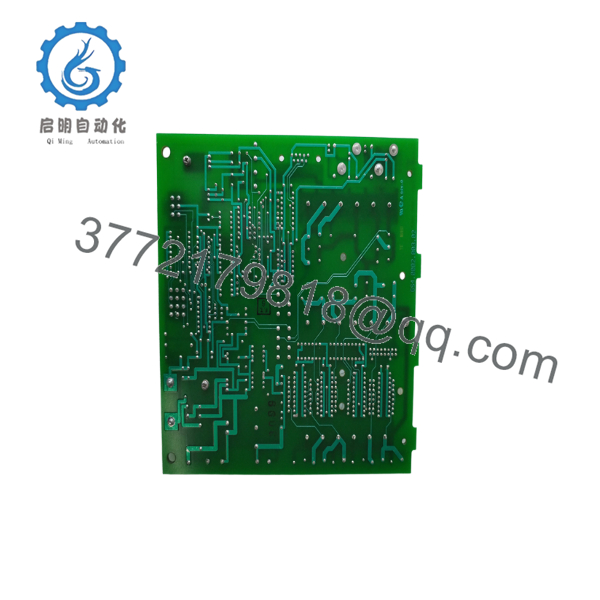
- NTST01
- NTST01
5. Installation & Configuration Guide
Stage 1 – Pre-Installation Preparation (10–15 minutes)
⚠️ Safety First
- Notify operations before servicing the SOE network.
- Apply Lock-Out/Tag-Out procedures.
- De-energize the affected control cabinet.
- Wait at least 5 minutes before handling modules.
- Wear a grounded ESD wrist strap.
Required Tools
- Phillips screwdriver
- Digital multimeter
- ESD wrist strap
- Cable labels
- Camera for recording jumper positions
- System wiring diagrams
Before Removal
- Photograph every connector.
- Record jumper settings.
- Document cable routing.
- Verify whether the network is configured as Sequential or Star.
Stage 2 – Removing the Existing NTST01
- Label every synchronization cable.
- Disconnect all cable assemblies.
- Remove mounting hardware.
- Carefully remove the termination unit.
- Inspect connectors for bent pins, corrosion, or loose terminals.
⚠️ Do not discard the original termination unit until the replacement has been verified during SOE testing.
Stage 3 – Installing the New NTST01
- Verify the replacement part number is NTST01.
- Mount the unit securely.
- Reinstall all synchronization cables.
- Configure jumpers exactly as documented.
- Confirm cable orientation.
- Inspect all terminal connections before restoring power.
Installation Checklist
- ✔ Correct model installed
- ✔ Jumpers match original configuration
- ✔ Cable routing verified
- ✔ Connectors fully seated
- ✔ Grounding inspected
Stage 4 – Commissioning & Functional Testing
- Restore cabinet power.
- Verify communication between the SOE module and the controller.
- Generate several test events.
- Confirm timestamps are synchronized across all monitored devices.
- Verify event ordering using the engineering workstation.
- Record commissioning results.
⚠️ Troubleshooting
No time synchronization
- Verify jumper configuration.
- Inspect synchronization cables.
- Confirm compatibility with the installed SPTKM or SPSET module.
Incorrect event timestamps
- Verify the master time source.
- Inspect cable continuity.
- Confirm network topology matches the jumper configuration.
Intermittent synchronization
- Inspect connector seating.
- Check cabinet grounding.
- Replace damaged synchronization cables if necessary.
Field Experience: One common mistake is replacing the NTST01 without documenting its jumper configuration. The unit supports different jumper settings depending on whether the installation uses Sequential or Star network connections. Restoring the original jumper positions before startup can prevent lengthy troubleshooting.
6. Frequently Asked Questions (FAQ)
Q1. What is the primary function of the NTST01?
The NTST01 provides the physical termination and distribution of time synchronization signals used by ABB Sequence of Events (SOE) systems. It works with SPTKM and SPSET modules to ensure consistent event timestamps throughout the control network.
Q2. Which ABB modules are compatible with the NTST01?
The NTST01 is designed for use with SPTKM, SPSET, INTKM01, and IMSET01 modules, depending on the INFI 90 or Symphony Harmony system configuration.
Q3. Does the NTST01 require programming?
No. The NTST01 is a passive termination unit. It contains no processor or firmware. Correct operation depends on proper wiring and jumper configuration rather than software programming.
Q4. Can the NTST01 be used for Sequence of Events (SOE) applications?
Yes. The NTST01 was specifically developed for SOE (Sequence of Events) systems where accurate time synchronization is required to maintain chronological event records across distributed controllers and I/O modules.
Q5. What is the most common installation mistake?
The most common issue is failing to duplicate the original jumper configuration. I’ve seen maintenance teams replace the termination unit correctly but overlook the jumpers. The hardware appeared healthy, yet event timestamps were inconsistent because the network topology no longer matched the configuration.
Q6. Is the NTST01 still available?
The NTST01 is considered a legacy Bailey INFI 90/Symphony Harmony component. New production is generally no longer available, so replacement units typically come from new surplus inventory or professionally tested refurbished stock. Before ordering, verify compatibility with your installed SOE module and network architecture.



