
 WhatsApp: +86 16626708626
 Email:
  Phone: +86 16626708626
Description
3. Key Technical Specifications
All values should still be verified against your project’s approved ABB datasheet before installation.
| Parameter | Value / Description |
|---|---|
| Article / Product number | PNI800K01 |
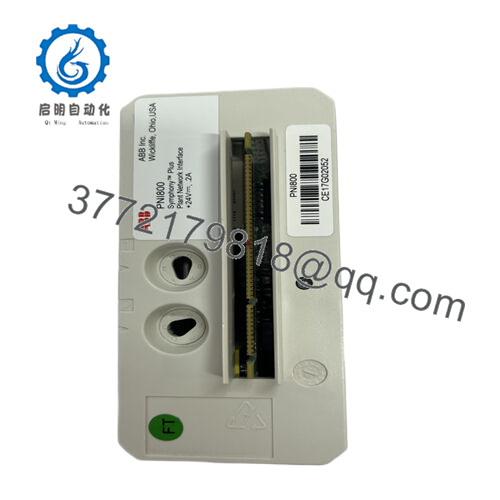
| Product name | PNI800 Plant Network Interface, PN800 Network Interface Kit |
| System family | ABB Ability Symphony Plus, PN800 plant network for SD Series controllers |
| Core function | Real‑time data server between SD controllers and PCs running S+ Engineering, SPO, 800xA, or Harmony OPC Server |
| Protocol | Harmony API (based on Ethernet TCP) |
| Communication type | Real‑time data server |
| Capacity | Up to 10 SPE client connections; up to 30,000 HMI tags |
| Ethernet speed | 100 Mbps |
| Ports | Two Ethernet RJ45 on MB805 base; one mini USB diagnostic port on front |
| Life‑cycle status | Active ac800pec+2 |
| Processor | MCF5475 @ 256 MHz |
| Memory | 64 MB DRAM, 4 MB Flash ROM |
| Power requirement | 200 mA @ 24 V DC ± 10%; power via TB1 on MB805 |
| Mounting | On MB805 base, positions 1 = E, 2 = C; xA‑style module, 186 mm height |
| Dimensions (W × H × D) | 59 mm × 186 mm × 127 mm |
| Weight (incl. base) | 500 g |
| Operating temperature | 0 to +55 °C |
| Storage temperature | −40 to +85 °C |
| Relative humidity | 20% to 95% @ 40 °C, non‑condensing |
| Protection class | IP20 (EN 60529, IEC 529) |
| MTBF | PNI800 PR ≈ 135,873 hours; MB805 PR ≈ 2,583,516 hours (MIL‑HDBK‑217‑FN2) |
| MTTR | PNI800 ≈ 1 hour; MB805 ≈ 8 hours |
| Certifications | CSA (incl. Class I, Zone 2 / Div. 2 groups A–D), CE Mark, RoHS, WEEE compliant |
| Hot swap capability | Supports hot swapping on MB805 when proper procedures are followed |
4. Product Introduction
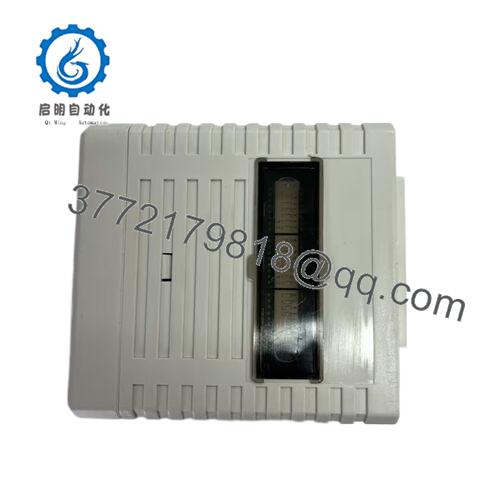
ABB PNI800K01 is a plant network interface module in the ABB Ability Symphony Plus PN800 family that provides real‑time Ethernet communications between SD Series controllers and engineering or HMI workstations. It uses Harmony API over Ethernet TCP to serve controller data to tools like S+ Engineering, SPO, 800xA Operations, and Harmony OPC Server.
In field deployments, engineers pick PNI800K01 when they need a dedicated, hardware‑based real‑time data server that can handle up to 10 client sessions and around 30,000 HMI tags without offloading this workload to the controllers. Compared with software‑only VPNI implementations, this hardware unit gives predictable performance, defined MTBF values, and straightforward panel‑mounted maintenance via the MB805 base.

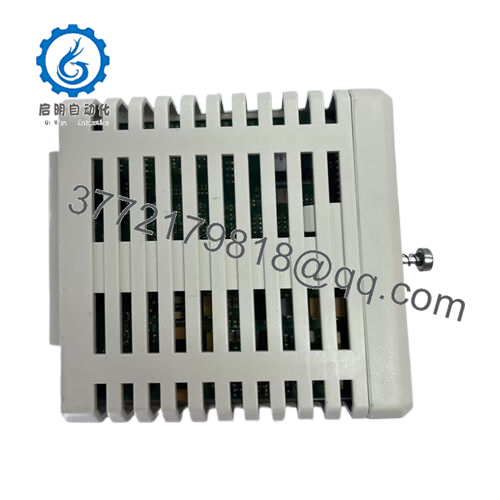
- PNI800K01
5. Troubleshooting Quick Reference
Use this to decide whether the PNI800K01 is actually at fault before you order a replacement. Match steps to your site standards and ABB documentation.
| Symptom | Possible Cause | Relevance to this Part | Quick Check Method | Recommendation |
|---|---|---|---|---|
| No LEDs or activity on PNI800 front | No 24 V DC on MB805 TB1; wrong polarity; blown panel fuse | ✅ High | Measure 24 V DC at TB1 on the MB805 with a calibrated meter; check polarity and panel fuse/MCB. | If supply is missing or out of ±10%, fix power first; replace PNI800 only if correct supply is present and it still stays dead. |
| Ethernet link LEDs off on both ports | Bad patch cable, wrong switch port, disabled switch port | ✅ Medium | Plug into a known‑good switch port; use a known‑good CAT5e/6 patch cable; check switch port status. | If other devices link up fine on the same port and cable, suspect the PNI800 Ethernet hardware. |
| HMI cannot connect but controller runs | Wrong Harmony API IP/port, client limit exceeded, firewall | ✅ Medium | Ping the PNI800 IP; check Harmony API settings; count active client sessions; review firewall rules. | If ping works and limit is not exceeded, fix HMI or firewall config before blaming the module. |
| Slow or intermittent HMI updates | Network congestion, overloaded switch, tag count near limit | ✅ Medium | Check switch utilization, error counters, and HMI polling rate; temporarily reduce tag scan rates. | If performance improves when load is reduced, network tuning is needed; hardware replacement is rarely the first fix. |
| PNI800 reboots unexpectedly | Power dips, poor grounding, internal fault | ✅ High | Log control‑voltage trend during disturbances; check cabinet grounding and shield terminations. | If reboots continue with stable 24 V and proper PE, plan for module replacement and pull logs for ABB support. |
| One Ethernet port works, other dead | Port hardware damage, ESD event, previous mis‑patching | ✅ High | Swap cables between ports; test each port into a laptop/switch; compare behavior. | If only one port consistently fails, treat it as a partial hardware failure and replace the unit. |
| Mini‑USB diagnostics not recognized by PC | Driver issue or bad cable; USB interface failure | ✅ Medium | Try another cable and PC; verify ABB diagnostic driver; check Device Manager for enumeration. | If multiple PCs and cables do not see the device, USB interface on PNI800 is likely defective. |
| All clients drop at once; controller OK | Switch failure, loop in network, PNI800 crash | ✅ Medium | Check switch logs for STP, loops, and flaps; see if PNI800 front LEDs indicate reset or error. | Stabilize the network first; if crashes align with PNI800 resets, replace the module. |
If none of these checks isolate the issue, capture screenshots of HMI errors, controller status, switch logs, and PNI800 LEDs, then share them with technical support so they can decide whether a PNI800K01 swap is justified.
6. Frequently Asked Questions (FAQ)
Q1: What exactly does ABB PNI800K01 do in a Symphony Plus system?
PNI800K01 acts as a dedicated real‑time data server between SD Series controllers and PC workstations running S+ Engineering, SPO or 800xA Operations, or general interface software like Harmony OPC Server. It offloads data serving from the controller while using Harmony API over Ethernet TCP.
Q2: Is PNI800K01 still active, or is it an obsolete spare?
The ABB data sheet and selector list PNI800K01 with life‑cycle status “Active,” which means it is supported for current PN800/Symphony Plus projects. Always double‑check the latest life‑cycle bulletin if you are planning a long‑term standardization.
Q3: Can I hot‑swap the PNI800K01 while the system is running?
The hardware supports hot swapping on the MB805 base, but you still need to follow ABB’s documented procedure to avoid communication interruption or surprise alarms. To be safe, align the swap with a planned maintenance window whenever the HMI layer is critical for operations.symphonyplushardwareselector.automation.
Q4: How many HMIs or clients can connect to a single PNI800K01?
The module supports up to 10 SPE client connections and up to 30,000 HMI tags according to ABB’s specification. If your design is pushing those limits, consider splitting load or reviewing scan rates to avoid saturating the link.ac800pec+2
Q5: Does ABB offer a software alternative to this hardware interface?
Yes, ABB notes that PNI800 functionality can also be virtualized as “VPNI” optional software for SPE, SPO, 800xA Operations, and general software clients. Performance and capacity differ between hardware PNI800 and VPNI, so check ABB sizing rules before replacing hardware with software.symphonyplushardwareselector.automation.
Q6: What about warranty and condition if I buy PNI800K01 as a spare?
Some distributors offer PNI800 units as refurbished, fully tested modules with multi‑year warranty, while others sell them as new network interface kits with a typical one‑year warranty. Demand a written statement on whether the unit is New Original / New Surplus or Refurbished (tested), plus the exact warranty term.
Q7: Any installation pitfalls to watch out for when replacing this module?
The common mistakes are wiring the 24 V DC supply incorrectly on the MB805, mixing up the Ethernet ports, and forgetting to restore the exact IP addressing and Harmony API configuration. Take photos of the existing module, label both Ethernet connections, and export configuration details before you pull the old PNI800 out of the rack.



