
 WhatsApp: +86 16626708626
 Email:
  Phone: +86 16626708626
Description
Key Technical Specifications
| Parameter | Value |
|---|---|
| Model Number | PP826 |
| Ordering Code | 3BSE042244R1 |
| Brand | ABB |
| Product Type | Industrial HMI Operator Panel |
| Supply Voltage | 24 V DC |
| Display Type | Integrated operator display |
| Interface Ports | Industrial communication interface (system dependent) |
| Mounting | Panel-mounted operator interface |
| Operating Environment | Industrial control cabinet or console |
| Compatibility | ABB distributed control and automation systems |
| Typical Application | Process visualization and operator command input |
| Lifecycle Status | Mature product; spare inventory recommended |
4. Product Introduction & Supply Chain Strategy
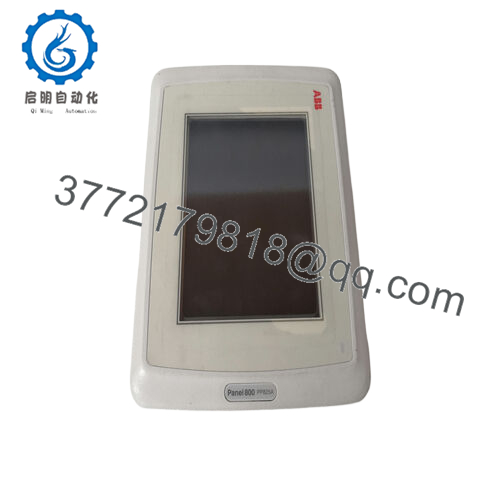
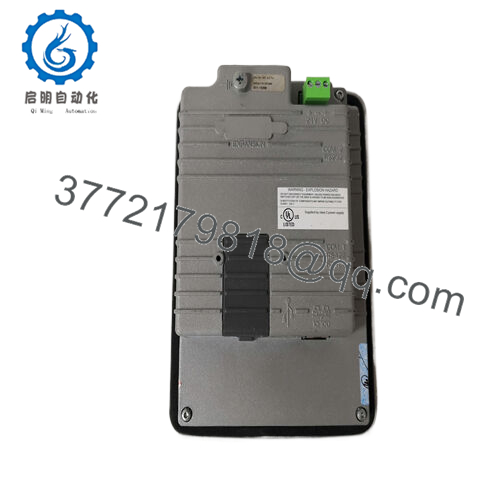
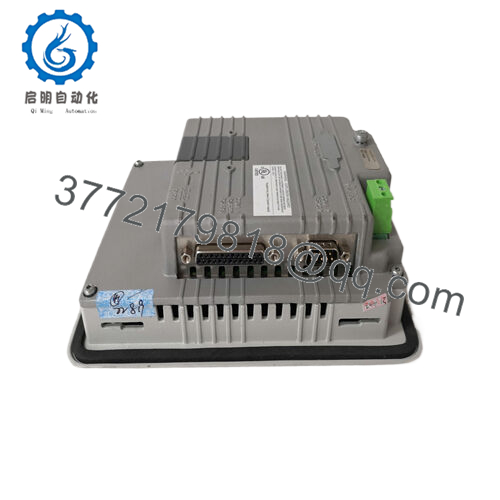
The ABB PP826 3BSE042244R1 is an industrial operator panel designed for direct interaction with ABB control systems. It provides operators with real-time visualization of process variables, alarm status, and manual control commands. Plants deploy this HMI panel in control cabinets or operator desks to monitor production lines, utilities systems, and distributed control environments.
This product is a Brand New Surplus unit. It is not used, not pulled from a decommissioned plant, and not refurbished. All modules undergo rigorous quality verification to ensure OEM-level reliability. From an inventory strategy standpoint, maintaining 1–2 units as buffer stock mitigates lead time variability and prevents shutdown risk when installed panels fail in aging systems.
5. Installation & Configuration Guide
Stage 1: Pre-Installation (Prep & Safety)
- Perform lock-out/tag-out on the control cabinet power supply.
- Confirm the panel supply voltage is 24 V DC and isolated.
- Prepare tools: insulated screwdriver, ESD wrist strap, labeling tags.
- Photograph existing wiring terminals and configuration parameters before removal.
Stage 2: Removal
- Disconnect communication and power connectors from the existing panel.
- Loosen the panel mounting clamps from the cabinet front.
- Carefully extract the unit without pulling on communication cables.
- Inspect connectors and ensure no bent pins or damaged terminals remain.
Stage 3: Installation (Clone & Seat)
- Mount the replacement PP826 3BSE042244R1 into the same panel cutout.
- Secure mounting clamps evenly to prevent panel stress.
- Reconnect power supply and communication cables according to the original wiring photos.
- Verify grounding integrity to prevent EMI noise.
Stage 4: Power-On & Testing
- Restore cabinet power and confirm the 24 V DC rail is stable.
- Observe panel boot sequence and status indicators.
- Verify communication with the PLC/DCS controller.
- Confirm alarm display, operator commands, and screen navigation operate correctly.

- PP826 3BSE042244R1
6. Firmware/Software Versions & Upgrade Notes
- Recommended Firmware: Match the firmware used in the existing installed panel when replacing units in a running system.
- Compatibility Note: Certain firmware revisions require corresponding HMI runtime versions in the ABB control environment.
- Upgrade Risk: Upgrading firmware during a hardware swap can introduce communication mismatches or runtime project incompatibility.
- Best Practice: Document the firmware revision of the original panel before removal and maintain the same revision whenever possible.
- Engineering Tip: Always archive the HMI project file prior to replacement to ensure configuration restoration if needed.
7. Frequently Asked Questions (FAQ)
Q1: Is this ABB PP826 panel truly new?
Yes. This unit is New Surplus / Original New. It originates from authorized supply channels and has never been installed in a plant. Packaging may be opened only for quality verification.
Q2: Why is the price lower than buying directly from the OEM?
OEM factories price new equipment at full list value. Our inventory comes from global surplus channels. You receive genuine hardware at a lower acquisition cost while still avoiding the reliability risk associated with refurbished parts.
Q3: Is the PP826 approaching end-of-life?
Many installations using this HMI belong to mature control systems. Availability fluctuates globally. Plants running these systems should maintain buffer stock of at least one spare unit to reduce exposure to supply disruptions.
Q4: Can the panel be hot-swapped while the control system is running?
No. Operator panels should be replaced only after isolating power. Removing or inserting hardware under power can cause communication faults or damage interface electronics.
Q5: Will the panel retain existing HMI programs automatically?
The program resides in the HMI runtime configuration loaded from the engineering environment. Always back up the project file before replacing hardware to ensure the interface loads correctly.
Q6: What warranty is included?
New Surplus units include a 12month warranty covering functional defects under normal industrial operating conditions.
Q7: What stocking strategy do you recommend?
For facilities running multiple operator stations, maintain 1–2 units as on-site buffer stock. This reduces downtime exposure caused by lead time variability and protects the plant from emergency procurement during a failure event.



