
 WhatsApp: +86 16626708626
 Email:
  Phone: +86 16626708626
Description
Key Technical Specifications
- Manufacturer: Adept Technology
- Part Number: 10350-00104
- Alternate Part Number: 1035000104
- Designation: AWCII-040
- Product Type: VME CPU / processor module
- Bus Architecture: VMEbus
- Form Factor: 6U VME, single-slot
- Controller Family: Adept AWCII
- Application: Adept industrial robot control systems
- Series Classification: CS7 / legacy Adept controller range
- Firmware / Operating System: Verify installed V+ software revision before replacement
- Electrical Ratings: Exact module-level power requirements should be verified against the applicable Adept hardware documentation
Available industrial-part references consistently identify 10350-00104 with the Adept AWCII-040 / 6U VME CPU designation, although some reseller listings describe its function differently. I would therefore verify the board label and hardware revision before treating any third-party electrical specification as authoritative.
Product Introduction
Adept 10350-00104 is an AWCII-040 processor module associated with Adept’s legacy VME-based industrial robot controller hardware. Supplier records identify it as a single-slot 6U VME CPU used in Adept robotic control equipment.
For replacement work, the exact board designation matters. Do not substitute another AWCII processor solely because the connector and VME format appear identical. Confirm the existing controller, board revision, installed V+ software, and application configuration before ordering.
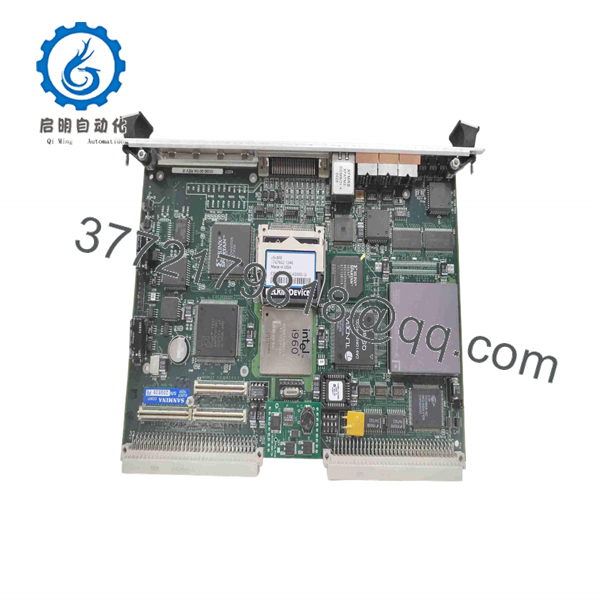
10350-00104
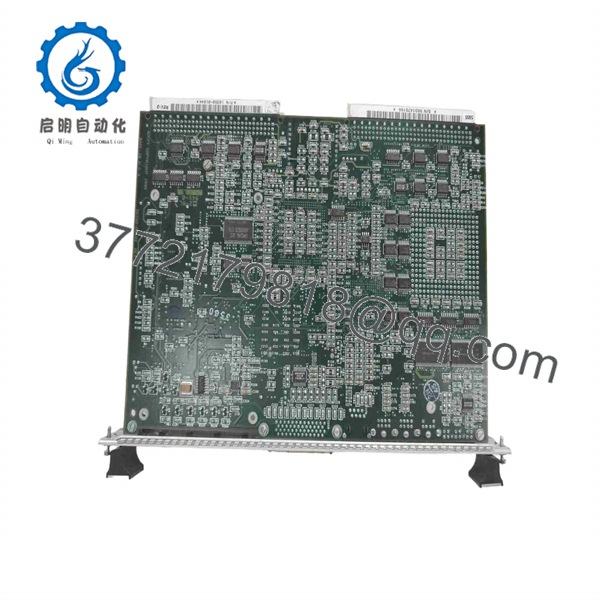
10350-00104
Installation & Configuration Guide
Stage 1: Pre-Installation Preparation — Approximately 5–10 Minutes
⚠️ Safety First: Notify operations, place the robot in a safe state, isolate the controller power, apply lockout/tagout, and allow the equipment to discharge before opening the rack.
Tools Required:
- ESD wrist strap and grounded work surface
- PH1 screwdriver where applicable
- Digital multimeter
- Wire/connector identification labels
- Smartphone or camera for configuration records
Data Backup:
- Record the complete 10350-00104 board label and hardware revision.
- Photograph the existing CPU and adjacent VME modules.
- Record controller model and installed V+ software revision.
- Back up application programs and controller configuration where the system permits.
- Photograph cable positions and connector orientation.
⚠️ Do not rely on memory when replacing a legacy VME processor. A single misplaced connector can turn a straightforward board exchange into a troubleshooting job.
Stage 2: Removing the Old Module — Approximately 5 Minutes
- Power down and isolate the controller.
- Remove the rack cover or front access hardware as required.
- Label connected cables before disconnecting them.
- Release the board retention hardware.
- Pull the 10350-00104 straight out of the VME slot.
- Avoid touching the PCB edge connector or component leads.
- Inspect the VME backplane for contamination, damaged contacts, or mechanical damage.
⚠️ Keep the original processor until the replacement has completed startup and application testing.
Stage 3: Installing the New Module — Approximately 5–10 Minutes
- Put on the ESD wrist strap before handling the replacement.
- Verify that the replacement part number is exactly 10350-00104.
- Compare the replacement board with the original board photograph.
- Confirm connector positions and board identification.
- Align the card with the correct VME slot guides.
- Seat the module evenly without forcing the card.
- Tighten the retention hardware.
- Reconnect cables according to the photographs and labels.
- Confirm that no cable is trapped against the card or rack hardware.
Self-Checklist:
- Part number verified
- Board revision checked
- Correct VME slot confirmed
- Connectors fully seated
- Retention hardware secured
- ESD precautions maintained
Stage 4: Power-On & Testing — Approximately 10 Minutes
- Perform a final visual inspection before energizing the controller.
- Restore controller power.
- Observe the processor status indicators during the boot sequence.
- Check for unexpected processor, VME, or system faults.
- Connect to the appropriate Adept controller interface.
- Verify that the expected V+ environment starts correctly.
- Confirm application and robot configuration data.
- Check controller-to-I/O and motion-system communications.
- Perform a controlled dry-run without production material.
- Test robot homing and low-speed motion before returning to automatic operation.
⚠️ If the controller fails to boot: Do not immediately assume the replacement board is defective. Check board seating, VME slot position, controller configuration, software revision, and connected peripherals first.
⚠️ Firmware/software mismatch: Legacy Adept systems can depend heavily on the controller’s installed V+ environment. Verify the original software revision before replacing the processor.
Frequently Asked Questions (FAQ)
Can the Adept 10350-00104 be hot-swapped?
Do not treat it as a hot-swappable module. The 10350-00104 is identified as a VME CPU/processor board, so replacement should be performed with the controller powered down and isolated unless the exact Adept hardware documentation explicitly permits another procedure.
Is 10350-00104 obsolete?
It is a legacy Adept part and is no longer a typical current-generation controller component. Multiple industrial spare-parts suppliers still list the reference, but availability varies by supplier and condition.
Is 10350-00104 the same as 1035000104?
Yes. 1035000104 is listed as an alternative reference for 10350-00104. Always compare the physical board marking before placing an order.
Will I lose my robot program when replacing the CPU?
Potentially, depending on where the application and V+ system data are stored in the particular Adept controller configuration. Back up the existing application before removing the processor. Do not assume that installing an identical CPU automatically transfers configuration data.
Can another AWCII processor replace 10350-00104?
Not automatically. AWCII processors can have different hardware generations and configurations. For example, supplier documentation separately identifies 10350-01064 as an AWCII 060 processor, while 10350-00104 is associated with the AWCII-040 designation. Treat these as different ordering references unless Adept documentation confirms interchangeability.
What condition should I specify when purchasing this part?
Specify the condition explicitly: New Original / New Surplus / Refurbished and Tested. For a legacy processor, ask the supplier for the actual board photographs, serial number, hardware revision, test report, and warranty terms before purchase.
Why should I verify the exact board before ordering?
Because third-party listings for 10350-00104 are not completely consistent about its function and electrical specifications. Some identify it as an AWCII-040 6U VME CPU, while other listings describe it as a motion or servo interface. For a production replacement, the physical board label, controller model, hardware revision, and original Adept documentation should take precedence over reseller descriptions.



