
 WhatsApp: +86 16626708626
 Email:
  Phone: +86 16626708626
Description
- Key Technical Specifications
| Parameter | Specification / Value |
| Part Number | CF2P |
| Manufacturer | Alcatel / Alcatel-Lucent |
| Module Type | Power Supply Unit Board |
| Input Voltage Range | 36 V DC to 72 V DC (Nominal 48 V DC) / 100-240 V AC (System Config Dependent) |
| Output Voltages | Regulated +5 V DC, +12 V DC, -48 V DC System Rails |
| Max Power Output | 150 W continuous |
| Protection Circuitry | Over-voltage, Over-current, Short-circuit thermal shutdown |
| Form Factor | Rack-mount backplane slot insertion |
| Operating Temperature | −5 °C to +55 °C (+23 °F to +131 °F) |
| Cooling | System convection / Forced air backplane airflow |
| Status Indicators | Front panel Diagnostic LEDs (POWER OK, FAULT) |
- Product Introduction & Supply Chain Strategy
The Alcatel CF2P is a specialized power supply module designed to deliver regulated, clean DC voltage across system backplanes in industrial communication and control racks. It ensures stable power distribution to adjacent CPU and I/O interface cards, preventing power fluctuations from resetting system logic during continuous plant operation.
Procuring this CF2P unit as New Surplus provides a strategic advantage for legacy control systems facing OEM discontinuation. Sourcing verified New Surplus eliminates the high failure risk associated with degraded capacitors found in second-hand parts. This preserves plant uptime, reduces Total Cost of Ownership (TCO), and shields your inventory from unexpected EOL stock-outs without paying exorbitant OEM lead-time premiums.
- Installation & Configuration Guide
1.Stage 1: Pre-Installation (Prep & Safety):Prerequisite & Safety.
Perform Lock-Out/Tag-Out (LOTO) on the incoming feed powering the rack subrack. Wear a grounded ESD wrist strap before handling the CF2P module. Inspect physical keying mechanisms on the backplane and record all dip switch positions or jumper layouts on the board using a camera.
2.Stage 2: Removal:Mechanical Extraction.
Unscrew the top and bottom captive retaining screws on the existing power supply. Gently pull the extraction levers outward simultaneously to unseat the edge connector from the backplane without bending pin connections. Slide the old card straight out along the guide rails.
3.Stage 3: Installation (Clone & Seat):Hardware Alignment.
Verify the hardware DIP switch settings on the replacement CF2P match the original card identically. Align the CF2P board edges with the subrack guide rails. Push the module firmly inward until the backplane connectors fully engage, then lock the extraction levers and tighten the captive retaining screws to 0.6 Nm.
4.Stage 4: Power-On & Testing:Verification.
Measure the main supply lines with a multimeter to verify no line-to-ground shorts exist. Re-energize the rack feeder breaker. Observe the front panel LEDs: verify the green POWER OK LED turns solid on and the red FAULT LED remains dark. Measure output test points to confirm voltage tolerance within ±2%.
- Firmware/Software Versions & Upgrade Notes
- Recommended Version: Hardware Revision dependent; ensure backplane revision parity (Rev B or higher recommended for high-load racks).
- Compatibility Notes: The is an analog/logic power delivery card and operates transparently to system software. However, running older system rack backplane firmwares may require specific power-good handshaking tolerances built into Revision 2.x hardware and above.
- Upgrade/Downgrade Caution: Avoid swapping power supply hardware revisions while the subrack is under full load. Ensure adjacent controller CPU cards are running verified compatible system software versions prior to applying power to prevent logic faults triggered by power-good timing delays.
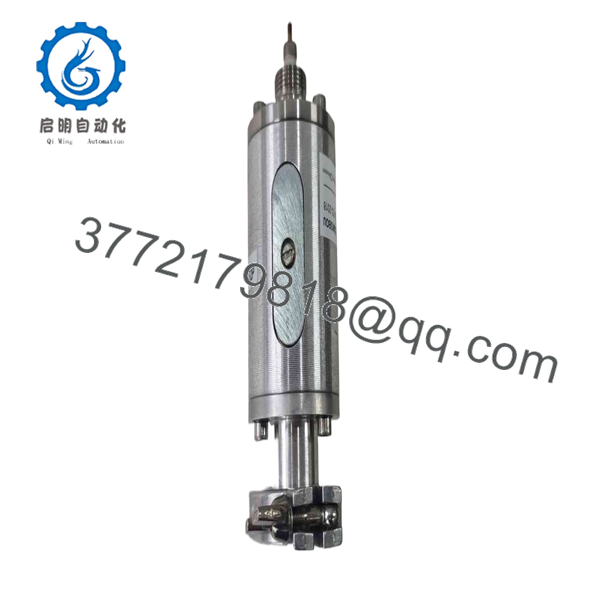
CF2P
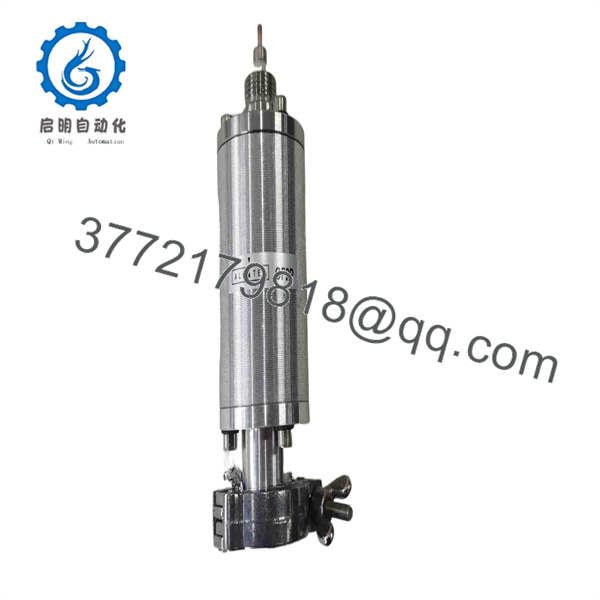
CF2P
- Frequently Asked Questions (FAQ)
Is this Alcatel module truly brand new, or is it pulled from used equipment?
This product is 100% Brand New Surplus. It has never been installed in a working plant, pulled from a decommissioned cabinet, or subjected to operational wear. The unit resides in its original anti-static packaging and underwent strict QC inspection only to verify physical pin integrity and circuit specs.
Why is New Surplus priced lower than OEM list price but higher than refurbished options?
Our pricing reflects the cost of acquiring authentic, original OEM surplus inventory globally. While refurbished options appear cheaper upfront, they carry aged electrolytic capacitors that risk premature breakdown. Buying New Surplus eliminates the risk of a $50,000 shutdown for a fraction of the original OEM list price.
Can I hot-swap the module while the system subrack is powered?
No. Hot-swapping power supply modules on legacy racks without dedicated hot-swap backplane logic can cause voltage spikes or arc bridging across backplane pins. Always shut down power to the rack or power supply slot before removing or inserting the card.
Will I need to program or configure software on the before startup?
The is a hardware power delivery module and does not store software logic. However, you must verify that physical jumper configurations and DIP switches match your legacy card’s exact node address or operational mode settings before applying power.
What warranty coverage is included with this New Surplus module?
Every Alcatel module includes a comprehensive 1-Year replacement warranty. If the unit exhibits any electrical defect or fails system power-up checks under normal operating conditions, we provide an immediate replacement or full credit.



