
 WhatsApp: +86 16626708626
 Email:
  Phone: +86 16626708626
Description
3. Key Technical Specifications
- Max Access Points: 64 APs
- Max Clients: 4,096 concurrent devices
- Firewall Throughput: 8 Gb/s
- Encrypted Throughput (AES-CCM): ~4.4 Gb/s
- Interfaces: 8 × 10/100/1000Base-T or 8 × 1G SFP (combo)
- Form Factor: 1U rack-mount
- Power Consumption: ~55 W
- Management: CLI, Web UI, SNMP, centralized policy control
- Protocols: VLAN (up to 4094), GRE/IPsec tunnels, firewall sessions
- Operating Temperature: 0 to +40 °C
- Dimensions: 4.4 × 30.5 × 21.1 cm
- Weight: ~2.06 kg
4. Product Introduction
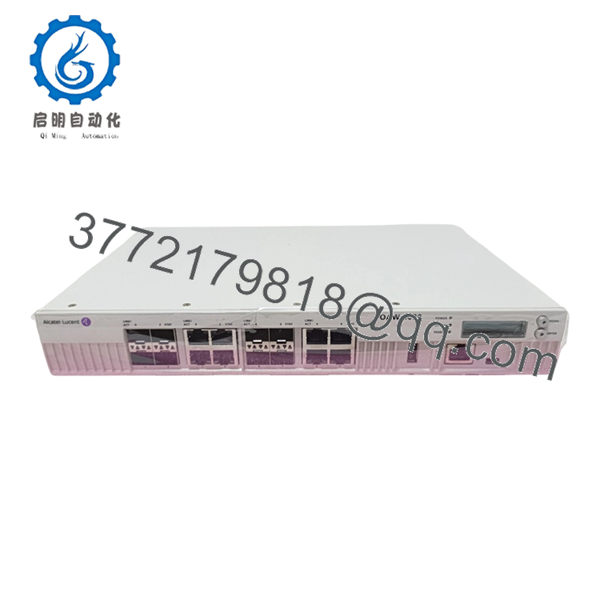
Alcatel-Lucent OAW-4030 is a 1U wireless LAN controller designed for centralized management of enterprise Wi-Fi networks. It supports up to 64 access points and approximately 4,000 concurrent clients, making it suitable for branch campuses and mid-sized enterprise deployments.
In real deployments, this unit is commonly used to unify wired and wireless policy enforcement, handling authentication, tunneling, and firewalling at the controller level. It’s often retained in legacy networks where replacing the controller would require a full migration of AP infrastructure and licensing.
5. Installation & Configuration Guide
Stage 1: Pre-Installation Preparation (Estimated: 15 minutes)
- ⚠️ Safety First: Notify IT operations, schedule maintenance window, and ensure Wi-Fi service impact is understood.
- Tools Required: ESD strap, console cable (RJ45/USB), laptop, network tester, smartphone.
- Data Backup:
- Export controller configuration (running + startup config)
- Document AP licenses and mappings
- Record VLAN, SSID, and IP addressing
Stage 2: Removing the Old Module (Estimated: 10 minutes)
- Disconnect uplink and AP trunk ports (label cables).
- Power down unit.
- Remove rack screws and slide unit out.
- Inspect rack rails and airflow path.
- ⚠️ Note: Keep original controller powered off but available for rollback.
Stage 3: Installing the New Module (Estimated: 10–15 minutes)
- Apply ESD protection. Verify model OAW-4030.
- Mount in rack (1U space).
- Connect management and uplink interfaces.
- Reconnect AP network trunk ports.
- Self-Checklist:
- Correct VLAN trunk configured
- Management IP reachable
- Ports mapped correctly
- Unit securely mounted
Stage 4: Power-On & Testing (Estimated: 20–30 minutes)
- Pre-Power Check: Verify no network loops and proper uplink configuration.
- Power-On Steps:
- Power on controller.
- Connect via console or web UI.
- Verify firmware version and system status.
- Restore configuration backup if required.
- Confirm APs join controller.
- Test SSIDs and client connectivity.
- ⚠️ Troubleshooting Note:
- APs not joining → firmware mismatch or licensing issue
- Clients cannot connect → VLAN or DHCP misconfiguration
- High latency → controller CPU load or tunnel misconfig
6. Frequently Asked Questions (FAQ)
Q1: Can I replace this controller without reconfiguring APs?
Yes, if you restore the exact configuration and licenses. Otherwise, APs may fail to join due to controller discovery or certificate mismatch.
Q2: Is OAW-4030 obsolete?
Yes. This platform is no longer in active production. Most deployments are maintained as-is because migrating requires replacing both controller and AP ecosystem.
Q3: What happens if firmware versions don’t match the APs?
❗ APs will refuse to join.
I’ve seen cases where engineers replaced a controller and spent hours troubleshooting — the issue was simply firmware incompatibility.
Q4: Can this handle modern Wi-Fi 6 access points?
No. It’s designed for older OmniAccess AP generations (Wi-Fi 4/5 era). Newer APs require newer controllers or cloud-based solutions.
Q5: Why is performance inconsistent under load?
This controller tops out around 4,000 clients and 8 Gb/s firewall throughput. If you push dense deployments, CPU and session limits become bottlenecks.
Q6: Why is pricing relatively low on the secondary market?
Because:
- It’s legacy hardware
- Enterprises are migrating to cloud-managed WLAN
- Supply comes from decommissioned networks
Q7: What’s the most common deployment mistake?
❗ Misconfigured VLAN trunking.
I’ve seen perfectly configured controllers fail because AP traffic was landing in the wrong VLAN. Always verify trunk tagging before blaming the controller.

- OAW-4030
SOP Quality Transparency (Inspection & Testing Process)
1. Inbound Inspection & Traceability
- Verified model (OAW-4030) and part number
- Serial number checked against OEM format
- Visual inspection (no corrosion, no port damage)
- Port integrity check (RJ45/SFP cages)
2. Live Functional Testing
- Tested in a real OmniAccess lab setup
- Boot sequence and LED diagnostics verified
- AP join test performed (simulated WLAN environment)
- VLAN and tunnel traffic validated
- 24-hour load test with simulated clients
- Test report generated (available upon request)
3. Electrical Parameter Testing
- Insulation resistance >10 MΩ @ 500 V
- Ground continuity verified
- Power draw measured using Fluke 115
4. Firmware & Configuration Verification
- Firmware version recorded
- Reset and restore cycle tested
- Configuration backup/restore validated
5. Final QC & Packaging
- QC sign-off with traceability
- ESD-safe packaging
- Reinforced export carton
- Shock protection with foam inserts
Test photos and videos available upon request.
Technical Pitfall & Survival Guide
1. Firmware Mismatch with APs
❗ Seen this many times.
Controller boots fine, but APs never join.
Avoidance: Match firmware versions before installation.
2. Licensing Limits
❗ Hard limit at 64 APs.
Exceed it, and new APs won’t register.
Avoidance: Check license count before expansion.
3. VLAN Misconfiguration
❗ Most common field issue.
Clients connect but no network access.
Avoidance: Validate trunk ports and VLAN tagging.
4. Capacity Overload
❗ Around 4,000 clients is the practical ceiling.
Beyond that, latency and drops increase.
Avoidance: Distribute load or upgrade architecture.
5. ESD / Port Damage
❗ RJ45 and SFP ports are sensitive.
I’ve seen intermittent faults caused by minor connector damage.
Avoidance: Inspect and handle carefully during installation.



