WhatsApp: +86 16626708626
 Email:
 Phone: +86 16626708626
Description
Key Technical Specifications
| Parameter | Value |
|---|---|
| Manufacturer | Alcatel-Lucent |
| Part Number | OS9-GNI-U24 |
| Platform | OmniSwitch 9000 series chassis |
| Port Count | 24 ports |
| Port Type | 1000Base-X SFP (mini-GBIC) slots |
| Data Rate | 1 Gbps per port |
| SFP Types Supported | SFP-GIG-SX (850 nm multimode), SFP-GIG-LX (1310 nm single-mode); also interoperates with SFP-100 series at 100 Mbit |
| Speed/Duplex | Auto-negotiation supported |
| Installation | Hot-swappable module insertion |
| Form Factor | OmniSwitch 9000 chassis slot |
| Companion Modules | OS9-GNI-C24, OS9-GNI-P24, OS9-GNI-C48T, OS9-GNI-C20L, OS9-XNI-U2/U6 (10G) |
| Status | Legacy / end-of-life platform |
Product Introduction
The Alcatel-Lucent OS9-GNI-U24 is a 24-port Gigabit Ethernet network interface module for OmniSwitch 9000 series chassis switches. Each port is an SFP (mini-GBIC) slot taking fiber transceivers — multimode SX for short campus runs, single-mode LX for long haul — which is why data centers and industrial backbones standardized on this card for flexible fiber uplinks. It hot-swaps into the chassis without powering down the switch.
The reason this card still moves in volume: OmniSwitch 9000 chassis are still running in enterprise core networks and industrial plants, and Alcatel-Lucent no longer produces spares. When a GNI module fails or you need to expand fiber density on a live chassis, a tested refurbished unit is the only economical route short of a full switch migration. The module auto-negotiates speed and duplex per port and interoperates with standard SFP-GIG-SX/LX transceivers. Verify your chassis slot type (OS9700 vs. OS9600) and AOS release before ordering — older OmniSwitch 9000 software releases have module support matrixes worth checking.
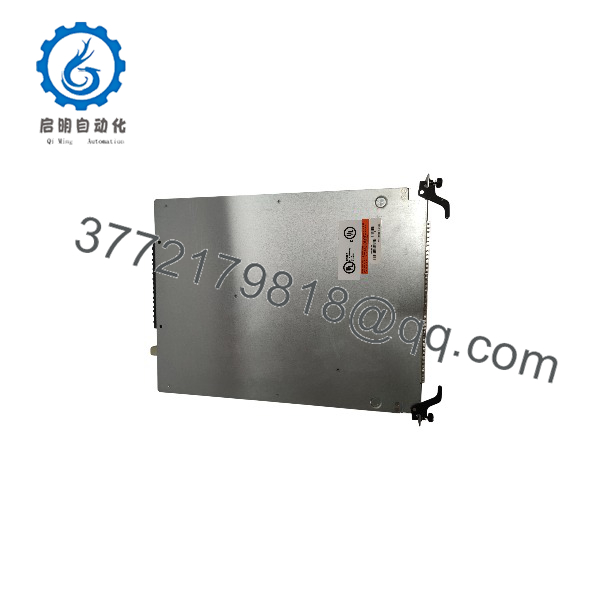
OS9-GNI-U24
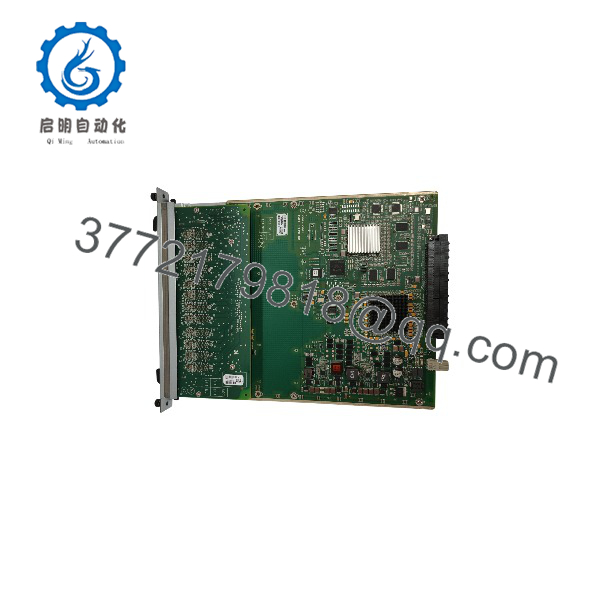
OS9-GNI-U24
Troubleshooting Quick Reference
| Symptom | Possible Cause | Relevance to this Part | Quick Check Method | Recommendation |
|---|---|---|---|---|
| Module not recognized by chassis | Card not fully seated / backplane connector fault | ✅ High | Reseat the module with the ejector levers; check chassis logs for slot-level errors | Reseat first — partial insertion is the most common cause |
| Some ports down, link LED off | Bad or wrong SFP transceiver / fiber fault | ❌ Low | Swap the SFP with a known-good unit; clean fiber connectors; check the far-end transceiver | Replace the SFP, not the module |
| All ports down, module power LED off | Chassis slot power supply failure | ❌ Low | Move the module to a known-good slot; check PSU status LEDs on the chassis | Fault is slot or PSU side — contact chassis support |
| Link up but traffic errors / CRC climbing | Dirty fiber, bent patch cord, or duplex mismatch | ❌ Low | Clean ferrules with one-click cleaner; run a light meter on the fiber; force matching duplex at both ends | Fix the fiber plant before suspecting the card |
| Intermittent port flapping | Failing SFP or marginal fiber run | ❌ Low | Swap SFP, then test the fiber pair with an OTDR or loopback | Isolate the failing component — module rarely the cause |
| Module recognized but ports stuck in disabled state | AOS configuration / port admin-down state | ❌ Low | Check port admin status in CLI (show interfaces); look for port isolation from security config |
Clear the config — this is a software state, not hardware |
Straight answer: on the OS9-GNI-U24, the module itself rarely fails. Most calls trace back to a dead SFP, dirty fiber, or a module that wasn’t seated to the backplane hard enough — the ejector lever needs to close with real pressure. If you’ve worked the table and the card is confirmed bad, contact technical support with the chassis model, slot number, show module output, and photos of the card — we’ll confirm before you order a replacement.
Frequently Asked Questions
Q1: Is this module hot-swappable?
Yes. The OS9-GNI-U24 inserts and removes into a running OmniSwitch 9000 chassis without a power-down — that’s by design. But respect the process: shut down or reroute traffic off the module’s ports first, pull it with the ejector levers (never yank it by the faceplate), and seat the replacement until the levers lock. I’ve watched guys muscle a card in half-seated, then spend an hour troubleshooting “dead ports” that were really a backplane connector that never mated. Levers closed = seated.
Q2: What’s the difference between the OS9-GNI-U24 and the OS9-GNI-C24 or OS9-GNI-U24E?
Different chassis targets. The OS9-GNI-U24 goes into the OmniSwitch 9000 series (OS9700/OS9600) chassis. The OS9-GNI-C24 is a companion 24-port variant with different port grouping on the same platform. The OS9-GNI-U24E is for the OS9E (OmniSwitch 9700E) generation — same port count, different platform, and the two are NOT interchangeable. Check your chassis nameplate before ordering. If there’s any doubt, send us the show module output from your switch and we’ll confirm the correct part.
Q3: What condition is this unit in?
Because Alcatel-Lucent discontinued the OmniSwitch 9000 platform, available stock is Refurbished (tested) or New Surplus when we can get it. Every refurbished unit goes through our full bench process: inbound inspection and serial verification against Alcatel-Lucent records, visual inspection for connector damage and PCB corrosion, power-up in a genuine OmniSwitch 9000 test chassis, module recognition test, SFP link test on sample ports with known-good SX transceivers, port-level traffic pass with a traffic generator, and a 24-hour continuous-run soak with error-counter monitoring. We record and document the final error counters — a clean test ships with the unit. Test reports and photos available on request. We’ll tell you the exact condition before payment.
Q4: Why is this cheaper than what my VAR quoted?
Your VAR is quoting allocation pricing on an end-of-life part with a shrinking supply pool. We source through the refurbished and surplus channel — decommissioned enterprise networks, spares stock liquidations — and test in-house before resale. The hardware is genuine Alcatel-Lucent. For a chassis that still runs production traffic and will for years, a tested module at this price beats a six-figure migration schedule you weren’t ready to start anyway.
Q5: What warranty do you offer?
A 1-year replacement warranty on functional failure under normal operating conditions — correct chassis, correct slot type, proper SFP transceivers. Not covered: damage from forcing the card into the wrong chassis, backplane damage from improper seating, SFP port damage from bent LC connectors, and environmental damage (water ingress, thermal events). One field warning: don’t mix unverified third-party SFPs and blame the module when links misbehave — we’ll ask for the show transceiver output before any warranty claim.
Q6: Will my switch configuration survive a module swap?
Yes. The port configuration lives in the chassis AOS configuration, not on the module. Swap the card, the chassis re-applies the config to the new module’s ports, and your VLANs and settings come back. Two caveats: back up your running config before the swap (copy running-config to flash or TFTP) — never trust a swap on an unbacked-up switch — and expect a brief link bounce on all 24 ports when the new card initializes, so schedule the work in a maintenance window if those ports carry production traffic.
Q7: Do you ship internationally, and how fast?
Yes — worldwide via DHL, FedEx, or UPS. In-stock units ship within 1–2 business days. Because this is a discontinued module, stock varies; refurbished units are usually available, new surplus is rare. Every unit ships in an anti-static bag, bubble-wrapped, in a heavy-duty double-wall box with a QC Passed label and test date. For a chassis-down or capacity emergency, call us directly — we’ll confirm shelf stock before you commit.