WhatsApp: +86 16626708626
 Email:
 Phone: +86 16626708626
Description
Key Technical Specifications
| Parameter | Value |
|---|---|
| Catalog number | OS9-GNI-U24E |
| Brand | Alcatel-Lucent |
| Platform | OmniSwitch 9000E modular chassis |
| Product type | Gigabit Ethernet network interface card |
| Fiber ports | 24 × unpopulated 1000Base-X SFP / Mini-GBIC MSA ports |
| Data rate | 1 Gbps per port |
| SFP transceivers | Not included; order separately based on fiber type, wavelength, and distance |
| Chassis management requirement | Requires E-series Chassis Management Modules (CMMs) |
| Related power module | OS-PWR-E |
| Hot-swap capability | Yes |
| Typical power consumption | Less than 40 W |
| Operating temperature | 0 to 40°C (32 to 104°F) |
| Storage temperature | −20 to 70°C (−4 to 158°F) |
| Operating humidity | 10 to 95% RH, non-condensing |
| Supported Ethernet standard | IEEE 802.3z |
| Physical form | Modular plug-in chassis line card |
| NSN | 5999-01-603-9937 |
The OS9-GNI-U24E is a 24-port, unpopulated 1000Base-X SFP network interface for the Alcatel-Lucent OmniSwitch 9000E chassis. It requires compatible E-series CMMs and separate SFP transceivers; the line card itself does not include optics.
Product Introduction
The Alcatel-Lucent OS9-GNI-U24E is a hot-swappable 24-port Gigabit Ethernet line card for OmniSwitch 9000E chassis switches. It provides high-density 1000Base-X SFP connectivity for fiber aggregation, core-network expansion, and maintenance of existing OmniSwitch 9000E installations.
Its practical advantage is direct chassis compatibility without changing the existing OmniSwitch architecture. Because the SFP cages are unpopulated, the buyer must select optics matched to the installed fiber plant—typically 1000Base-SX for multimode short-reach links or 1000Base-LX for single-mode longer-reach links.
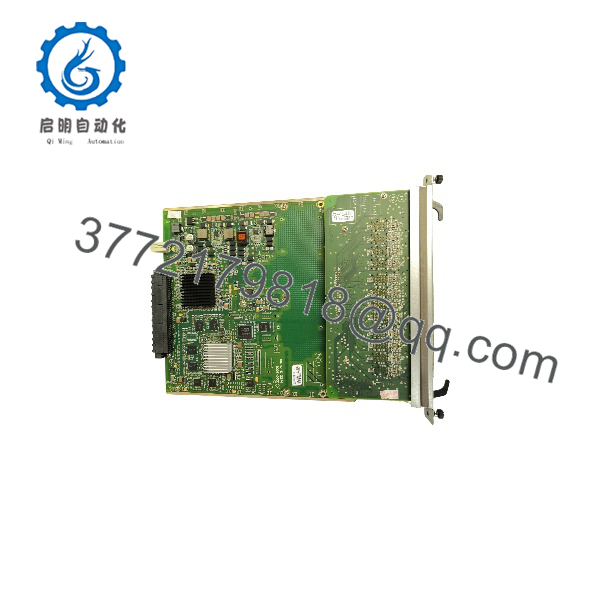
OS9-GNI-U24E
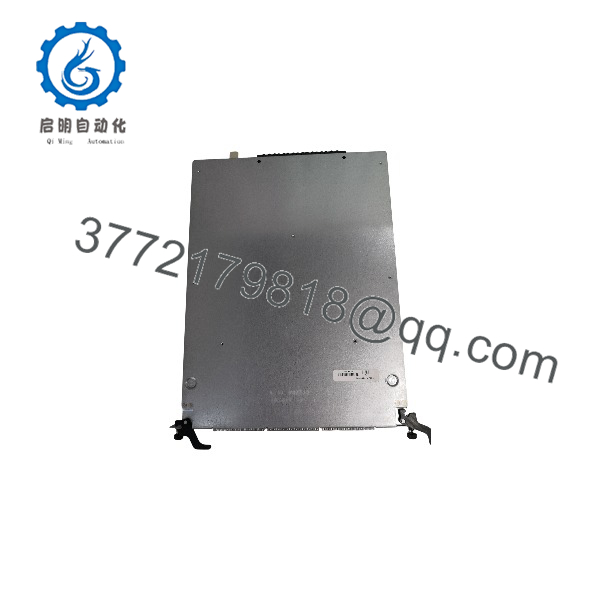
OS9-GNI-U24E
Installation & Configuration Guide
Stage 1: Pre-Installation Preparation
Estimated time: 10 minutes.
- ⚠️ Confirm the target OmniSwitch 9000E chassis uses E-series CMMs; the OS9-GNI-U24E requires E-series management modules.
- Back up the running configuration through the OmniSwitch CLI or management interface.
- Record the target slot, VLAN assignments, port descriptions, link aggregation, Spanning Tree settings, and QoS configuration.
- Verify the replacement is exactly OS9-GNI-U24E, not OS9-GNI-C24E or OS9-GNI-P24E.
- Confirm the SFP transceivers match the fiber type, wavelength, connector, and link distance.
- Wear a grounded ESD wrist strap and handle the card by its metal frame.
Stage 2: Removing the Old Line Card
Estimated time: 5–10 minutes.
- ⚠️ Although the module is hot-swappable, administratively disable its ports before removal when the network permits.
- Label all 24 fiber patch cords by chassis slot and physical port number.
- Disconnect the SFP fiber links; do not pull on the fiber jackets.
- Release the captive screws or ejector mechanism.
- Withdraw the card straight out along the chassis guides.
- Inspect the chassis connector cavity, card guides, and replacement-card edge connector for debris, bent contacts, or damage.
⚠️ Retain the removed OS9-GNI-U24E until the replacement has passed link, VLAN, and redundancy checks.
Stage 3: Installing the New Line Card
Estimated time: 5 minutes.
- Verify the model label reads .
- Confirm the target slot is empty and accepts a GNI-class network interface card.
- Align the card with the chassis guide rails and insert it firmly until the backplane connector seats.
- Secure the captive screws or locking mechanism.
- Install compatible SFP transceivers into the required ports.
- Reconnect labeled fiber patch cords and confirm the connectors latch fully.
Self-checklist:
- Correct OS9-GNI-U24E model confirmed
- E-series CMM compatibility confirmed
- Card fully seated and secured
- SFP transceivers compatible with fiber plant
- Fiber cables labeled and connected
- Chassis configuration backup available
Stage 4: Power-On & Testing
Estimated time: 10–15 minutes.
- Observe chassis and line-card status LEDs after insertion.
- Log in to the OmniSwitch CLI and confirm the chassis recognizes the card in the intended slot.
- Verify the AOS software version and module operational status.
- Apply or restore the saved port configuration.
- Check each active SFP port for optical link status, negotiated speed, and correct VLAN membership.
- Perform end-to-end connectivity tests across both access and uplink paths.
- Confirm redundant CMM and power-supply status before returning the chassis to normal service.
⚠️ If an SFP port fails to link, check the transceiver model, fiber polarity, cleaning condition, wavelength match, and configured port state before assuming the line card is defective.
Frequently Asked Questions (FAQ)
Can I hot-swap the OS9-GNI-U24E?
Yes. It is a hot-pluggable OmniSwitch 9000E line card. In a production network, disable the affected ports first to prevent unnecessary traffic loss.
Are SFP transceivers included?
No. The card has 24 unpopulated SFP/Mini-GBIC MSA cages. Order transceivers separately according to the required fiber type, wavelength, connector, and distance.
Does this card support 10/100/1000 auto-negotiation?
No. The OS9-GNI-U24E provides 24 fixed 1000Base-X SFP ports. It is not a 10/100/1000Base-T copper module.
Which chassis management modules are required?
It requires Alcatel-Lucent E-series CMMs. Confirm the installed CMM type and AOS release before installation.
Is the OS9-GNI-U24E obsolete?
It is legacy OmniSwitch 9000E hardware. New-original availability is limited, while refurbished and surplus units remain available through specialist suppliers.
Will replacing the card erase the switch configuration?
No. The chassis configuration is stored in the OmniSwitch control/management subsystem, not on the GNI line card. Back up the configuration before replacement as standard practice.
Why does pricing vary between listings?
Condition, included SFP optics, warranty length, and test depth drive the price. A bare card without transceivers can cost much less than a tested unit supplied with matched optics and a documented warranty.