
 WhatsApp: +86 16626708626
 Email:
  Phone: +86 16626708626
Description
| Parameter | Specification |
| Input Voltage | 100–240 V AC, 1-Phase / 3-Phase, 47–63 Hz |
| Continuous Output Current | 7.5 A rms (10.6 A 0-peak) |
| Peak Output Current | 15 A rms (21.2 A 0-peak) |
| Continuous Power Output | 1.0 kW @ 230 V AC |
| Bus Voltage Range | 141–339 V DC |
| Auxiliary Control Power Input | 100–240 V AC, 50/60 Hz |
| Encoder Feedback Supported | Incremental Encoder (A/B/Index), Hall Effect Signals |
| Communication Ports | RS-232 / RS-485 Serial Port (UltraWare Interface) |
| Operating Temperature | 0 to 50 °C (32 to 122 °F) |
| Enclosure Protection | IP20 / Open Type |
This product is a Brand New Surplus unit. It is not used, not pulled from a decommissioned plant, and not refurbished. All modules undergo rigorous quality verification to ensure OEM-level reliability.
The Allen-Bradley 1398-DDM-019 is a 1.0 kW single-axis digital AC servo drive designed for high-precision position, velocity, and torque control in automated assembly lines, packaging machinery, and material handling systems.
Sourcing this unit as New Surplus preserves line availability without forcing costly retrofits on legacy equipment. Securing factory-sealed spare inventory eliminates downtime risk, optimizes Total Cost of Ownership (TCO), and protects against premature component degradation common in pre-owned drives.
Stage 1: Pre-Installation (Prep & Safety)
- Execute Lock-Out/Tag-Out (LOTO) protocols on the main 100–240 V AC line input and 24 V DC auxiliary control power.
- Put on an ESD grounded wrist strap before handling internal DIP switches or wiring blocks.
- Document or photograph DIP switch address settings, jumper positions, and motor feedback wiring.
- Verify using a digital multimeter that the internal DC bus voltage has completely discharged below 50 V DC.
Stage 2: Removal
- Unplug the motor power, feedback encoder, and I/O command cable connectors from the drive panel.
- Disconnect serial communication cables (RS-232 / RS-485) attached to the commissioning port.
- Loosen the upper and lower panel mounting screws securing the 1398-DDM-019 chassis to the backplate.
- Carefully lift the module out of the electrical enclosure without applying pressure to the terminal blocks.
Stage 3: Installation (Clone & Seat)
- Align the DIP switch node settings and baud rate jumpers on the new 1398-DDM-019 to match the original unit.
- Mount the chassis securely onto the enclosure subpanel and torque mounting screws to 2.0 N·m (18 lb-in).
- Connect line power, motor leads, feedback encoder wiring, and command I/O harnesses according to OEM schematics.
- Verify ground wires attach firmly to the chassis ground stud to eliminate electromagnetic interference.
Stage 4: Power-On & Testing
- Apply control power and verify the drive front panel LED indicator shows proper initialization without fault codes.
- Connect a PC running UltraWare software via the serial interface port to confirm motor parameter configuration.
- Energize main 3-phase or 1-phase AC input power; monitor bus voltage stability in UltraWare diagnostic mode.
- Execute a low-speed jog test to verify motor encoder feedback alignment and direction of rotation.
The 1398-DDM-019 drive is configured using Allen-Bradley UltraWare software (Version 1.80 or higher).
- Compatibility: Firmware revisions 2.xx and 3.xx support standard incremental encoder feedback and digital command inputs. Ensure your motor database file (.GDF) matches the connected servo motor model exactly.
- Firmware Risks: Upload drive parameter files (.UDP) from the old unit prior to hardware removal. Flashing firmware over RS-232 during power fluctuations can corrupt internal flash memory; maintain a dedicated UPS on the commissioning laptop during firmware updates.
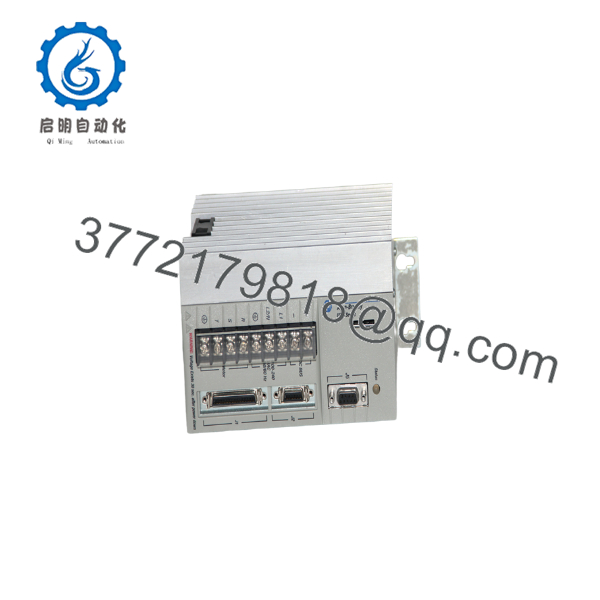
1398-DDM-019
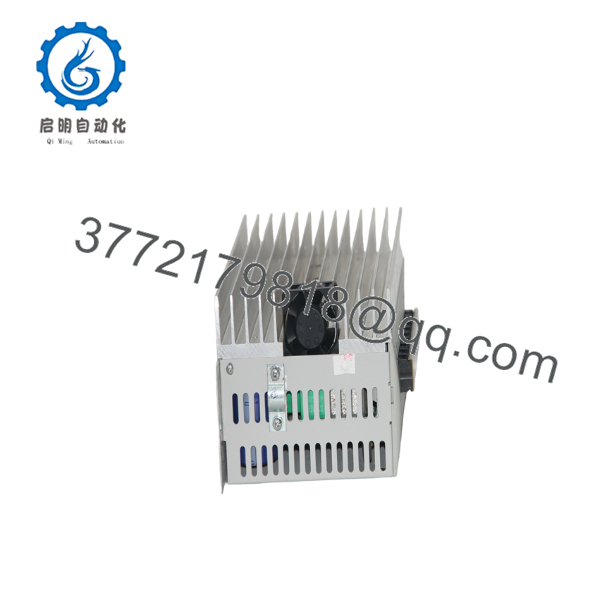
1398-DDM-019
Q: Why is this New Surplus 1398-DDM-019 priced higher than repaired options, but lower than original factory list?
A: Our pricing reflects genuine New Surplus supply chain sourcing. Refurbished or repaired drives carry hidden risks from worn capacitors and degraded power transistors. Buying New Surplus guarantees OEM reliability while providing significant savings off original factory list prices.
Q: Are these modules genuinely new and unused?
A: Yes. All inventory consists of original OEM New Surplus units. Packages are opened strictly under static-safe laboratory conditions for serial verification and optical inspection. Terminal connections feature zero wear, and internal power components maintain 100% factory operating life.
Q: Is the Allen-Bradley 1398-DDM-019 drive discontinued?
A: Yes, Rockwell Automation has officially discontinued the Ultra 100 series (1398 drives). Acquiring New Surplus units enables plant managers to keep critical machines running without incurring multi-thousand-dollar cabinet redesigns to modern Kinetix drives.
Q: Can I replace a 1398- with a different current-rated Ultra drive?
A: Replacing a 1398- (7.5 A continuous / 15 A peak) with a smaller drive will cause overcurrent tripping under load. Using a larger drive requires modifying motor current limit parameters in UltraWare to prevent motor thermal damage.
Q: Does this drive store motor and tuning parameters internally?
A: Yes, parameter configurations reside in non-volatile EEPROM memory within the drive. When replacing hardware, you must upload the parameter set from the original unit using UltraWare and download it into the new drive before operation.
Q: What warranty coverage applies to this drive?
A: Every New Surplus unit includes a full 1-year functional replacement warranty. If an issue occurs under rated operating conditions, we dispatch a replacement unit from local buffer stock immediately.



