
 WhatsApp: +86 16626708626
 Email:
  Phone: +86 16626708626
Description
Key Technical Specifications
| Parameter | Value |
|---|---|
| Product Type | Combination Analog I/O Module |
| Product Family | SLC 500 |
| Analog Inputs | 2 Differential Channels |
| Analog Outputs | 2 Channels |
| Input Types | Voltage or Current (channel selectable) |
| Output Version | 1746-NIO4I: 0–20 mA Current Output 1746-NIO4V: ±10 V Voltage Output |
| Input Signal | ±10 VDC or ±20 mA |
| Backplane Current | 55 mA @ 5 VDC |
| 24 VDC Backplane Current | 145 mA (NIO4I), 115 mA (NIO4V) |
| Isolation | 500 VAC / 710 VDC |
| Operating Temperature | 0 to 60 °C |
| Product Status | Discontinued |
The combination analog I/O modules provide two differential analog inputs together with two analog outputs, allowing a single slot to perform both measurement and analog control functions. Both versions were discontinued by Rockwell Automation on April 29, 2021.
Product Introduction
The Allen-Bradley 1746-NIO4 family is designed for SLC 500 control systems requiring both analog monitoring and analog output within a single module. Typical applications include closed-loop temperature control, pressure regulation, flow control, and variable-speed process control where sensor feedback and analog control signals are handled simultaneously.
The two analog input channels accept either voltage or current signals, while the output section depends on the catalog number selected. The 1746-NIO4I provides current outputs, whereas the 1746-NIO4V provides voltage outputs. Selecting the correct version is critical because the output hardware cannot be changed through software.
Installation & Configuration Guide
Stage 1 – Pre-Installation Preparation (10 Minutes)
⚠️ Safety First
- Notify operators of planned downtime.
- Perform Lockout/Tagout procedures.
- Remove chassis power and verify zero voltage.
- Wear an ESD wrist strap before handling the module.
Required Tools
- Phillips screwdriver
- Digital multimeter
- Wire labels
- ESD wrist strap
- RSLogix 500
Before Removal
- Upload and save the PLC program.
- Record analog scaling parameters.
- Photograph field wiring.
- Document whether the installed module is NIO4I or NIO4V.
Stage 2 – Remove Existing Module (10 Minutes)
- Disconnect field wiring.
- Remove the terminal block.
- Release the retaining tabs.
- Pull the module straight from the chassis.
- Inspect the backplane connector for damage or contamination.
⚠️ Keep the original module available until the replacement has been fully tested.
Stage 3 – Install the Replacement Module (15 Minutes)
- Verify the catalog number matches the original (1746-NIO4I or 1746-NIO4V).
- Install the module into the chassis.
- Reconnect analog input and output wiring.
- Verify polarity and shielding.
- Confirm configuration parameters in RSLogix 500.
Installation Checklist
- ✅ Correct model installed
- ✅ Output type verified
- ✅ Analog wiring checked
- ✅ Module fully seated
- ✅ Shield grounding confirmed
Stage 4 – Power-Up & Commissioning (15 Minutes)
- Restore system power.
- Verify the module is detected by the processor.
- Check raw analog input values.
- Verify analog output signals with a calibrated meter.
- Confirm engineering-unit scaling.
- Test the complete control loop before returning the equipment to service.
⚠️ One of the most common replacement mistakes is installing a 1746-NIO4V where a 1746-NIO4I is required (or vice versa). The module may communicate normally, but the field device will not receive the correct output signal.
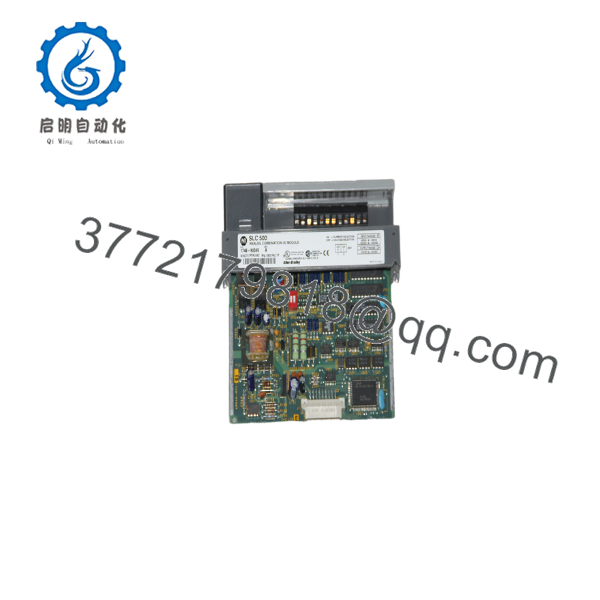
1746-NIO4
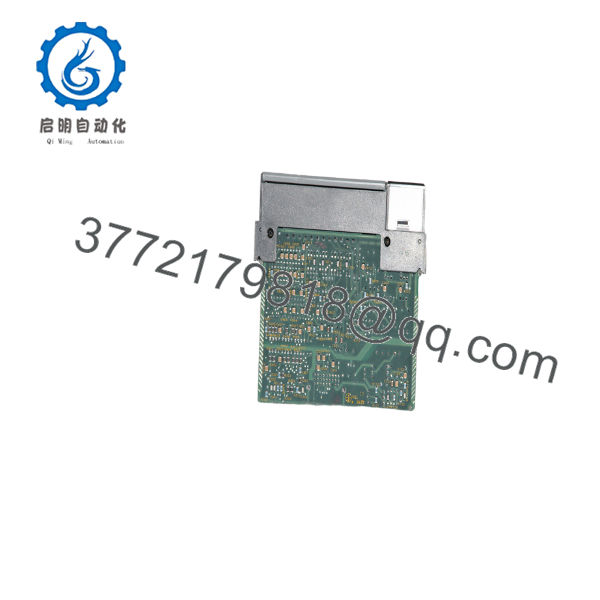
1746-NIO4
Frequently Asked Questions
Is there a standard catalog number called 1746-NIO4?
Not officially. Rockwell Automation identifies these modules as (current output) and (voltage output). If documentation simply states 1746-NIO4, confirm which output version your application requires before purchasing.
What is the difference between the and ?
- — 2 analog inputs + 2 current outputs (0–20 mA)
- — 2 analog inputs + 2 voltage outputs (±10 V)
Are these modules still manufactured?
No. Both modules were discontinued by Rockwell Automation on April 29, 2021. Available inventory generally consists of new surplus or professionally tested refurbished units.
Will replacing the module affect my PLC program?
No. The PLC program remains stored in the SLC processor. However, verify channel configuration, scaling, and analog output calibration after installation.
Why are my analog outputs incorrect after replacement?
Typical causes include:
- Wrong module version (current vs. voltage output)
- Incorrect channel configuration
- Wiring polarity errors
- Scaling mismatch
- Output loop wiring faults
In many cases, the module is operating correctly, but the installed version does not match the application requirements.
What should I verify before ordering?
Confirm the following:
- Exact catalog number ( or )
- Required analog output type (current or voltage)
- Input signal type
- SLC 500 chassis compatibility
- Terminal block condition
- Existing field wiring configuration
Verifying these details before ordering helps avoid compatibility issues and shortens commissioning time.



