
 WhatsApp: +86 16626708626
 Email:
  Phone: +86 16626708626
Description
Key Technical Specifications
| Parameter | Specification Value |
|---|---|
| Catalog Number | 1747-L511 |
| Processor Type | SLC 5/01 Controller |
| User Memory Capacity | 1K Words (Instructions) |
| Communication Interface | DH-485 (via 8-pin RJ45 connector) |
| Backplane Current (5V DC) | 90 mA |
| Backplane Current (24V DC) | 0 mA |
| Max Local I/O Capacity | Up to 394 I/O points (max 3 chassis / 30 slots) |
| Program Memory Back-Up | Capacitor (30 minutes) / Optional Lithium Battery (1747-BA) |
| EEPROM Support | Optional Memory Module (1747-M1 or 1747-M2) |
| Execution Time | 8 ms per 1K words (typical instruction mix) |
| Status Indicators | RUN, CPU FAULT, BATTERY LOW, FORCED I/O LEDs |
Product Introduction & Supply Chain Strategy
This product is a Brand New Surplus unit. It is not used, not pulled from a decommissioned plant, and not refurbished. All modules undergo rigorous quality verification to ensure OEM-level reliability. The Allen-Bradley 1747-L511 is an entry-level SLC 5/01 CPU module designed for standalone machine automation and localized industrial process control. It slots directly into Slot 0 of any 1746 chassis to execute ladder logic programs, manage local discrete/analog I/O cards, and communicate across legacy DH-485 networks.
Because Rockwell Automation has fully discontinued the SLC 500 platform, sourcing the 1747-L511 as New Surplus is an essential Total Cost of Ownership (TCO) management strategy. Installing refurbished processor cards introduces severe operational risks: aged onboard memory capacitors and worn backplane edge connectors frequently cause memory corruption, false processor faults, and unrecoverable program loss. Keeping a factory-fresh surplus 1747-L511 unit on-site as strategic insurance guarantees immediate recovery during a CPU failure without spending hundreds of thousands of dollars on complete control system migration.
Installation & Configuration Guide
Stage 1: Pre-Installation (Prep & Safety)
Isolate power, secure static protections, and back up logic
1.Stage 1: Pre-Installation (Prep & Safety):Isolate power, secure static protections, and back up logic.
- Perform strict Lock-Out/Tag-Out (LOTO) on the SLC chassis power supply.
- Wear a grounded Electrostatic Discharge (ESD) wrist strap connected to unpainted panel steel.
- Ensure a current offline copy (
.RSSfile) of the ladder logic program is saved on your maintenance terminal via RSLogix 500.
Stage 2: Removal
Safely disengage the CPU card from Slot 0
2.Stage 2: Removal:Safely disengage the CPU card from Slot 0.
- Disconnect the DH-485 network cable from the RJ45 port on the front panel.
- Squeeze the upper and lower retaining tabs on the 1747-L511 module.
- Pull the processor straight out of Slot 0 horizontally to avoid bending backplane bus pin contacts.
Stage 3: Installation (Clone & Seat)
Set memory options and seat the replacement controller
3.Stage 3: Installation (Clone & Seat):Set memory options and seat the replacement controller.
- Transfer the backup battery (1747-BA) or optional EEPROM module (1747-M1/M2) from the old processor to the new unit if applicable.
- Align the 1747- card with the card guides in Slot 0 (leftmost slot adjacent to the power supply).
- Slide the card back until the locking latches snap firmly into the chassis frame.
- Reconnect the DH-485 communication cable.
Stage 4: Power-On & Testing
Restore power and download operating program logic
4.Stage 4: Power-On & Testing:Restore power and download operating program logic.
- Re-energize the 1746 power supply and observe the front status LEDs.
- Connect your programming terminal via a 1747-UIC (USB to DH-485 converter) or 1784-PCMK interface.
- Download the program binary file via RSLogix 500, clear any lingering memory faults, and switch the processor mode from PROGRAM to RUN.
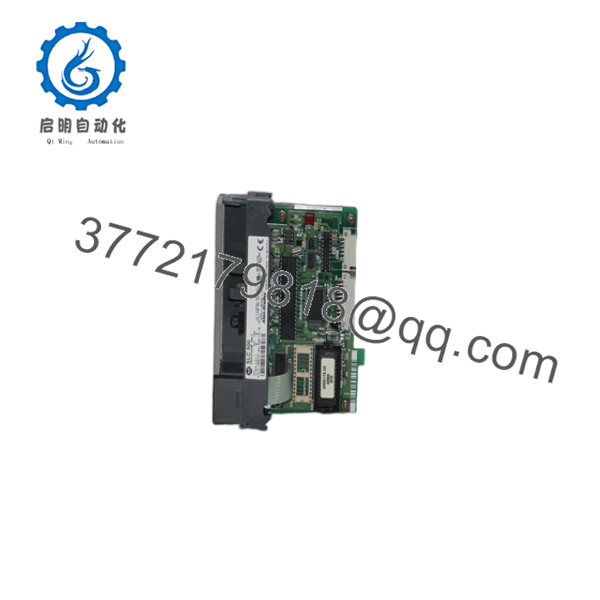
1747-L511
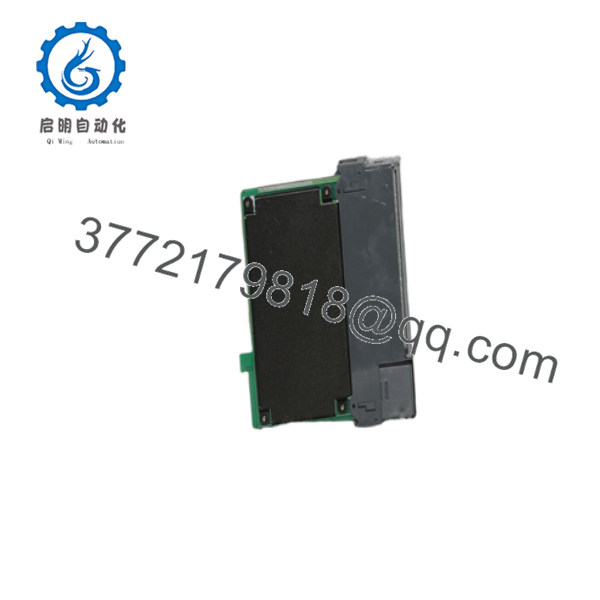
1747-L511
Firmware/Software Versions & Upgrade Notes
- Software Compatibility: The 1747- processor is fully supported across all versions of RSLogix 500 (as well as legacy APS and AI-500 software). Ensure the processor catalog number and Series letter (Series A, B, or C) in your RSLogix I/O Configuration tree match the hardware label.
- Firmware & OS Revisions: Firmware on the SLC 5/01 is stored on socketed OS chips. Replacing a processor module like-for-like does not alter project logic, but minor OS revisions can change DH-485 response timing.
- Upgrade Considerations: If your application outgrows the 1K memory limit of the 1747-, upgrading to a 1747-L512 (SLC 5/01 4K memory) or a 1747-L532 (SLC 5/03 with RS-232) requires updating the CPU catalog number in RSLogix 500 and verifying that instruction set execution limits are respected.
Frequently Asked Questions (FAQ)
Why is this New Surplus CPU priced lower than OEM list but higher than refurbished modules?
Our pricing reflects the market cost of securing verified, un-used OEM inventory from global warehouse reserves. Refurbished CPUs are cheap because they rely on harvested parts with thermal wear and aged memory retention circuits. New Surplus provides 100% factory lifespan and total operational peace of mind without the excessive markups of legacy OEM list prices.
Are these 1747- processors genuinely new?
Yes. Every 1747- unit is original Allen-Bradley stock, completely unused, with zero backplane wear, pristine gold-plated pins, and clean circuit board traces. Packages are opened only inside static-controlled ESD cleanrooms for visual verification and automated bench test validation.
Will the 1747- retain its program logic without a battery?
The 1747- features an internal capacitor that retains program memory during brief power outages (typically up to 30 minutes). For long-term non-volatile storage, a 1747-BA lithium battery must be connected to the card, or an optional EEPROM memory module (1747-M1 or 1747-M2) must be installed.
What causes the red “CPU FAULT” LED to flash on the front panel?
A flashing red CPU FAULT LED indicates a non-recoverable processor fault, such as memory corruption from a drained retention battery, an invalid memory structure, or an I/O module mismatch on the chassis backplane. Connecting via RSLogix 500 allows you to read the specific major fault code and re-download program logic.
What warranty coverage comes with this New Surplus controller?
We supply a comprehensive 1-Year warranty (depending on your service agreement) covering complete hardware replacement. In the event of any processor defect under normal operating conditions, we immediately send a replacement unit from our dedicated buffer stock.



