
 WhatsApp: +86 16626708626
 Email:
  Phone: +86 16626708626
Description
Key Technical Specifications
| Parameter | Specification / Value |
| Catalog Number | 1747-L532 |
| Processor Type | SLC 5/03 Modular Controller |
| Total User Memory | 16K Words (12K Program / 4K Data) |
| Max Discrete I/O Capacity | 4,096 Inputs / 4,096 Outputs |
| Max Local Chassis / Slots | 3 Chassis / 30 Slots |
| Program Scan Rate | 1 ms per 1K instructions (typical) |
| Communication Ports | Channel 0: RS-232 (DF1/ASCII) | Channel 1: DH-485 |
| Backplane Current Draw | 500 mA at 5 VDC | 175 mA at 24 VDC |
| Memory Backup | Battery-backed RAM (compatible with 1747-M13 EEPROM) |
| Operating Temperature | 0 to +60°C (32 to 140°F) |
| Dimensions & Weight | 145 x 35 x 142 mm; 0.57 kg (1.25 lbs) |
Product Introduction & Supply Chain Strategy
The Allen-Bradley 1747-L532 is a central processing unit for the modular SLC 500 platform, providing 16K words of memory and dual communication ports for legacy industrial control systems. It manages discrete and analog process tasks across up to 30 expansion slots in automated manufacturing, packaging, and infrastructure environments.
Sourcing this module as New Surplus ensures immediate operational protection against unexpected controller failures without forced, capital-intensive control platform migrations. With Rockwell Automation having fully phased out active production for the SLC 500 architecture, stocking verified unused hardware guarantees maximum operational lifespan, protects Total Cost of Ownership (TCO), and avoids the catastrophic downtime associated with degraded, second-hand market components.
Installation & Configuration Guide
Stage 1: Pre-Installation (Prep & Safety)
Perform complete Lock-Out/Tag-Out (LOTO) procedures on the SLC chassis power supply. Put on a grounded anti-static wrist strap before touching the module. Open the CPU enclosure door of the existing unit and take clear reference photographs of the DH-485 network connections, RS-232 pinouts, and key switch position.
Stage 2: Removal
Disconnect communication cables (Channel 0 and Channel 1). Squeeze the release levers at the top and bottom of the installed 1747-L532 CPU. Gently pull the module straight forward along the chassis guide rails to avoid bending the backplane connector pins or damaging neighboring I/O cards.
Stage 3: Installation (Clone & Seat)
Verify that the new module’s battery connector is firmly plugged in. Align the 1747-L532 with the leftmost slot (Slot 0) of the primary chassis. Slide the module firmly along the card guides until top and bottom latches snap into place, confirming a seated backplane connection. Reconnect communication cabling.
Stage 4: Power-On & Testing
Energize the chassis power supply. Confirm the POWER LED illuminates solid green. Connect via RS-232/DF1 or DH-485 using RSLogix 500. Download the documented program logic, transition the keyswitch from PROG to RUN mode, and observe that the RUN LED turns solid green without triggering a FLASHING RED fault condition.
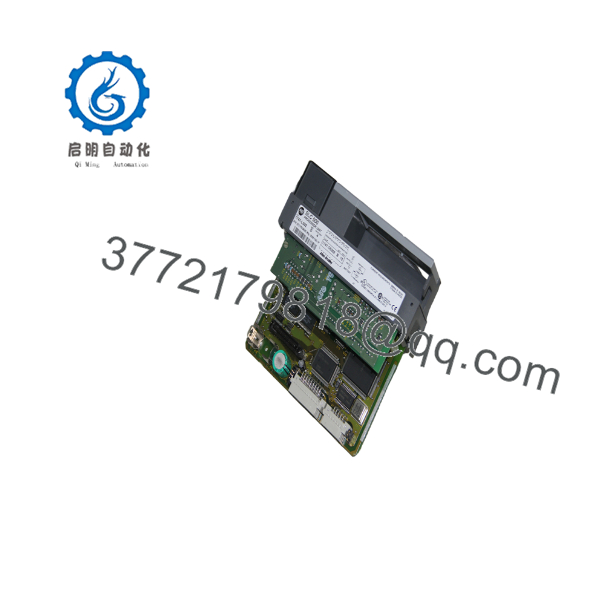
1747-L532
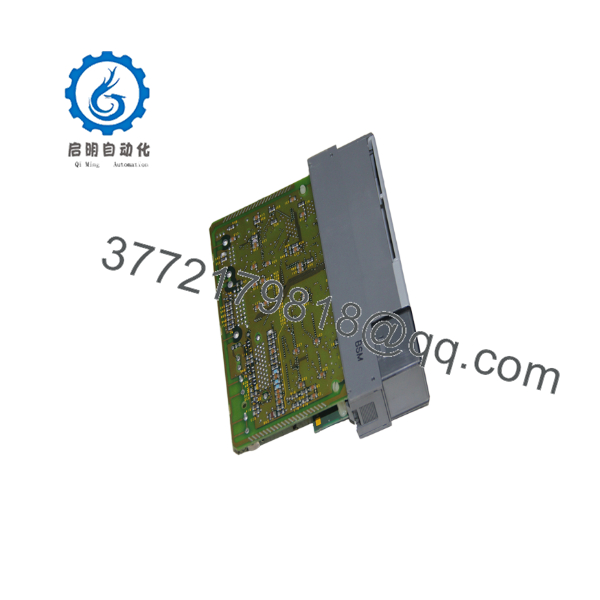
1747-L532
Firmware/Software Versions & Upgrade Notes
The 1747-L532 relies on OS302 series firmware revisions (typically OS302 Series C or later for enhanced protocol handling). RSLogix 500 software (Version 7.00.00 or higher) is recommended to program and configure all instruction set features seamlessly.
When executing hardware swaps, match the firmware revision or verify backward compatibility in RSLogix 500 before flashing. Firmware downgrades can corrupt program structures or erase custom memory allocation files, while unverified upgrades may break legacy DH-485 pass-through routing to attached HMIs or drive controllers. Always execute a full memory dump and offline backup prior to replacing hardware.
Frequently Asked Questions (FAQ)
Is this 1747-L532 module genuinely new, or is it a restored unit?
This unit is 100% Brand New Surplus. It has never been installed in a control cabinet, pulled from a decommissioned line, or subject to board-level repairs. It remains in its original OEM anti-static packaging and undergoes strict internal physical verification to ensure zero backplane pin wear.
Why should I buy New Surplus instead of lower-cost refurbished units?
Refurbished PLC modules frequently suffer from dried electrolytic capacitors, worn-out internal relays, or thermal stress that cosmetic cleaning cannot reveal. A failure in a refurbished CPU can trigger complete line stoppages costing thousands per hour. Buying New Surplus provides OEM-level lifespan and reliability at a fraction of the cost of emergency platform modernizations.
Is the 1747- module hot-swappable while the chassis is powered?
No. Removing or inserting any SLC 500 CPU while the backplane is energized creates electrical arcs that can destroy the controller, damage adjacent I/O modules, and corrupt memory. Always shut off all power to the 1746 power supply before removing or inserting hardware.
Will my program logic remain intact when I install this module?
No, a new 1747- arrives with cleared user memory. You must load your ladder logic application file using RSLogix 500 via the RS-232 or DH-485 port, or transfer the program from a previously burned 1747-M13 Flash EPROM memory module.
What warranty coverage comes with this New Surplus processor?
We back this 1747- with a comprehensive 1-year functional replacement warranty. If any functional hardware defect occurs under standard operating conditions within 12 months, we replace the unit directly from our localized inventory.



