
 WhatsApp: +86 16626708626
 Email:
  Phone: +86 16626708626
Description
3. Key Technical Specifications
| Parameter | Value |
|---|---|
| Catalog Number | 1747-L532 |
| Processor Type | SLC 5/03 |
| User Memory | 16K words total (12K program/data + 4K data only) |
| Max Digital I/O | 4096 inputs + 4096 outputs |
| Max Local Analog I/O | 480 points |
| Local Chassis / Slots | Up to 3 chassis / 30 slots |
| Program Scan Time (typ) | 1 ms per 1K instructions |
| I/O Scan Time (typ) | 0.225 ms |
| Bit Execution Time (XIC) | 0.44 µs |
| Communication Ports | Channel 0: RS-232 (DF1 full/half duplex, ASCII, DH-485); Channel 1: DH-485 |
| Backplane Current | 500 mA @ 5 V DC; 175 mA @ 24 V DC |
| Memory Backup | Battery-backed RAM (1747-BA); optional Flash (1747-M13) |
| Operating Temperature | 0…60 °C (32…140 °F) |
| Storage Temperature | –40…85 °C (–40…185 °F) |
| Relative Humidity | 5…95 % non-condensing |
| Keyswitch Modes | RUN / REM / PROG |
| Programming Software | RSLogix 500 |
| Weight | Approx. 0.25 kg (0.55 lb) |
4. Product Introduction
The Allen-Bradley 1747-L532 is the 16K-word SLC 5/03 processor for the modular SLC 500 platform. It sits in a 1746 chassis and executes ladder logic for discrete and analog control of machines and processes.
It combines a 1 ms/K typical program scan, built-in DH-485 and RS-232 ports, online editing, and support for up to 4096 digital I/O points. Plants keep these CPUs in service because the instruction set, chassis, and I/O modules remain widely available and the processor still handles the majority of mid-size discrete and hybrid applications without requiring a full platform migration.
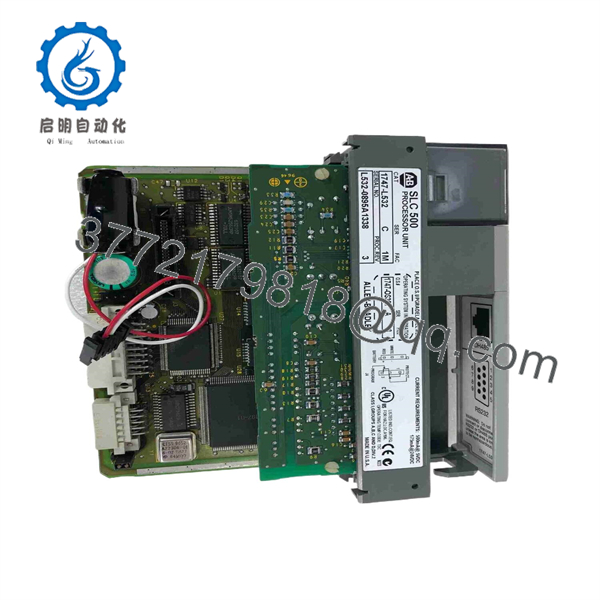
1747-L532
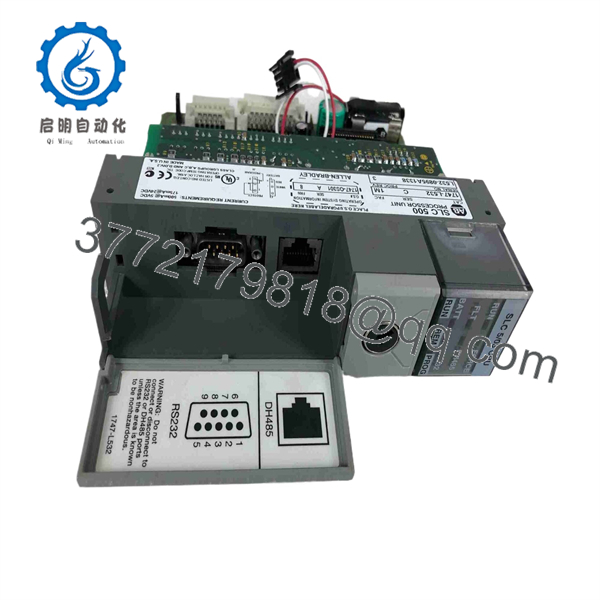
1747-L532
5. Troubleshooting Quick Reference
| Symptom | Possible Cause | Relevance to this Part | Quick Check Method | Recommendation |
|---|---|---|---|---|
| No LEDs / dead processor | Power supply or backplane failure | ❌ Low | Measure 5 V and 24 V on chassis backplane | Check chassis PSU and fuses first |
| FAULT LED solid or flashing | Major fault (S:6 code) | ✅ High | Connect RSLogix 500, read status file S:6 | Clear fault, check program and I/O configuration |
| Battery low LED on | Weak or dead 1747-BA battery | ✅ High | Replace battery with power applied | Install fresh 1747-BA; verify retention after power cycle |
| Cannot go online via RS-232 | Wrong cable, baud, or protocol | ✅ Medium | Verify DF1 full-duplex 19.2 kbaud, CRC, no handshaking | Use 1747-CP3 or equivalent; check Channel 0 config |
| I/O modules show fault after swap | Chassis configuration mismatch | ✅ Medium | Compare actual chassis config vs. RSLogix I/O tree | Re-enter chassis and module definitions |
| Intermittent scan or lock-up | Memory corruption or marginal power | ✅ Medium | Monitor scan time and power-supply ripple | Verify battery, re-download program, check PSU load |
If the processor still will not run after these checks, capture the exact S:6 fault code, series letter, and OS revision, then contact technical support with photos of the module face and chassis wiring.
6. Frequently Asked Questions (FAQ)
Q: Is the 1747-L532 still available new from Rockwell?
A: No. Rockwell discontinued the SLC 5/03 processors. New-surplus and fully tested refurbished units are the practical sources for maintaining existing systems.
Q: What is the difference between the 1747-L531 and 1747-L532?
A: Memory size only. The L531 has 8K words; the L532 has 16K words (12K program/data + 4K data). Instruction set, ports, and scan performance are identical.
Q: Can I hot-swap this processor?
A: No. Always remove power from the chassis before inserting or removing the CPU. Hot-swapping can corrupt memory or damage the backplane connector.
Q: Will my existing program run without changes?
A: Yes, provided the program was written for an SLC 5/03 and fits in 16K. Download the exact same .RSS file. Verify the chassis configuration matches the physical I/O layout.
Q: Do I need a battery?
A: Yes. The 1747-BA lithium battery retains the program and data table when power is removed. Replace it every 2–5 years or when the battery LED illuminates. Always change the battery with power applied so the program is not lost.
Q: Can I add Ethernet to this CPU?
A: Not built-in. Use a 1747-AENTR Ethernet adapter in a remote chassis or a 1761-NET-ENI / equivalent interface on the RS-232 port for limited Ethernet connectivity.
Q: Why is a surplus unit cheaper than an old factory list price?
A: These are genuine Allen-Bradley processors that left the factory sealed and have never been installed, or fully tested refurbished units. They carry a 1-year functional warranty from the seller but are outside Rockwell’s original factory support window.



